


- Google Pixel lock screen “Google Keep” app “Note” shortcut finally rolling out in mid-November 2026.
- Rollout taking several years in the making.
- Quickly create notes without unlocking the lock screen.
First spotted on the Google Pixel Tablet around April 2024—about two and a half years ago—and although its references were briefly removed around October 2025, an internal revival was confirmed in the Android “Google Keep” app v5.26.151.01.90 update released in May 2026: the “Google Keep” app “Note” shortcut for the Google Pixel lock screen.
That “Google Keep” app “Note” shortcut for the Google Pixel lock screen has finally begun rolling out in mid-November 2026, after several years of anticipation.

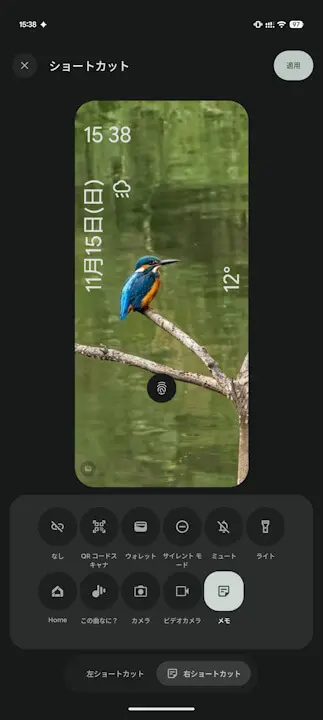
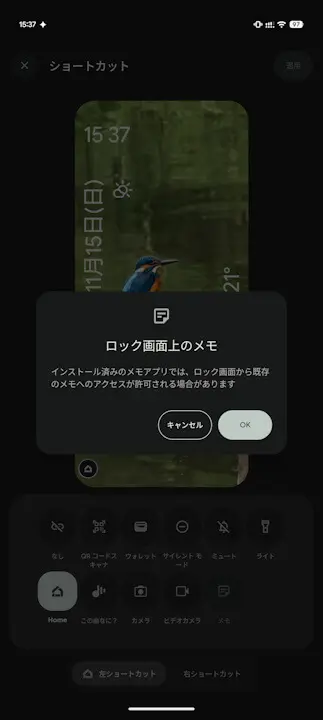
The newly rolled-out “Google Keep” app “Note” shortcut on the Google Pixel lock screen can be set by selecting it as either the left or right shortcut from the lock screen customization (shortcuts) settings in “Pixel Launcher.” Upon setup, a confirmation dialog appears stating, “Installed note-taking apps may allow access to existing notes from the lock screen,” and selecting “OK” places the shortcut on the lock screen.
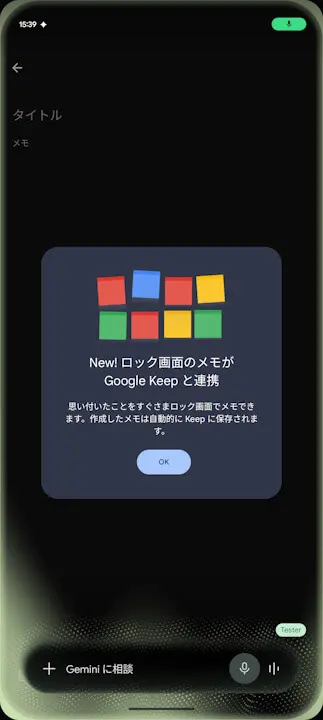
When you launch the “Note” shortcut placed on the lock screen for the first time, a guidance message appears: “New! Lock screen notes work with Google Keep / Jot down thoughts right from your lock screen. Created notes are automatically saved to Keep,” allowing you to quickly create notes without having to unlock your screen.
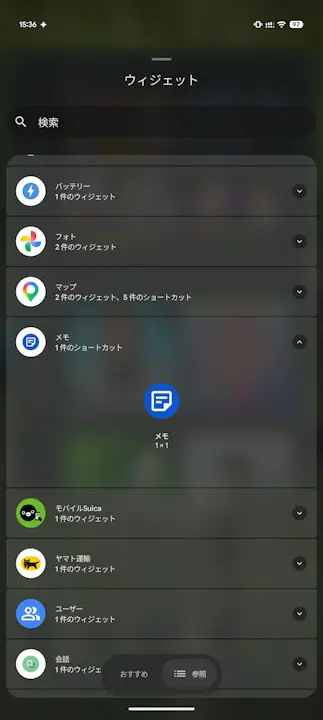
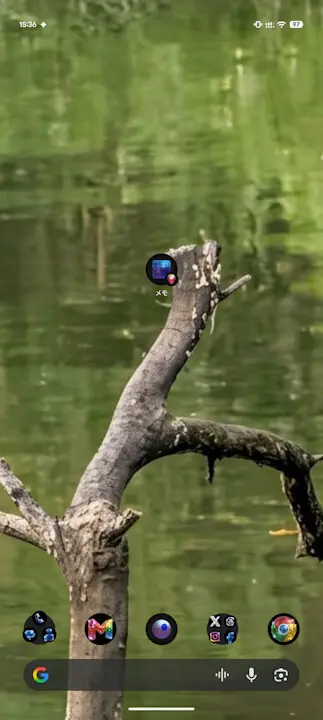
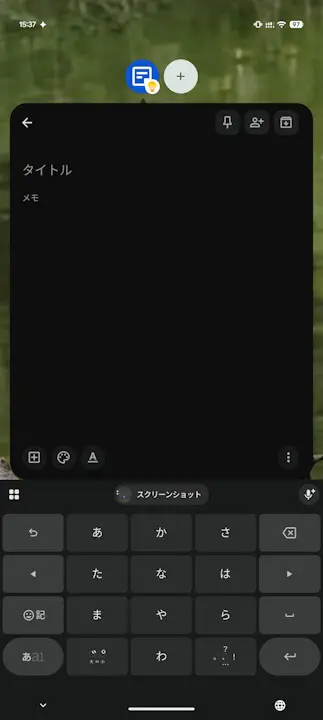
Along with the “Google Keep” note shortcut for the Android lock screen, a “Note (1×1)” shortcut that can be placed on the home screen has also been released. Tapping the “Note” shortcut on the home screen opens the “Google Keep” note creation screen in a floating window format, making it possible to instantly jot down notes without interrupting other tasks.
“Google Keep” App Link