
- Usability for the “AI Voice Typing (Rambler)” feature on the Android version of the “Gboard” app, designed primarily for the new-generation Google Pixel device series “Pixel 11,” is finally showing signs of improvement.
- Analysis of the app file for the Android “Gboard” app version 18.6.3 update confirmed the addition of resource code related to a new setting called “Voice correction list,” which manages the correction history of words used in “AI Voice Typing.”
- Alongside this, the “AI Voice Typing” settings appear to be getting a redesign.
The Android version of Google’s typing app, “Gboard,” features “AI Voice Typing (Rambler),” an advanced voice input function primarily rolled out for the new-generation Google Pixel device series “Pixel 11” that automatically removes and adjusts fillers like “um” and “uh.”
Additionally, this “AI Voice Typing” feature even includes functionality to learn word correction history. However, it currently lacks convenience because users cannot view a list of word correction histories, add them from settings, delete them individually, or export them—currently, the only option is to clear the entire correction history at once.
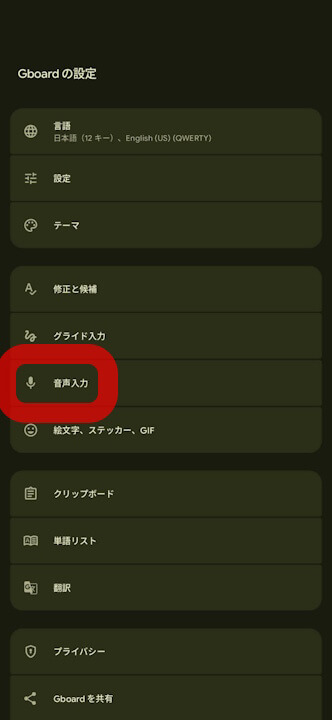
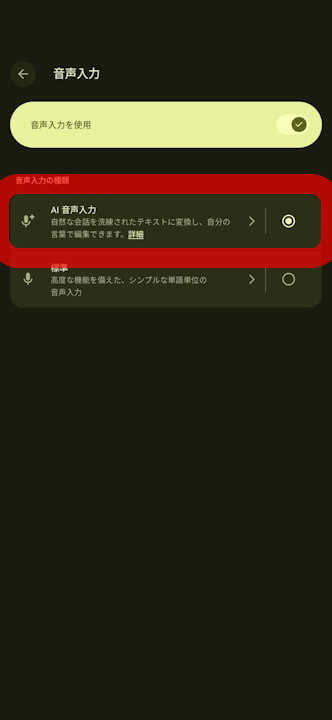
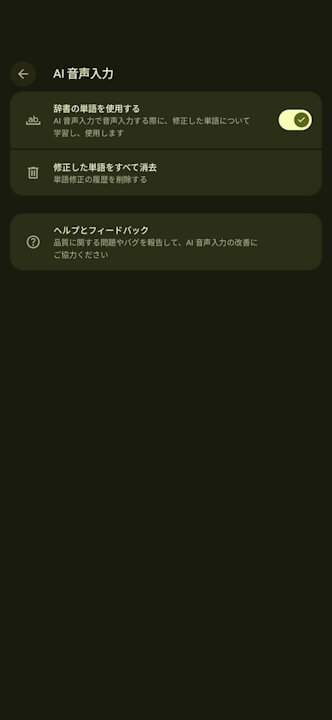
Fortunately, usability for this “AI Voice Typing” feature is finally set to improve. We bring you the details through “App Analysis,” our original app file analysis reporting content here at “Jetstream.”
「アプリ解析」
当サイトの「アプリ解析」カテゴリで公開している記事では、最新 Android アプリを逆コンパイルして独自に解析し、今後実装される可能性のある新機能や変更点などをお届けします。正式リリース前の新機能や変更となるため開発段階の未確定な情報も含まれますが、Android アプリの今後のアップデート動向をいち早くキャッチできる、ほかにはない当サイトオリジナルコンテンツです。
当サイトオリジナルの「アプリ解析」コンテンツを見逃さないよう、ぜひ Google の「優先ソース」に当サイト「Jetstream 」を登録してください。

As a result of analyzing the app files for the Android “Gboard” app version 18.6.3 update released on Wednesday, November 4, 2026, we confirmed that resource code has been added regarding a new setting called “Voice correction list,” which manages word correction histories for “AI Voice Typing.” In addition, the “AI Voice Typing” settings also appear to be getting a refresh.
Although the actual rollout of the new “Voice correction list” setting has not yet been confirmed, UI design mockups for the redesigned “AI Voice Typing” settings screen have been revealed based on the resource code.
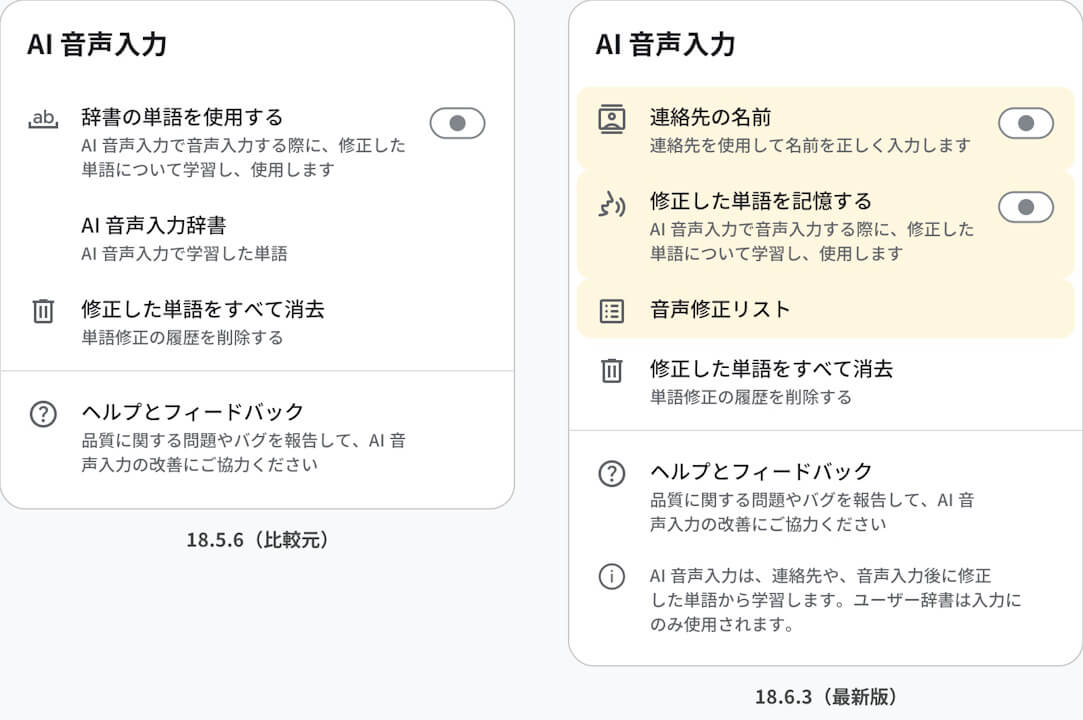
The newly introduced “Voice correction list” will be housed within the “AI Voice Typing” settings. Words that are corrected after voice input using “AI Voice Typing” will be displayed in a list under the “Voice correction list.”
This list appears to allow users to batch-add words by pasting them one per line, delete only selected words, and export words.
<string name="obf_0x7f140c49">Voice correction list</string>
<string name="obf_0x7f140c42">You don’t have any words in the voice correction list. Words you fix after dictating with Rambler will show here.</string>
<string name="obf_0x7f140c46">Paste words to add to your voice correction list</string>
<string name="obf_0x7f140c45">One word per line</string>
<string name="obf_0x7f140c48">No words to export</string>
<string name="obf_0x7f140c41">Delete words?</string>
<string name="obf_0x7f140c40">This will delete the selected words Rambler has learned from your past corrections</string>
Previously with “AI Voice Typing,” there was no way to check which words had been learned, nor was it possible to delete only incorrectly memorized words. Once the “Voice correction list” rolls out, users will be able to review learned words in a list and individually delete unwanted words. Furthermore, it will also enable users to batch-add frequently used personal names or technical terms in advance, or export words to add them to another Android device.
Additionally, a “Contact names” option is being added to the “AI Voice Typing” settings to correctly input personal names using names registered in contacts. Along with this, the current “Use dictionary words” setting is expected to be renamed to “Remember corrected words.”
“Gboard” App Link