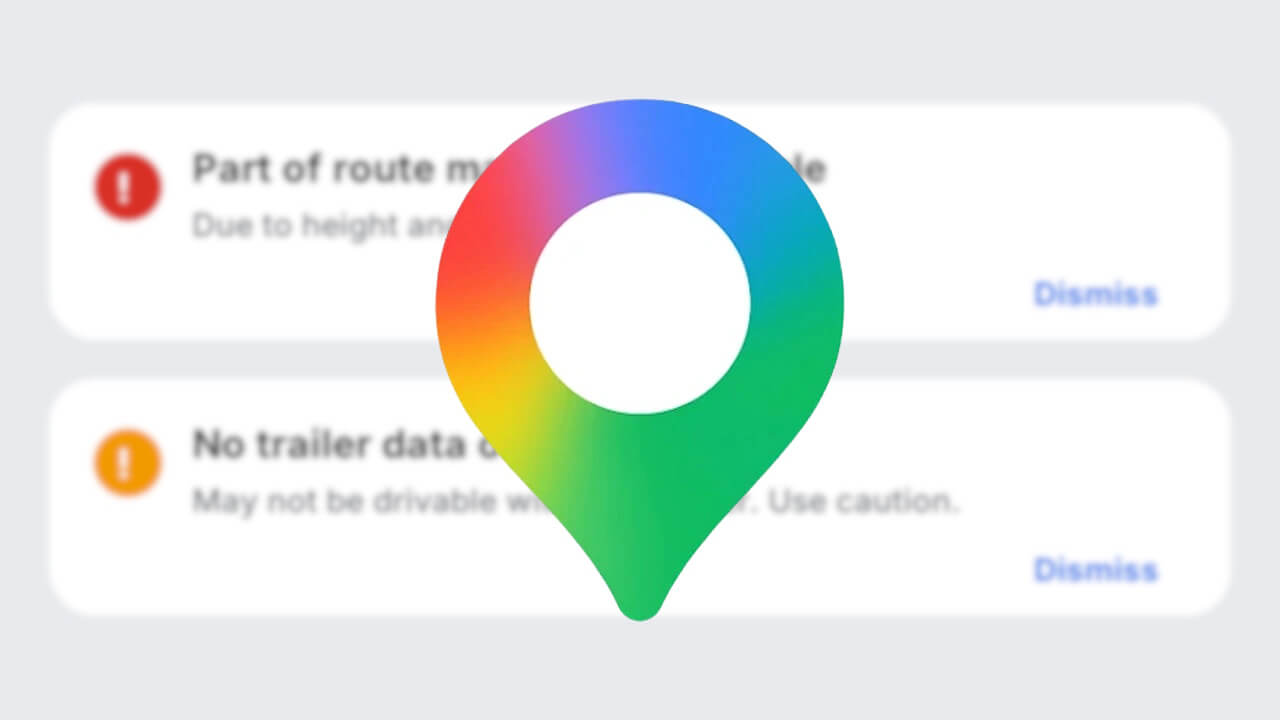
- Car navigation for “trailers” on the Android version of the “Google Maps” app has not been rolled out yet, but internal development appears to be underway.
- An analysis of the app files from the Android “Google Maps” app v26.45.00 update confirms that resource codes have been added to provide guidance for trailer navigation, displaying potentially impassable restricted routes along with the reasons for those restrictions.
- The reasons for traffic restrictions consist of four limiting factors: height, weight, length, and width. These are available individually, in combinations of two, or as “Due to multiple restrictions.”
Previously, in our original app file analysis content “App Teardown,” we reported on the addition of resource codes related to “trailer” navigation displays in the Android version of the “Google Maps” app.
While car navigation for “trailers” in the Android version of the “Google Maps” app has not yet been rolled out, internal development seems to be progressing. We are following up with the details in our “App Teardown” series.

「アプリ解析」
当サイトの「アプリ解析」カテゴリで公開している記事では、最新 Android アプリを逆コンパイルして独自に解析し、今後実装される可能性のある新機能や変更点などをお届けします。正式リリース前の新機能や変更となるため開発段階の未確定な情報も含まれますが、Android アプリの今後のアップデート動向をいち早くキャッチできる、ほかにはない当サイトオリジナルコンテンツです。
当サイトオリジナルの「アプリ解析」コンテンツを見逃さないよう、ぜひ Google の「優先ソース」に当サイト「Jetstream 」を登録してください。

As a result of analyzing the app files from the Android “Google Maps” app v26.45.00 update released on Monday, November 2, 2026, we confirmed that resource codes have been added for “trailer” car navigation to show potentially impassable restricted routes and guidance displaying the reasons for the restrictions. The reasons for traffic restrictions cover four limiting factors: height, weight, length, and width, which appear individually, in combinations of two, or as “Due to multiple restrictions.”
<string name="TRAILER_IMPASSABLE_PROMPT_TITLE">Part of route may not be drivable</string>
<string name="TRAILER_IMPASSABLE_PROMPT_SUBTITLE_HEIGHT">Due to height restrictions</string>
<string name="TRAILER_IMPASSABLE_PROMPT_SUBTITLE_WEIGHT">Due to weight restrictions</string>
<string name="TRAILER_IMPASSABLE_PROMPT_SUBTITLE_LENGTH">Due to length restrictions</string>
<string name="TRAILER_IMPASSABLE_PROMPT_SUBTITLE_WIDTH">Due to width restrictions</string>
<string name="TRAILER_IMPASSABLE_PROMPT_SUBTITLE_HEIGHT_WEIGHT">Due to height and weight restrictions</string>
<string name="TRAILER_IMPASSABLE_PROMPT_SUBTITLE_HEIGHT_LENGTH">Due to height and length restrictions</string>
<string name="TRAILER_IMPASSABLE_PROMPT_SUBTITLE_HEIGHT_WIDTH">Due to height and width restrictions</string>
<string name="TRAILER_IMPASSABLE_PROMPT_SUBTITLE_WEIGHT_LENGTH">Due to weight and length restrictions</string>
<string name="TRAILER_IMPASSABLE_PROMPT_SUBTITLE_WEIGHT_WIDTH">Due to weight and width restrictions</string>
<string name="TRAILER_IMPASSABLE_PROMPT_SUBTITLE_LENGTH_WIDTH">Due to length and width restrictions</string>
<string name="TRAILER_IMPASSABLE_PROMPT_SUBTITLE_MULTIPLE">Due to multiple restrictions</string>
In the previous Android “Google Maps” app v26.40.00, the internal specification for restricted routes in “trailer” navigation only displayed a single line reading “Not drivable with your trailer.” However, in this latest Android “Google Maps” app v26.45.00, it has been improved so that a reason is displayed—such as “Due to height and weight restrictions”—directly beneath the title “Part of route may not be drivable.”
For example, if there is an underpass with a height restriction or a bridge with a weight limit along the route, you will be able to know in advance which restriction applies. Knowing the reason makes it easier to decide whether to proceed along the route or look for an alternative.
<string name="TRAILER_LOW_QUALITY_ZONE_PROMPT_TITLE">No trailer data on part of route</string>
<string name="TRAILER_LOW_QUALITY_ZONE_PROMPT_SUBTITLE">May not be drivable with your trailer. Use caution.</string>
<string name="TRAILER_LOW_QUALITY_ZONE_LOW_DATA_PROMPT_TITLE">Limited trailer data</string>
<string name="TRAILER_RESTRICTION_PROMPT_CLOSE_BUTTON">Dismiss</string>
Additionally, sections lacking “trailer” data have been updated from the previous single-line display into two tiered guidance prompts: “No trailer data on part of route” and “Limited trailer data.” Both prompts can be closed using the “Dismiss” button. The UI concept is shown below.
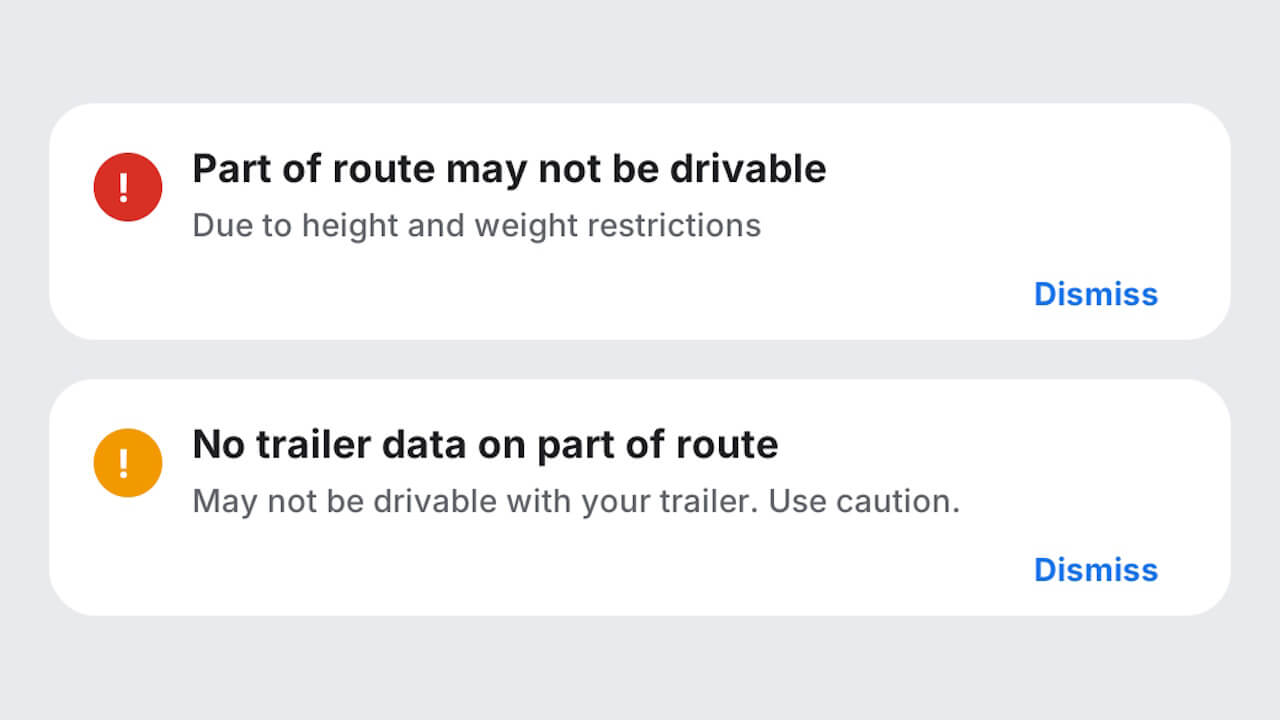
Meanwhile, resource codes for configuring the height, weight, etc., of the “trailer” itself were not found even in the Android “Google Maps” app v26.45.00. While it remains unclear what specific figures will be used to determine passability, it is certain that development for “trailer” car navigation is steadily moving forward.
“Google Maps” App Link