



- Android’s password manager feature, “Google Password Manager,” is reportedly rolling out a very convenient “passkey” upgrade feature.
- Through the analysis of the app files from the Android “Google Play services” app version v26.39 update, we confirmed the addition of resource code related to “Upgrade to passkeys,” a new feature implemented in Android’s “Google Password Manager” that allows users to batch-upgrade the login specifications of multiple selected apps and sites to “passkeys.”
- In the future, “Google Password Manager” will take the lead in allowing users to batch-upgrade apps and services to “passkeys.”
It appears that a very convenient “passkey” upgrade feature will soon be rolled out to Android’s password manager feature, “Google Password Manager.”
We bring you the details through “App Analysis,” an original app file analysis reporting content from our site, “Jetstream.”
「アプリ解析」
当サイトの「アプリ解析」カテゴリで公開している記事では、最新 Android アプリを逆コンパイルして独自に解析し、今後実装される可能性のある新機能や変更点などをお届けします。正式リリース前の新機能や変更となるため開発段階の未確定な情報も含まれますが、Android アプリの今後のアップデート動向をいち早くキャッチできる、ほかにはない当サイトオリジナルコンテンツです。
当サイトオリジナルの「アプリ解析」コンテンツを見逃さないよう、ぜひ Google の「優先ソース」に当サイト「Jetstream 」を登録してください。

As a result of analyzing the app files from the Android “Google Play services” app version v26.39 update, distributed around Wednesday, October 7, 2026, we confirmed the addition of resource code for “Upgrade to passkeys”—a feature implemented in Android’s “Google Password Manager” that allows users to batch-upgrade the login methods of multiple selected apps and sites to “passkeys.” Additionally, based on this resource code, the UI design for the batch “passkey” upgrade screen has also been revealed.
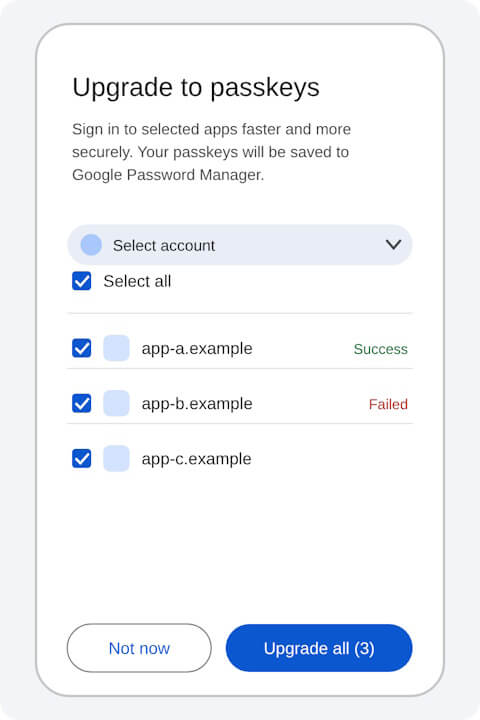
<string name="batch_upgrade_to_passkeys_title">Upgrade to passkeys</string>
<string name="batch_upgrade_to_passkeys_subtitle">Sign in to selected apps faster and more securely. Your passkeys will be saved to %1$s.</string>
<string name="batch_select_account_content_description">Select account</string>
<string name="batch_select_all">Select all</string>
<string name="batch_cta_upgrade_all">Upgrade all (%1$d)</string>
<string name="batch_cta_not_now">Not now</string>
<string name="batch_cta_done">Done</string>
<string name="batch_status_success">Success</string>
<string name="batch_status_failed">Failed</string>
<string name="pwm_passkey_auto_upgrade_title">Automatically create a passkey to sign in faster</string>
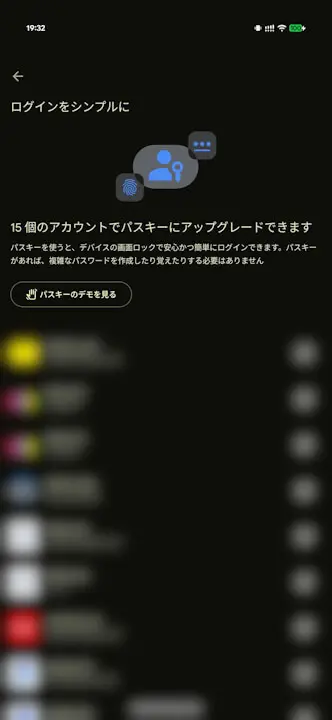
<string name="pwm_passkey_auto_upgrade_description">Allow sites and apps to upgrade existing accounts to use passkeys.</string>In the current version of “Google Password Manager,” apps and services that can be upgraded to “passkeys” are simply highlighted, and the actual upgrade process must be handled by transferring to each respective app or service. However, going forward, “Google Password Manager” will take the lead, allowing users to upgrade to “passkeys” in bulk. It is sure to be very convenient.
Google Play services App Link
