




- A “Speedometer” feature has suddenly been rolled out to the Android Auto version of the “Google Maps” app.
- This feature displays your current speed on the screen and has been available in the Android and iOS versions of the “Google Maps” app for quite some time.
- If the “Speedometer” setting is turned on in the Android version of the “Google Maps” app, the ‘Speedometer’ will also be displayed in the Android Auto version of the “Google Maps” app.
From late September 2026 to early October 2026, the “Speedometer” feature has suddenly begun rolling out to the “Google Maps” app for the Google car operating system, Android Auto.
The “Speedometer” in the Android Auto version of “Google Maps” is a feature that displays your driving speed on the screen. While this has been implemented in the Android and iOS versions of the “Google Maps” app for quite some time, the same feature is now rolling out to the Android Auto version as well.
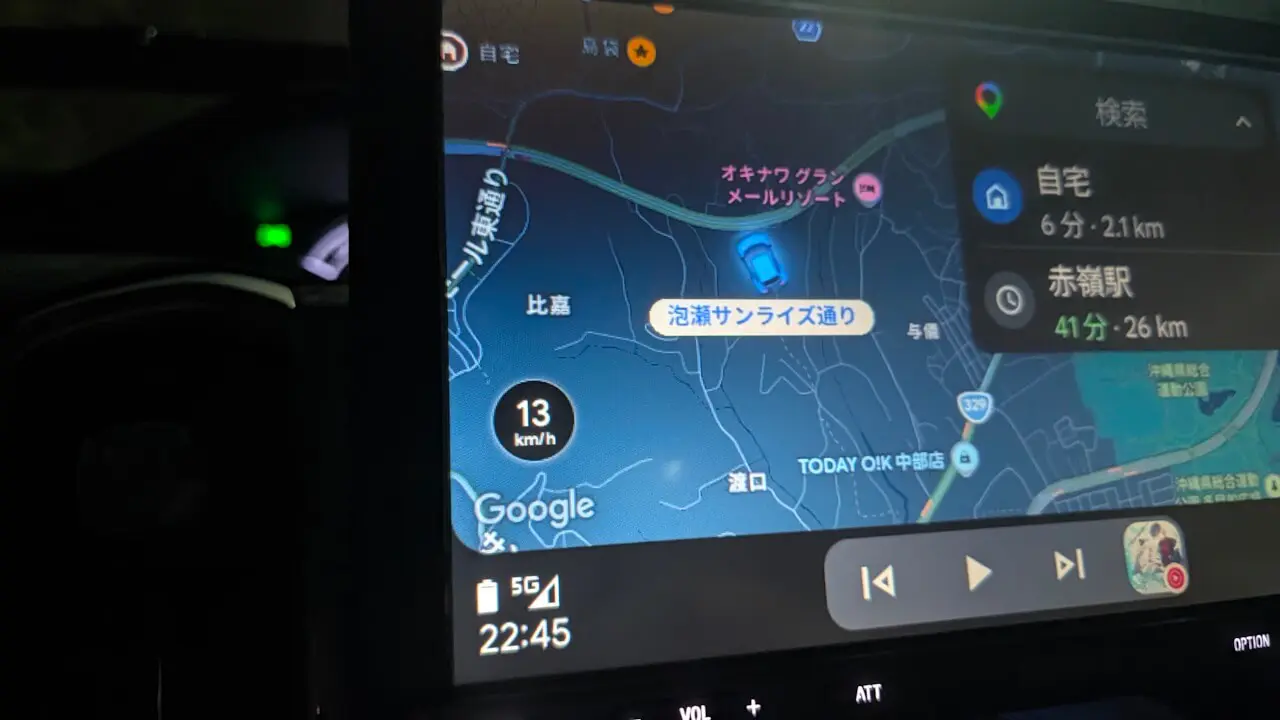
The “Speedometer” in the Android Auto “Google Maps” app does not have its own settings within Android Auto; instead, it relies on the “Speedometer” settings in the Android version of the “Google Maps” app. When the “Speedometer” setting is turned ON in the Android “Google Maps” app, it will also appear in the Android Auto “Google Maps” app.
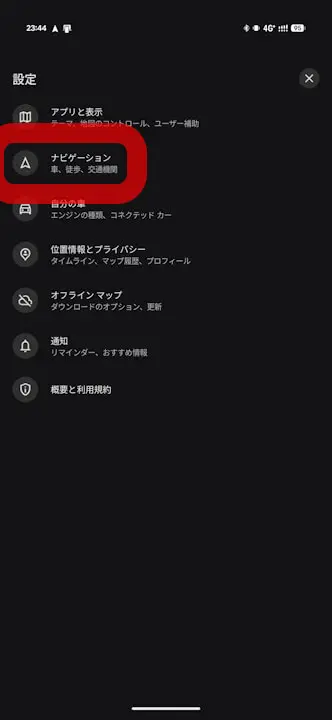
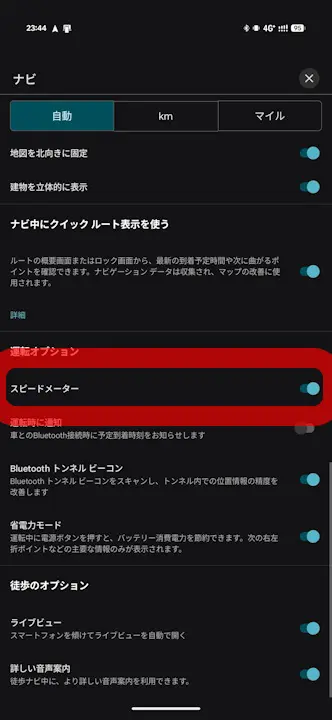
The “Speedometer” in the Android Auto “Google Maps” app has been confirmed starting around the “Android Auto” app v17.9.164004-release, but you will likely also need to make sure the Android version of the “Google Maps” app is updated to the latest version. Incidentally, since resource code related to the “Speedometer” has recently been confirmed to be added internally to the “Android Auto” app, it is expected that Google is rolling it out gradually on the server side depending on the region and other factors.
<string name="DA_SPEED_FORMAT_KILOMETERS_PER_HOUR_ABBREVIATED">%s km/h</string>
<string name="DA_SPEED_FORMAT_MILES_PER_HOUR_ABBREVIATED">%s mph</string>
<string name="SPEEDOMETER_SETTING">Speedometer</string>
<string name="SPEED_LIMITS_SETTING">Speed limits</string>
App Links
“Android Auto”

“Google Maps”