



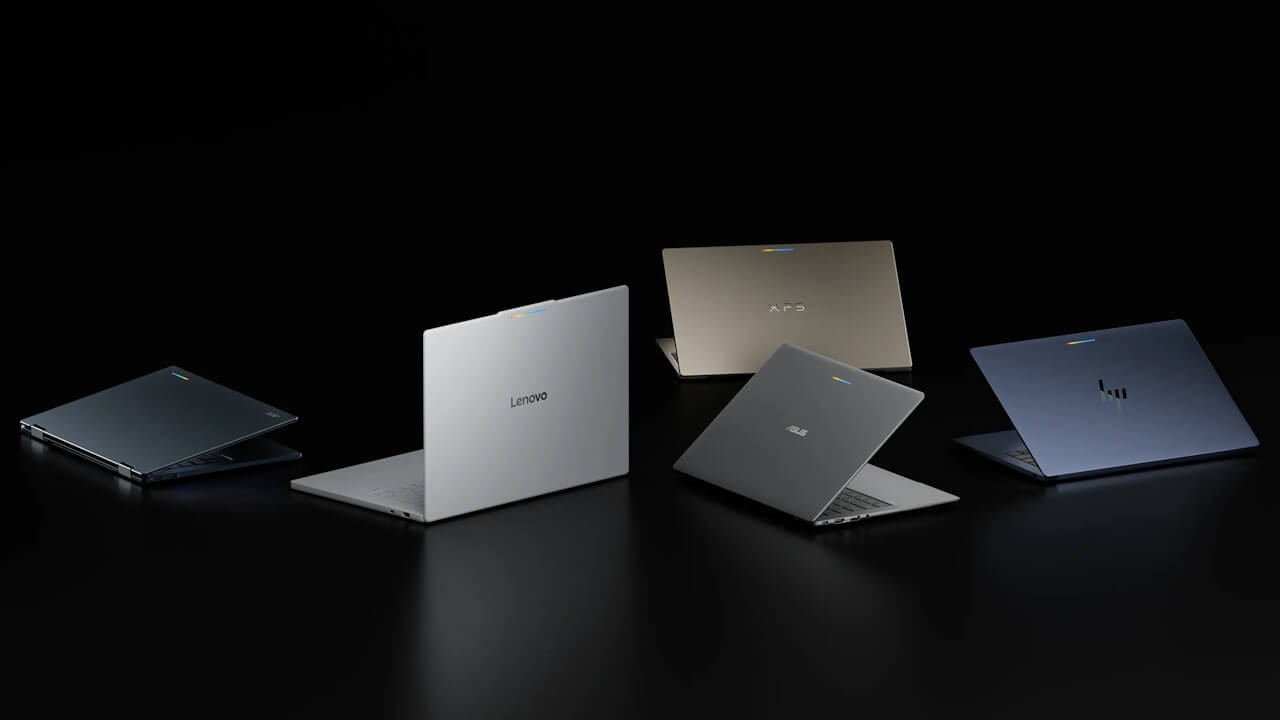

- Today, Sunday, October 4, 2026, Google’s new laptop brand “Googlebook” series, designed for the next-generation intelligent system “Gemini Intelligence,” has finally launched in the US.
- The initial lineup consists of a total of five models: the “Acer Googlebook 14,” “ASUS Googlebook 14,” “XPS Googlebook,” “HP Googlebook 14,” and “Lenovo Googlebook 15.”
- “Googlebook” will also launch in Canada, the UK, Ireland, France, Germany, and Australia the following day, Monday, October 5, 2026.
Today, Sunday, October 4, 2026, Google’s new laptop brand “Googlebook” series—designed specifically for the next-generation intelligent system “Gemini Intelligence”—has finally launched in the United States.
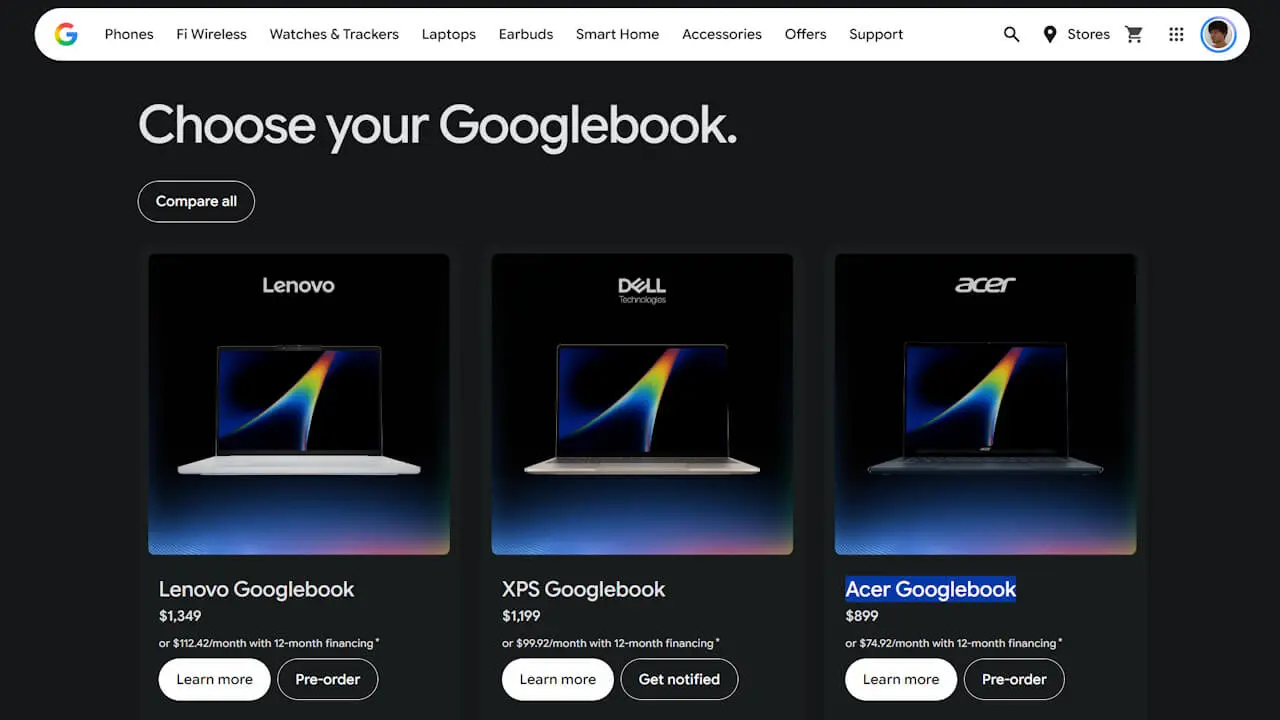
The initial lineup of the “Googlebook” includes a total of five models starting at $899: the “Acer Googlebook 14,” “ASUS Googlebook 14,” “XPS Googlebook,” “HP Googlebook 14,” and “Lenovo Googlebook 15.” Three of these models—the “Lenovo Googlebook 15,” “XPS Googlebook,” and “Acer Googlebook 14″—are available at the US Google Store, while the “ASUS Googlebook 14” and “HP Googlebook 14” are available at major US electronics retailer Best Buy.
Additionally, the “Googlebook” will launch in Canada, the UK, Ireland, France, Germany, and Australia the following day on Monday, October 5, 2026. There has been no specific announcement regarding a release in Japan.

“Continue On”
Built on the same foundational architecture as Android, signing in during the initial setup of a “Googlebook” will seamlessly carry over your Android device settings, saved passwords, Wi-Fi networks, and messages.
With the “Continue On” feature, you can pick up right where you left off on your Android device directly from the “Googlebook” taskbar. For example, if you started a project in the music creation app “BandLab” during your commute, you can open your “Googlebook” and immediately resume it. You can also view, search, and open files and photos from your Android device using the “Files by Google” app, allowing you to work with them on your “Googlebook” without needing to download files from your Android device.
“Cast My Apps” and “Quick Access”
Features like “Cast My Apps,” which lets you launch apps installed on your Android device on your “Googlebook” without needing to reinstall them, and “Quick Access,” which allows you to manage Android device files directly on your “Googlebook,” are also available.
However, these features are made possible through integration with Android devices running the new-generation Android OS, “Android 17” or later.
“Google Play Store”
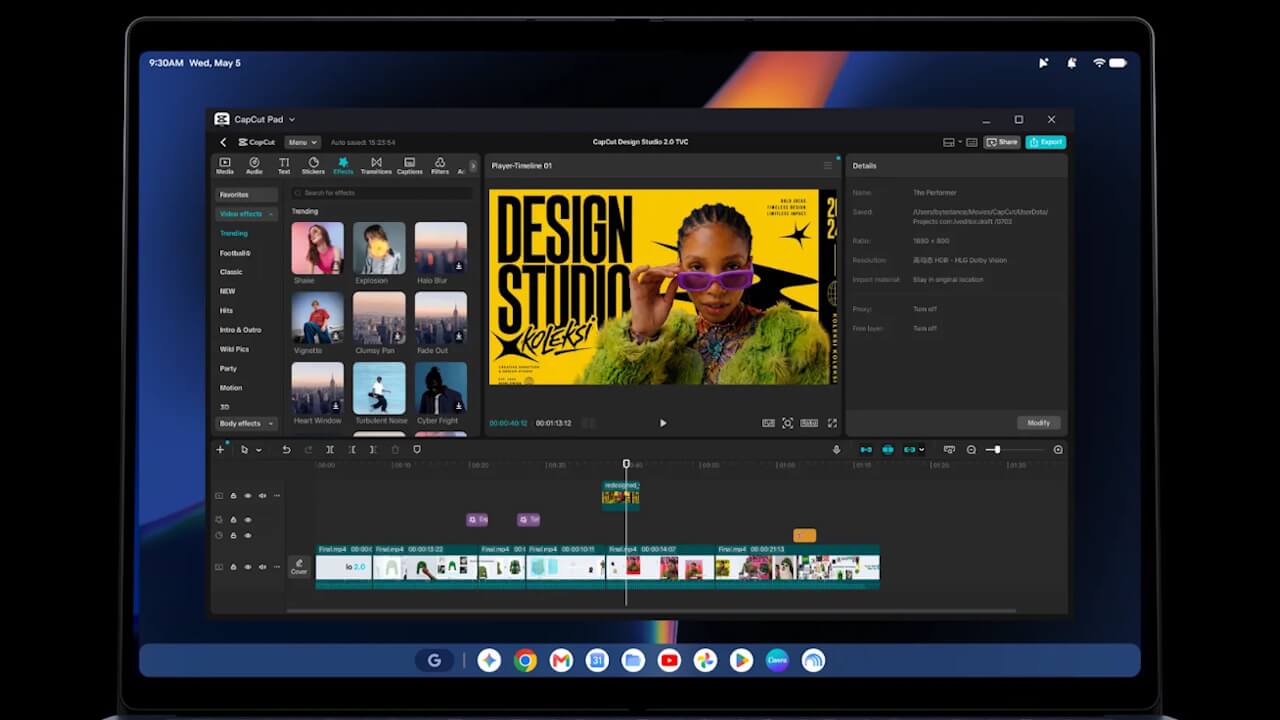
On the “Googlebook,” users can access both the desktop version of “Chrome” with extension support and the Android content store, the “Google Play Store.”
Many Android apps are optimized for the large screen and mouse/keyboard controls of the “Googlebook.” Creative tools like “Adobe Photoshop,” “Adobe Lightroom,” and “CapCut” can be run natively, and offline viewing is available for services like “Netflix” and “HBO Max.” Additionally, purchasers of the “Googlebook” will receive a free one-year subscription to the cloud gaming service “GeForce NOW.”
“Magic Pointer”
“Magic Pointer” is a feature that allows you to summon “Gemini”—which understands the context of text, images, and more on your screen—simply by giving the cursor a gentle wiggle.
For example, you can highlight a marathon training schedule on a webpage and add it as an event to “Google Calendar,” hover over a suspicious email to have Gemini analyze whether it is spam based on the body text and images, or select multiple images and generate them into a single image without downloading or uploading—all with simple gesture controls. “Magic Pointer” only activates when invoked with a wiggle motion and remains inactive otherwise, keeping privacy in mind.
“Rambler”
“Rambler” is a voice input feature that removes stumbles, slips of the tongue, and filler words just by pressing a dedicated dictation key and speaking, turning your speech into polished text.
It organizes rambling spoken words—like meeting notes—into bulleted action items and even adds relevant emojis. It features native multilingual support, so you can seamlessly switch languages mid-sentence without any issues.
“Create My Widget”
“Create My Widget” is a feature that lets you build custom widgets simply by describing what you want to create in plain language.
You can easily create custom widgets like a score display for your favorite sports team or a countdown to a family vacation without any coding. If you want to take it a step further, you can directly deploy the apps you create using “Google Antigravity,” the AI development platform included with “Googlebook.”
For developers, a full Linux terminal environment is also provided, enabling agentic AI coding with tools like “Claude Code” and the “Antigravity CLI.”
“Gemini” and “Gemini Spark”
The “Googlebook” also comes with “Gemini” features available out of the box in Chrome and Android, such as task automation, “Gemini Live,” and proactive assistance based on what’s on your screen.
With the autonomous AI agent “Gemini Spark,” tasks can be processed in the background even when your “Googlebook” is closed.
Source: Google (https://blog.google/products-and-platforms/devices/googlebook/googlebook-built-in-intelligence/)