




- On Friday, October 2, 2026, Mishaal Rahman (@MishaalRahman), Android Community Engagement Manager, shared details about recent changes introduced to Google’s car operating system, Android Auto.
- The updates focus mainly on media playback improvements based on user feedback.
- Key highlights include 5 major updates: support for all media apps, an optimized media player UI, swipe-to-switch media, improved autoplay, and the introduction of a wavy seek bar.
On Friday, October 2, 2026, Mishaal Rahman (@MishaalRahman), Android Community Engagement Manager at Google, revealed details on Reddit regarding the recent changes introduced to Android Auto, Google’s car operating system.
While Android Auto is evolving at a rapid pace just like Android itself—having recently rolled out speedometers in the Google Maps app alongside Gemini and Gemini Live—it appears that various finer details are also seeing enhancements.

The details shared by Mishaal Rahman focus primarily on media playback improvements driven by user feedback. Specifically, they cover 5 key updates: support for all media app controls, an optimized media player UI, swipe-to-switch media, improved autoplay, and the introduction of a wavy seek bar. These Android Auto changes will be rolled out gradually via the Android Auto app version 17.3 and later on Android devices running Android 9 and above.
Support for All Media App Controls
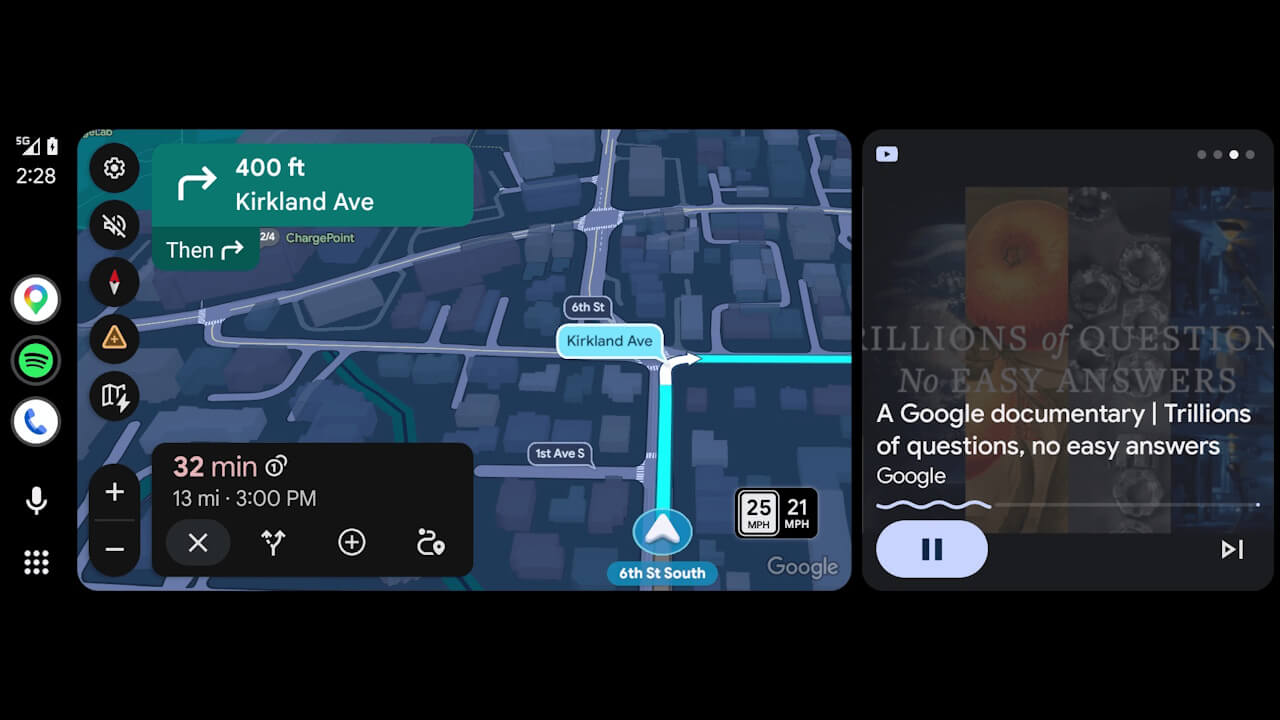
As a major change, virtually all media apps—even those without a dedicated Android Auto app—can now be controlled directly from the Android Auto display.
Previously, while you could route audio from your phone to the car, control buttons and album art were not displayed. With this update, YouTube Premium background playback, browser audio, and lesser-known media apps now display album art and playback buttons, making them fully controllable.
Optimized Media Player UI
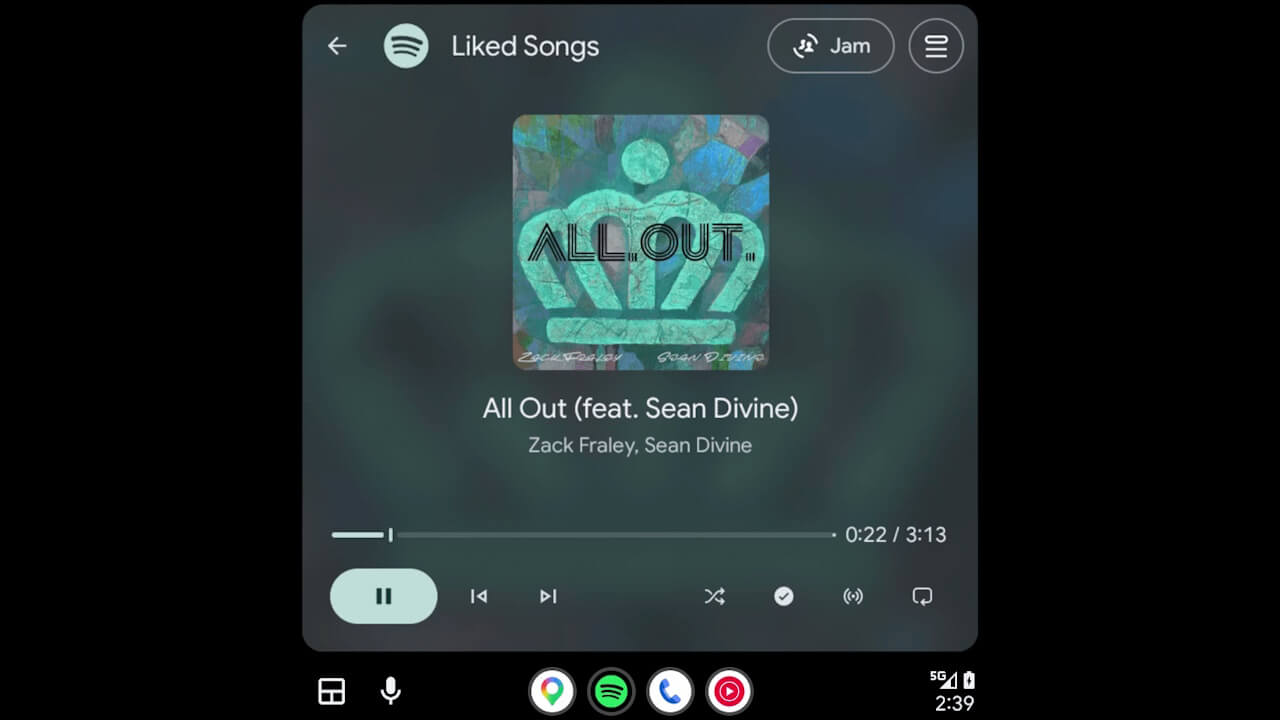
The media player UI has also been revamped. Frequently used control buttons that were previously tucked away behind the three-dot menu have been moved to the main screen, optimized for fewer taps during operation.
Album art is now also displayed to match the size of the car’s display. This optimized media player UI has been adopted by apps such as Spotify and YouTube Music.
Meanwhile, individual media apps are expected to design their own media players within the Android Auto app screen over the coming months. As a result, the common media player displayed on the dashboard may look different from the one seen when opening the full app.
Swipe to Switch Media
When multiple media apps are playing simultaneously, you can now switch between active media apps simply by swiping the media player left or right.
This eliminates the need to open the app launcher just to switch apps.
Improved Autoplay
Bugs have been fixed to ensure that the “Autoplay” feature—which automatically resumes media playback upon connecting to Android Auto—behaves more accurately in accordance with user listening habits.
Specifically, apps that haven’t been used recently or at all are now excluded from autoplay. Additionally, users who frequently pause autoplay will now see a notification allowing them to turn off autoplay with a single tap. Furthermore, a bug where playback commands were still sent upon turning on the car’s ignition even when autoplay was disabled has been resolved.
Please note that the “Autoplay” feature referred to here belongs to Android Auto itself and is distinct from features like “Autoplay” within the Spotify app.
Introduction of the Wavy Seek Bar
A new “Material 3 Expressive” wavy seek bar has been introduced to the media player in Android Auto.
This makes it easier to tell at a glance where you are in a track. However, because this seek bar design may be polarizing, future UI adjustments will be considered while closely monitoring user feedback.
Source: Reddit (https://www.reddit.com/r/AndroidAuto/comments/1wvyfdj/lets_talk_about_the_recent_media_player_changes/)