
- Android Auto version of the “Google Maps” app suddenly rolls out the “Speedometer” feature.
- A feature that displays the driving speed on the screen.
- When the “Speedometer” setting is turned ON in the Android version of the “Google Maps” app, the “Speedometer” also appears in the Android Auto version of the “Google Maps” app.
The “Speedometer” feature has suddenly started rolling out in the “Google Maps” app for Google’s car operating system, Android Auto.
The “Speedometer” in the Android Auto version of “Google Maps” is a feature that displays your driving speed on the screen. While this feature has been available in the Android and iOS versions of the “Google Maps” app for quite some time, the exact same feature is now rolling out to the Android Auto version as well.
We have confirmed that the “Speedometer” in the Android Auto version of “Google Maps” appears around the “Android Auto” app version v17.9.164004-release.
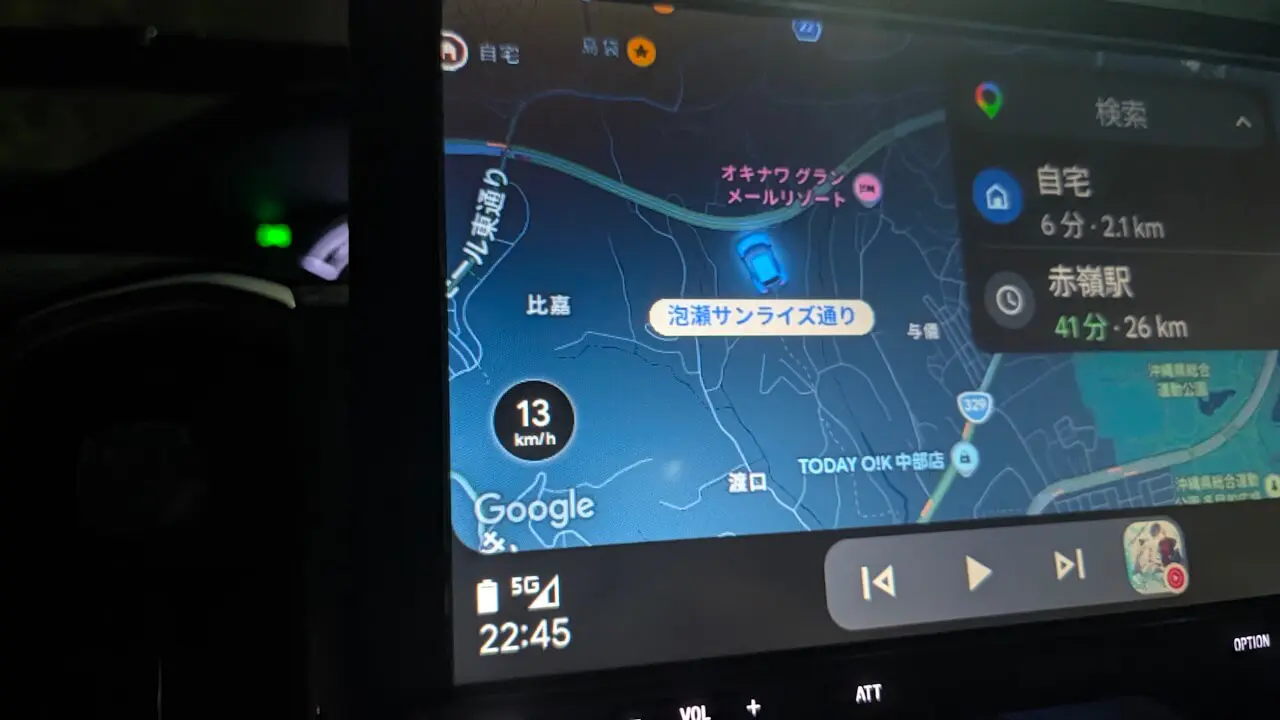
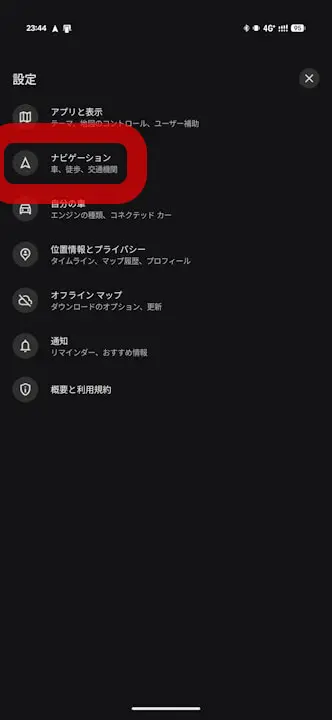
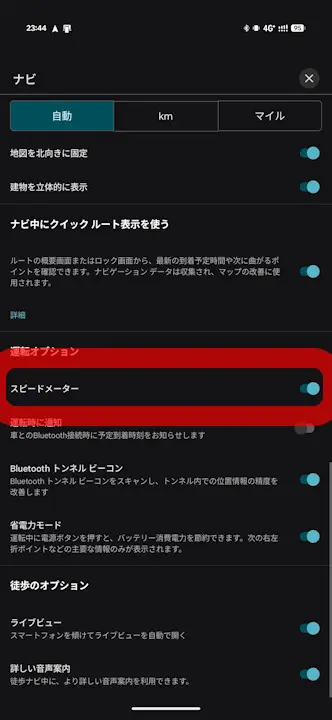
By the way, the “Speedometer” in the Android Auto version of “Google Maps” does not have a dedicated settings menu within Android Auto itself; instead, it relies on the “Speedometer” setting in the Android version of the “Google Maps” app. The “Speedometer” will be displayed in the Android Auto version of “Google Maps” only when the “Speedometer” setting is turned ON in the Android version of the “Google Maps” app.
“Android Auto” App Link