




- Android / iOS versions of the “Google Maps” app feature an “Offline Maps” shortcut for easy map data downloading.
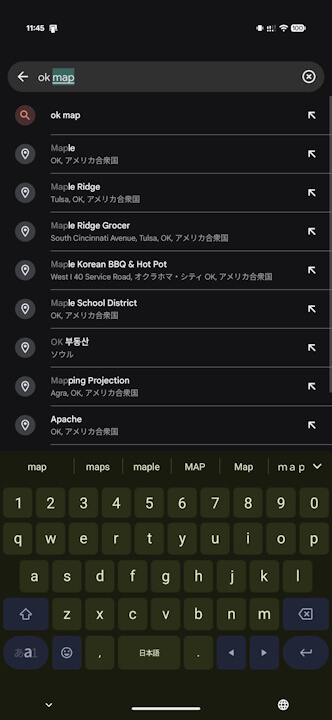
- Simply search for “OK Maps” (or “OK Map”) in the search bar of the Android / iOS “Google Maps” app.
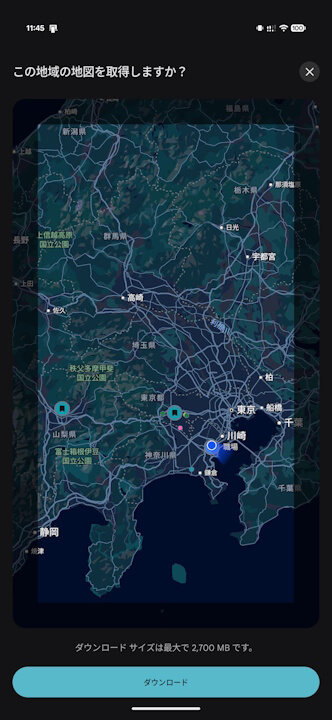
- This opens the “Offline Maps” settings, allowing you to quickly download map data for the specified area.
The Android and iOS versions of the Google mapping service “Google Maps” include “Offline Maps,” a map data download feature that allows users to use navigation even when offline.
The “Offline Maps” feature in the Android and iOS “Google Maps” app is designed to download map data for a pre-specified area from the “Offline Maps” settings. In Japan, this feature was launched in November 2019, 7 years ago.
However, a shortcut has been provided to easily download map data for “Offline Maps” in the Android and iOS “Google Maps” app. The official Google Maps social media account has introduced this method.
Specifically, you just need to search for “OK Maps” (or “OK Map”) in the search bar of the Android or iOS “Google Maps” app. This will open the “Offline Maps” settings, enabling you to quickly download map data for the selected area.
The “Offline Maps” feature in the Android and iOS “Google Maps” app is a very convenient tool when traveling.
Google Maps App Links

