



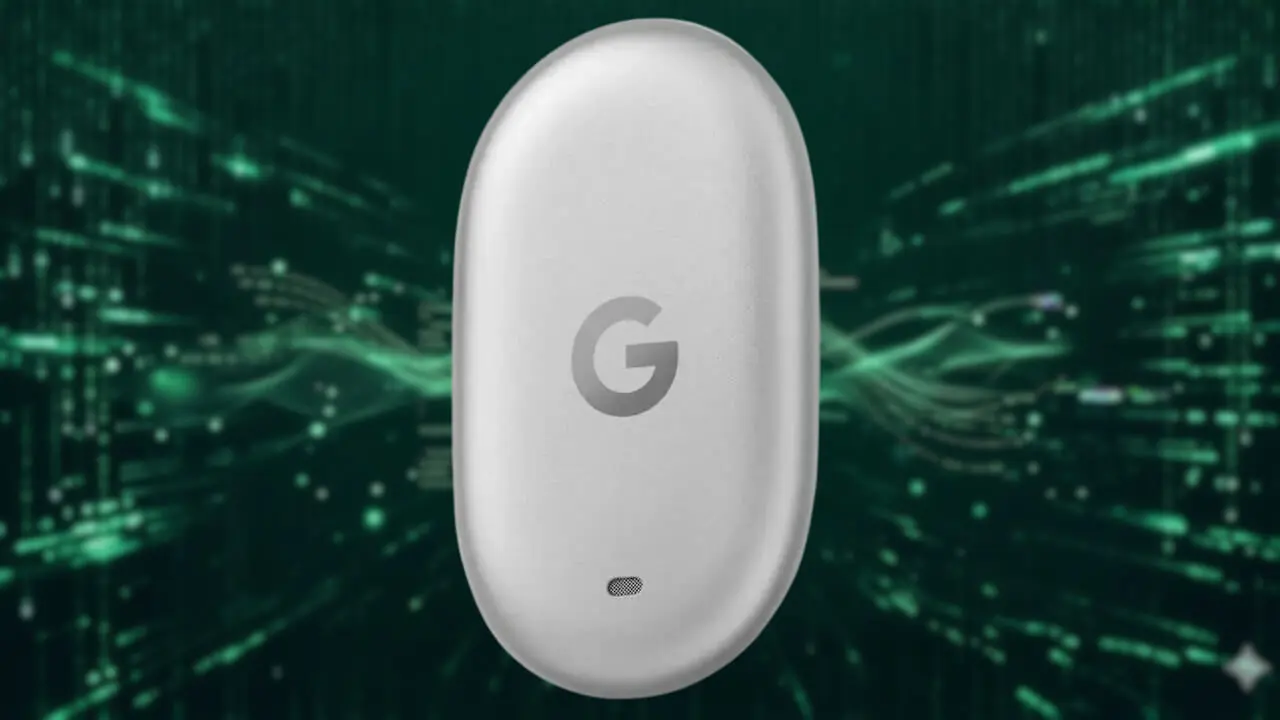
- The “Google Pixel Tag” appears to be equipped with features that have not yet been officially announced, likely because its release is still some time away.
- An analysis of the app files from the Android version of “Google Play Services” app version v26.36 update confirmed the addition of resource codes related to two features implemented in the “Google Pixel Tag”: “left-behind notifications” and “reverse ringing.”
- The “left-behind notification” is literally an anti-loss feature that notifies your Android device when the paired “Google Pixel Tag” moves beyond a certain distance. Meanwhile, “reverse ringing” is a feature that allows you to make your paired Android device ring by pressing the button on the “Google Pixel Tag” twice.
The “Google Pixel Tag”—a Bluetooth tracker tag compatible with Google’s device location and sharing service “Find Hub”—was officially announced alongside the new-generation Google Pixel device, the “Pixel 11” series, at the “Made by Google (Made by Google 2026)” product launch event.
As a “Find Hub”-compatible Bluetooth tracker tag just like the “Moto Tag,” the “Google Pixel Tag” can be attached to keychains or slipped into bags, allowing users to pinpoint its location and find it in the unfortunate event of loss or theft. Its release is scheduled for November 2026.


Despite its release still being ahead, it appears that features not yet officially announced are also being implemented in the “Google Pixel Tag.” One of these is the NFC-enabled owner contact information display feature, which was previously reported in our “App Teardown” series—an original app file analysis report by our site, “Jetstream.”
Furthermore, it looks like two features that are quite standard for typical Bluetooth trackers will also be implemented. Once again, we bring you the details through “Jetstream’s” original app file analysis report, “App Teardown.”
「アプリ解析」
当サイトの「アプリ解析」カテゴリで公開している記事では、最新 Android アプリを逆コンパイルして独自に解析し、今後実装される可能性のある新機能や変更点などをお届けします。正式リリース前の新機能や変更となるため開発段階の未確定な情報も含まれますが、Android アプリの今後のアップデート動向をいち早くキャッチできる、ほかにはない当サイトオリジナルコンテンツです。
当サイトオリジナルの「アプリ解析」コンテンツを見逃さないよう、ぜひ Google の「優先ソース」に当サイト「Jetstream 」を登録してください。

An analysis of the app files from the Android version of “Google Play Services” app version v26.36, released around Tuesday, September 15, 2026, confirmed that resource codes related to two features to be implemented in the “Google Pixel Tag”—”left-behind notifications” and “reverse ringing”—have been added.
<string name="customization_left_behind_reminder_title">Get left-behind notifications</string>
<string name="customization_left_behind_reminder_chip">Notify when left behind</string>
<string name="customization_left_behind_reminder_subtitle_earbuds">You'll get a notification when separated from these earbuds, except when you leave them at home.</string>
<string name="customization_left_behind_reminder_subtitle_tag">You'll get a notification when separated from this tag, except when you leave it at home.</string>
<string name="customization_left_behind_reminder_error_title_on">Can’t turn on left behind notifications</string>
<string name="customization_left_behind_reminder_error_title_off">Can’t turn off left behind notifications</string>
<string name="customization_left_behind_reminder_error_subtitle_retry_on">You can try again or turn it on later in the app</string>
<string name="customization_left_behind_reminder_error_subtitle_retry_off">You can try again or turn it off later in the app</string>
<string name="customization_left_behind_reminder_error_subtitle_skip_on">You can turn it on later in the app</string>
<string name="customization_left_behind_reminder_error_subtitle_skip_off">You can turn it off later in the app</string>
<string name="customization_reverse_ringing_title">Ring this phone with your tag</string>
<string name="customization_reverse_ringing_chip">Reverse phone ringing</string>
<string name="customization_reverse_ringing_subtitle">Press this tag's button twice to make your phone ring if it's within Bluetooth range. It will ring even if Do Not Disturb is on or it's set to silent.</string>
<string name="customization_reverse_ringing_error_title_on">Can’t turn on reverse ringing</string>
<string name="customization_reverse_ringing_error_title_off">Can’t turn off reverse ringing</string>
<string name="customization_reverse_ringing_error_subtitle_retry_on">You can try again or turn it on later in the app</string>
<string name="customization_reverse_ringing_error_subtitle_retry_off">You can try again or turn it off later in the app</string>
<string name="customization_reverse_ringing_error_subtitle_skip_on">You can turn it on later in the app</string>
<string name="customization_reverse_ringing_error_subtitle_skip_off">You can turn it off later in the app</string>
<string name="mdm_ringing_notification_spot_reverse_ringing_title">Playing sound…</string>
<string name="mdm_ringing_notification_spot_reverse_ringing_stop_action">Stop sound</string>
The “left-behind notification” is, as the name suggests, an anti-loss feature that notifies your Android device when the paired “Google Pixel Tag” moves beyond a certain distance. On the other hand, “reverse ringing” is a feature that allows you to make your paired Android device emit a notification sound by pressing the button on the “Google Pixel Tag” twice.
While both are features naturally expected of standard Bluetooth trackers, it appears they will be solidly implemented in the “Google Pixel Tag” as well. Additionally, for the “left-behind notifications,” a geofencing-like mechanism will also be implemented to exclude designated areas such as your home or workplace so that notifications won’t trigger there.
Google Play Services App Link
