





- A new “Real-Time Media Translation” feature—a new “Quick Settings tile”—is rolling out to the next-generation Google Pixel devices: the “Pixel 11,” “Pixel 11 Pro,” “Pixel 11 Pro XL,” and “Pixel 11 Pro Fold.”
- While it might seem like an ON/OFF switch for the improved “Real-Time Translation” feature, it is actually just a “Quick Settings tile” that provides direct access to the “Real-Time Translation” settings.
- This feature is part of the “Device Connectivity Service” app and was quietly rolled out with the v26.29.03 update, which was released around mid-August 2026.
In early September 2026, a new Quick Settings tile called “Live Media Translation” began rolling out to the new-generation Google Pixel devices: the “Pixel 11,” “Pixel 11 Pro,” “Pixel 11 Pro XL,” and “Pixel 11 Pro Fold.”
While the “Live Translate” feature on Pixel 6 through Pixel 10 was deployed to automatically translate text in messaging apps and on-screen content, the Pixel 10 series further introduced “My Voice Translate” to translate and voice out phone calls via the Google Phone app in real time. Now, on the new-generation Pixel 11 series, in addition to translating on-screen content and phone calls via the Google Phone app, an evolved “Live Media Translation” feature has been implemented to translate and voice out video, podcast, and social media video/audio content.
The new “Live Media Translation” Quick Settings tile that has started rolling out to the Pixel 11 series might sound like an ON/OFF switch for this evolved Live Translate feature, but it is actually just a Quick Settings tile designed to provide direct access to the Live Translate settings. Since users likely won’t need to access Live Translate settings frequently, its actual usefulness is a bit of a mystery.
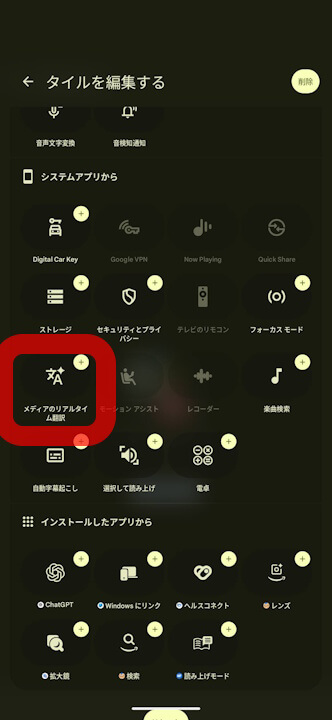
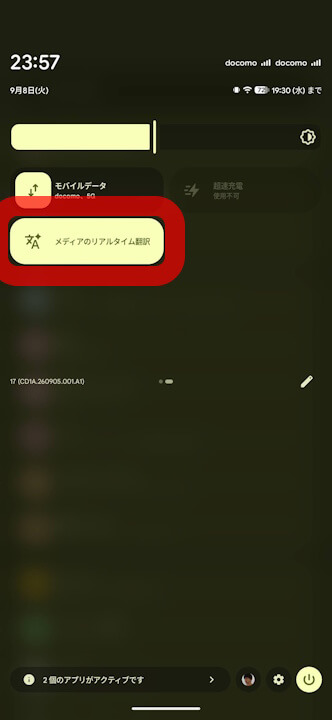
Note that this new “Live Media Translation” Quick Settings tile rolled out to the Pixel 11 series is not a feature belonging to the Google Translate or Google Play services apps, but rather belongs to the Device Connectivity Service app, and has been quietly deployed starting with app version v26.29.03 released in mid-August 2026.
<service android:name="com.google.android.apps.pixel.dcservice.feature.alt.service.dubbing.LiveDubbingTileService" />
<activity android:name="com.google.android.apps.pixel.dcservice.feature.alt.service.dubbing.LiveDubbingTilePreferencesActivity" />
<service android:name="com.google.android.apps.pixel.dcservice.feature.alt.service.dubbing.LiveMediaService" />
<service android:name="com.google.android.apps.pixel.dcservice.feature.alt.service.dubbing.overlay.LiveDubbingOverlayService" />
<activity android:name="com.google.android.apps.pixel.dcservice.feature.alt.service.dubbing.overlay.ui.languagelist.LiveTranslateLanguageListActivity" />
<string name="live_dubbing_tile_label">メディアのリアルタイム翻訳</string>
<string name="onboarding_headline">メディアのリアルタイム翻訳</string>Device Connectivity Service App Link

Source: Google