



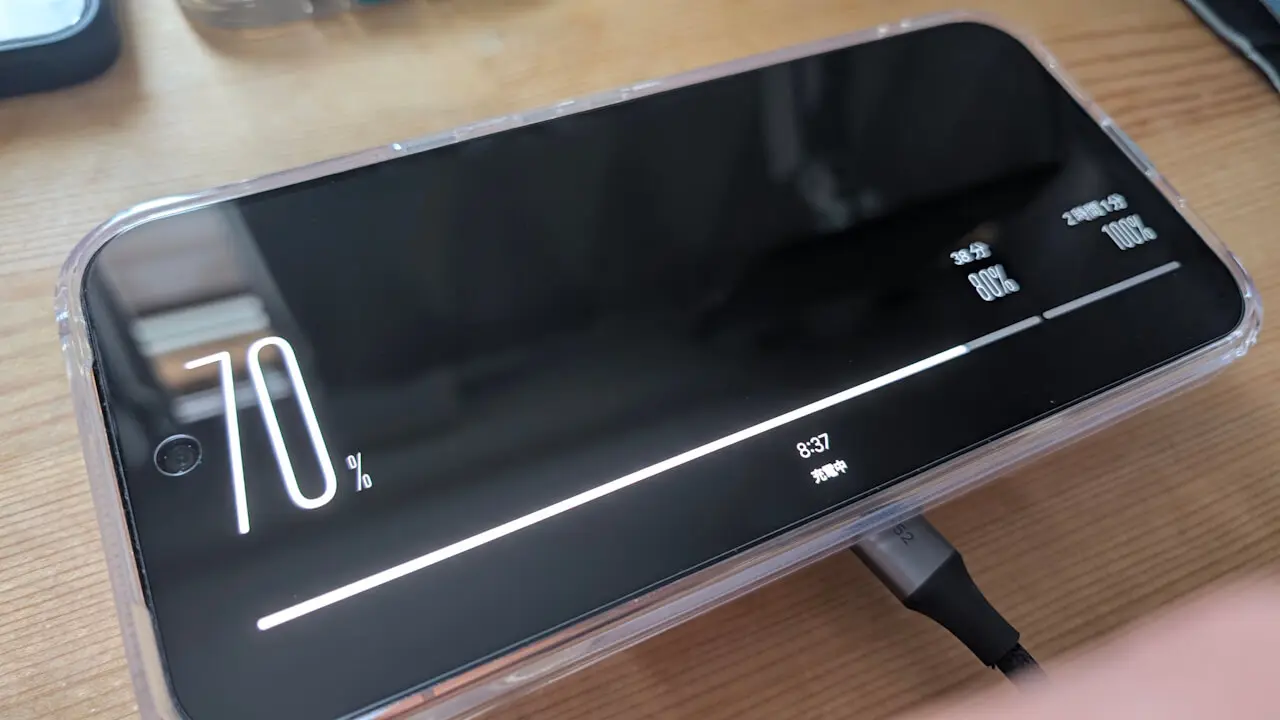

- The screen saver has been revamped on the new-generation Google Pixel 11 series devices.
- It now supports selecting multiple screen savers and switching between them while the screen saver is active, along with a new “Charging” screen saver option.
- Simply press and hold the screen while the screen saver is active and select your preferred screen saver from the displayed switching menu.
The new-generation Google Pixel devices—”Pixel 11,” “Pixel 11 Pro,” “Pixel 11 Pro XL,” and “Pixel 11 Pro Fold,” which finally went on sale on Thursday, August 20, 2026—come with several new features and introductions beyond the officially announced ones.
One of these is the revamped “Screen Saver.” On the Pixel 11 series, the screen saver now supports selecting multiple screen savers and switching between them on the fly, alongside a new “Charging” screen saver. While previous Google Pixel devices could only display a single pre-selected screen saver, the Pixel 11 series allows you to switch between multiple pre-selected screen savers directly while the screen saver is active, much like changing watch faces on a Wear OS smartwatch.
Operation is simple: just press and hold the screen while the screen saver is active, and select your desired screen saver from the switching menu that appears.
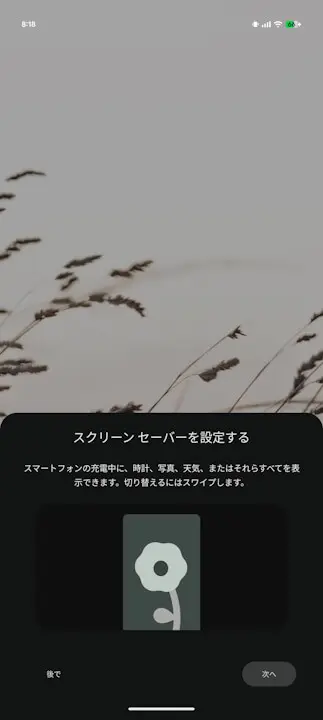
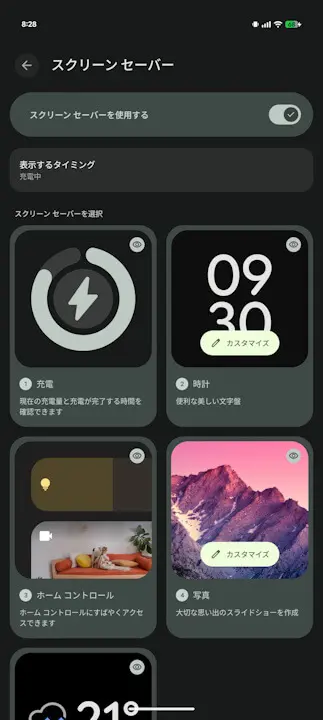
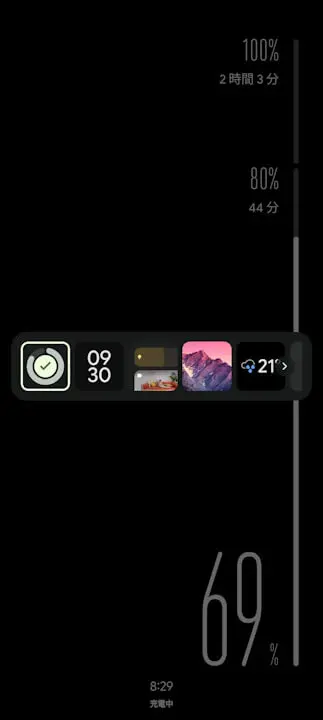
The new “Charging” option clearly and intuitively displays the charging status.
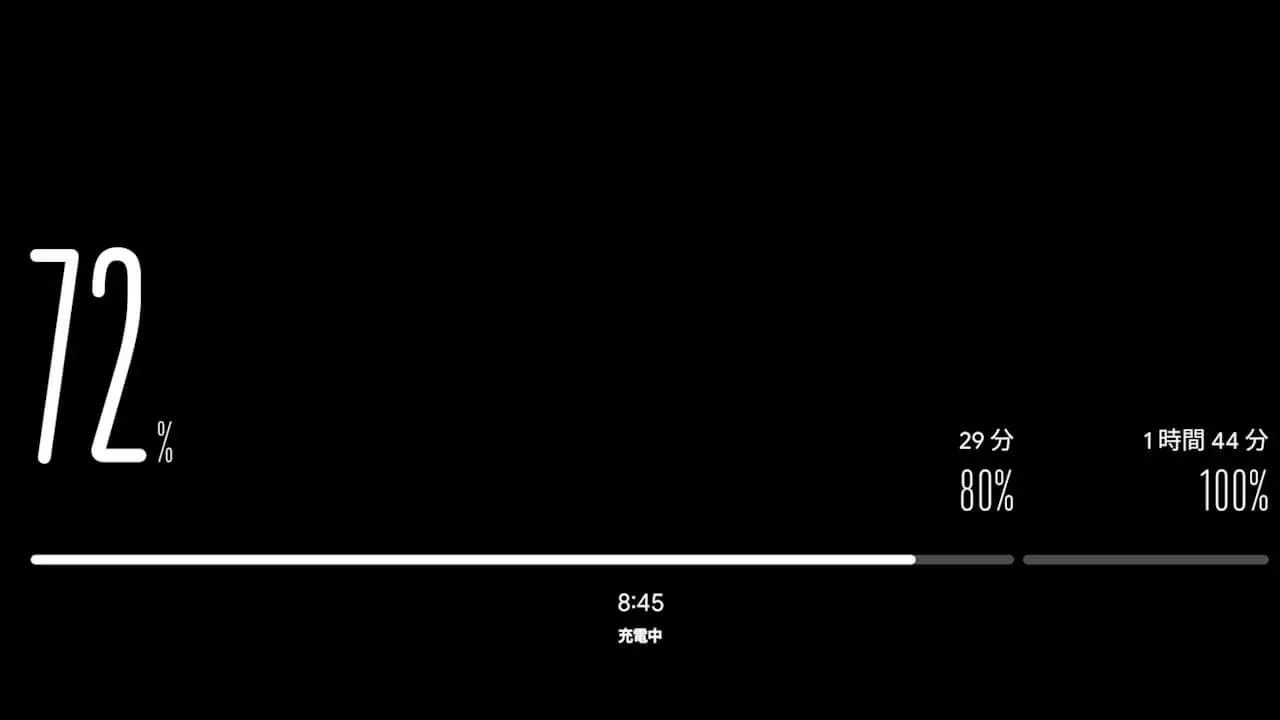
Although this revamped screen saver debuts on the Pixel 11 series, it is actually powered by updates to the “Dreams” app—which manages the screen saver function on Google Pixel devices—and the “Pixel Stand” app, the dedicated management app for Google’s official wireless chargers (“Pixel Stand,” “Pixel Stand (2nd Gen),” and “Google Pixelsnap Charger”). This means that screen savers on Google Pixel devices from the Pixel 10 series and earlier may also be revamped in the future.
App Links
“Dreams”

“Pixel Stand”