




- The new-generation Google Pixel device “Pixel 11” series rolls out the Pixel Launcher search bar extension feature.
- This feature is powered by the newly pre-installed “Pixel search” app.
- Thanks to the “Pixel search” app, you can now perform a comprehensive “all-in-one search” across various Google apps such as Google Calendar, Gmail, Google Photos, and Google Messages.
Finally released on Thursday, August 20, 2026, the new-generation Google Pixel devices—”Pixel 11,” “Pixel 11 Pro,” “Pixel 11 Pro XL,” and “Pixel 11 Pro Fold“—come with several features that were not implemented in previous Google Pixel devices.
One of these is the Pixel Launcher search bar extension feature. Furthermore, the new “Pixel search” app, which controls this Pixel Launcher search bar extension, is pre-installed on the Pixel 11 series.
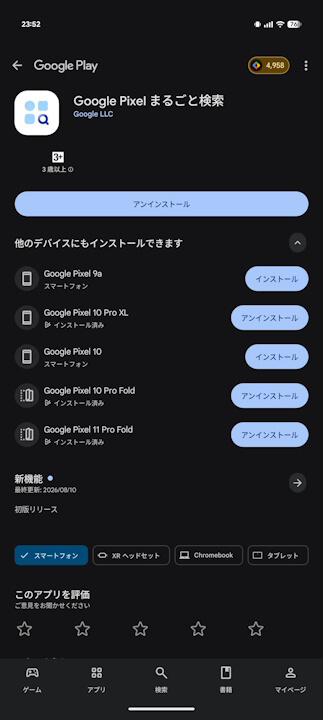
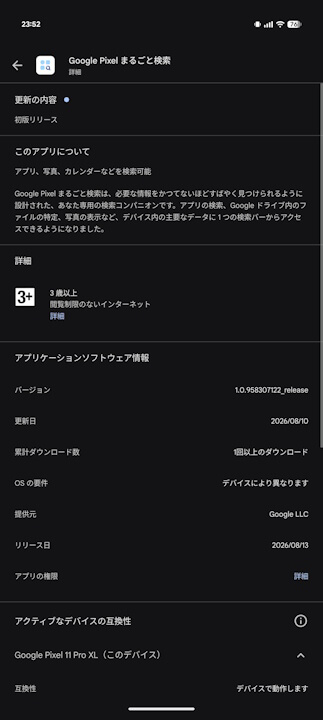
By accessing “Apps shown in search results” from the “Search settings” of the Pixel Launcher search bar, you can check the list of apps integrated with the search results in the Pixel Launcher search bar.
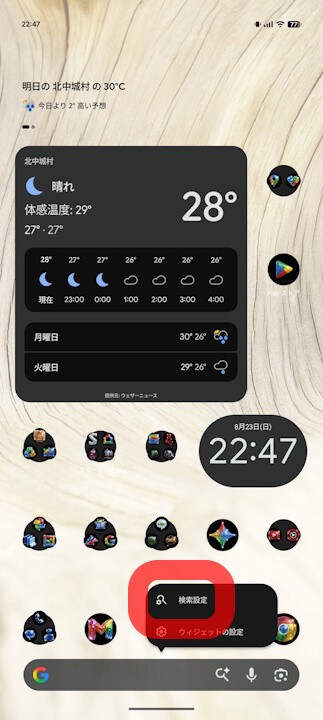
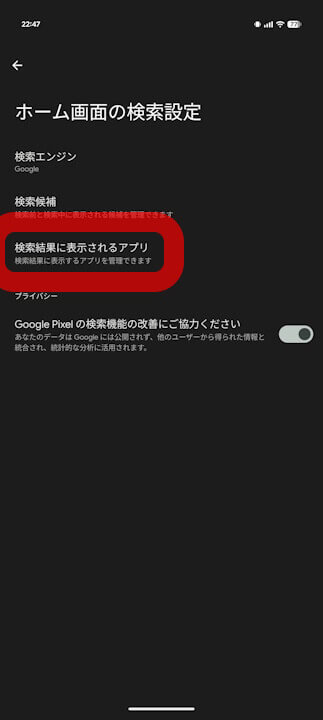
The difference with and without the “Pixel search” app is crystal clear. Thanks to the “Pixel search” app, comprehensive “all-in-one search” across Google apps such as Google Calendar, Gmail, Google Photos, and Google Messages is now a reality.
Of course, apps integrated into the search results can be turned ON or OFF individually. Thus, on the Pixel 11 series, the search functionality in the Pixel Launcher search bar has evolved thanks to the new “Pixel search” app.
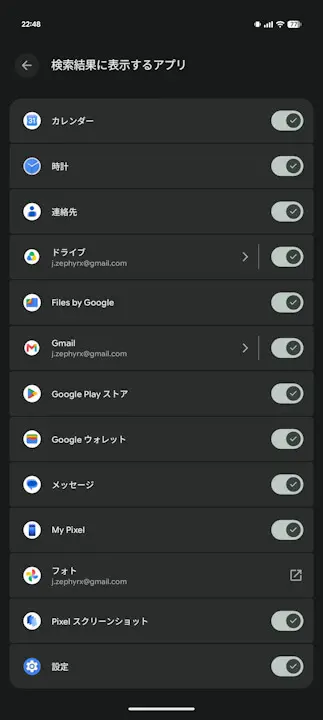
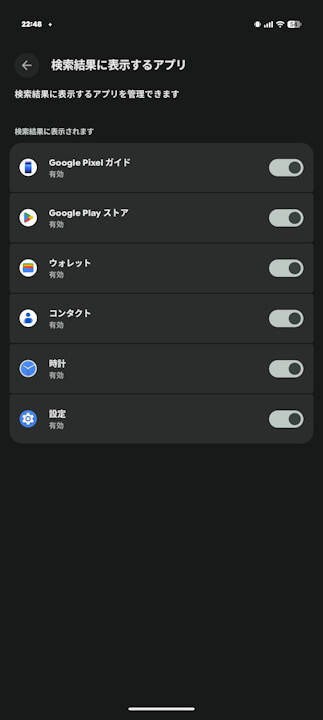
Although the “Pixel search” app is currently exclusive to the Pixel 11 series, it is actually possible to install it on Google Pixel devices from the Pixel 10 series and older, even though it won’t function yet. This means there is a possibility that the search bar in the Pixel Launcher on Google Pixel devices from the Pixel 10 series and older may also evolve in the future.
Even so, the Japanese translated name for the “Pixel search” app sounds just like the kind of clunky, awkward app name you’d expect from a domestic carrier or Japanese Android manufacturer. Meanwhile, the English version simply goes by “Pixel search.” Couldn’t they have done a little better with the localization?
“Pixel search” App Link
