




- “Gemini Notebook” has been added to the “App Integrations” settings in the ‘Gemini’ app, allowing users to turn off the “Gemini Notebook” integration in the “Gemini” app.
- The “App Integrations” settings in the ‘Gemini’ app are located within the “Personal Intelligence” settings.
- At this time, we have confirmed the rollout of the “Gemini Notebook” on/off setting in the web and iOS versions of the “Gemini” app.
In early April 2026, four months ago, the AI research tool “Gemini Notebook” was integrated into the Google AI “Gemini” app, making “notebooks” mutually shareable between the “Gemini” app and “Gemini Notebook.”
However, until now, the integration of “Gemini Notebook” in the “Gemini” app was mandatory, and if you didn’t want to share data, your only option was simply not to use it. Now, “Gemini Notebook” has been newly added to the “App Extensions” settings of the “Gemini” app, making it possible to turn off the “Gemini Notebook” integration.


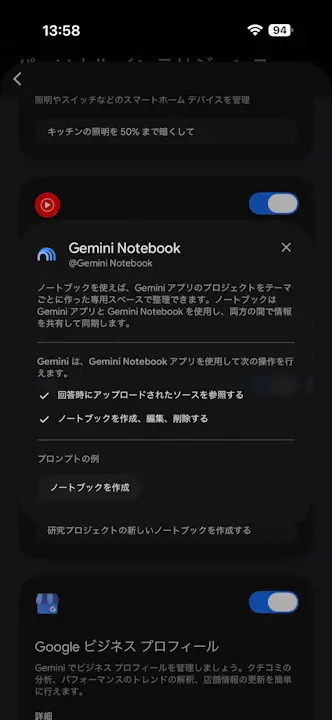
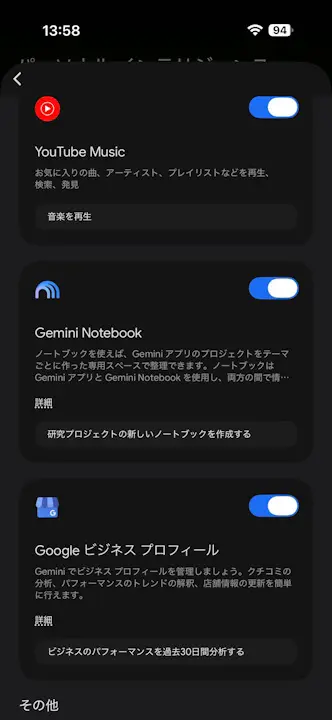
Please note that the “App Extensions” settings in the “Gemini” app are located within the “Personal Intelligence” settings. Additionally, at this time, we have confirmed the rollout of the “Gemini Notebook” ON/OFF toggle in the web and iOS versions of the “Gemini” app.
Source: Gemini