




この記事のポイント
- The “Settings” page in the Android version of the Chrome app has been optimized for large-screen devices.
- It has been renewed with a two-column layout, featuring a menu on the left and the settings content on the right.
- The update has been rolling out since approximately app version v149.
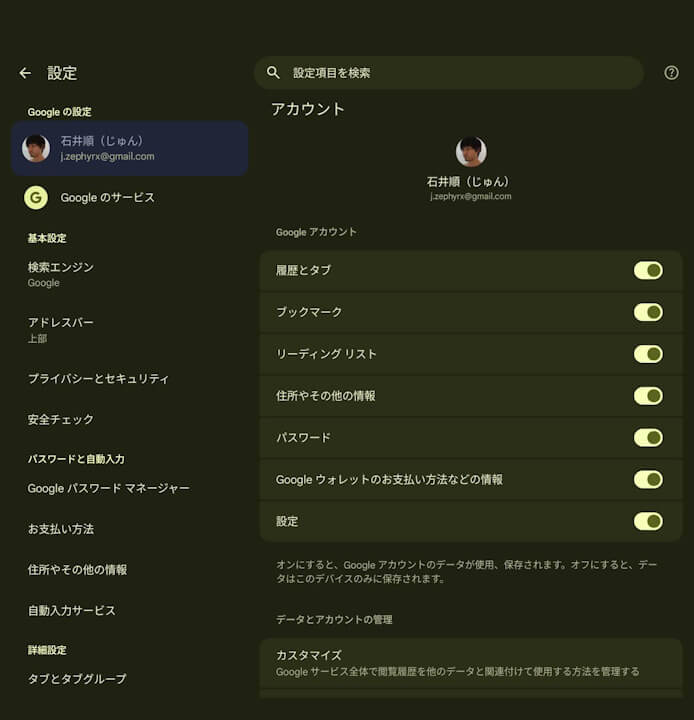
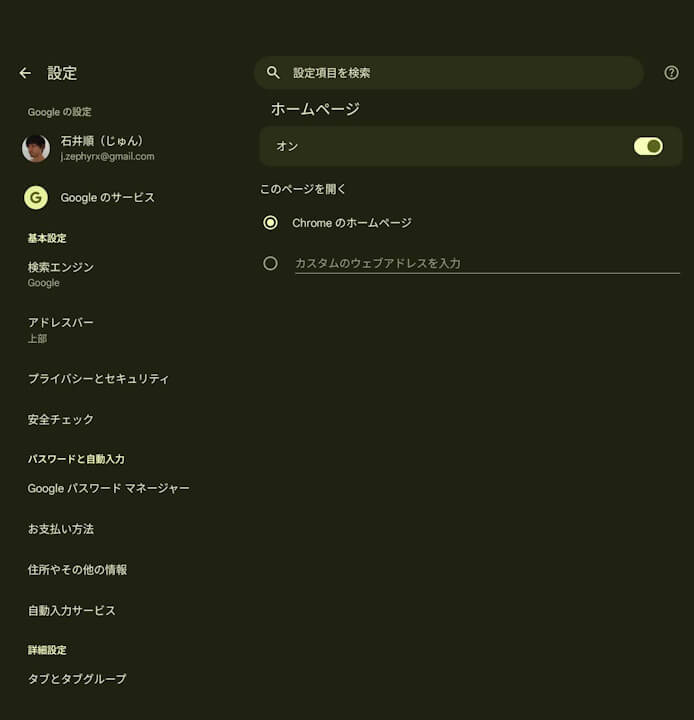
The “Settings” page in the Android version of Google’s Chrome browser has quietly been optimized for large-screen devices such as the Pixel Tablet and Pixel 10 Pro Fold.
In this optimized version, the Chrome “Settings” page has been revamped into a two-column layout, with menus displayed on the left and the selected settings page shown on the right. This follows the same design as the Android system settings, providing a more intuitive and user-friendly interface.
This optimization for large-screen devices has been rolling out since approximately version v149 of the Chrome app.
Chrome App Link
