





- In early July 2026, “Ask Pixel,” now rebranded as “Ask Google Pixel,” appears to have begun rolling out within the Android settings on Google Pixel devices.
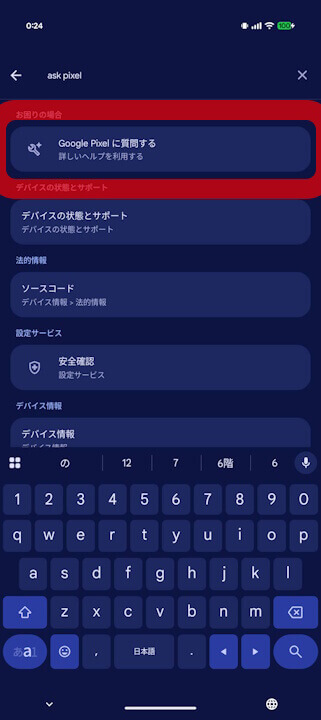
- When you enter terms like “Ask Pixel” in the Android settings search bar, “Ask Google Pixel” appears as a suggestion.
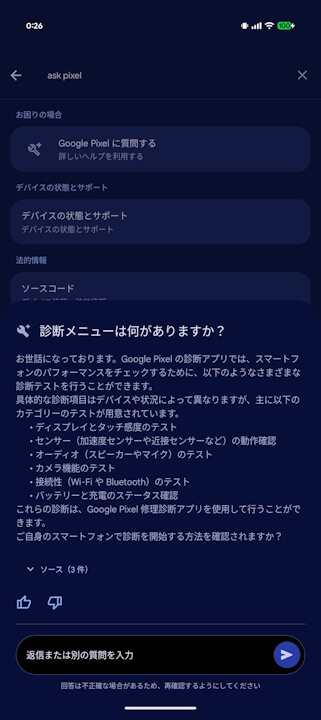
- “Ask Google Pixel” allows for natural, conversational questioning for troubleshooting purposes.
In our original “App Analysis” series around November 2025, we reported on the potential rollout of “Ask Pixel,” a new feature for Google Pixel devices that integrates Google’s AI, “Gemini,” into Android settings.
Since then, although it was confirmed that “Ask Pixel” was under internal development, there had been no official announcement from Google, and no rollout had been confirmed.


However, in early July 2026, it appears that “Ask Pixel,” now rebranded as “Ask Google Pixel,” has finally begun rolling out in the Android settings of Google Pixel devices. I have confirmed the rollout of “Ask Google Pixel” on my own devices, the “Pixel 10” and “Pixel 10 Pro Fold.”
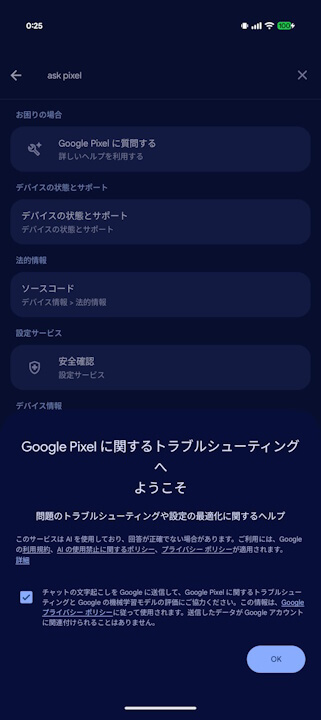
If you type “Ask Pixel” or similar into the Android settings search bar, “Ask Google Pixel” will appear as a suggestion; tapping it will launch the feature. “Ask Google Pixel” allows you to ask questions in a natural conversational style for troubleshooting, and “Gemini” provides written answers to your queries.
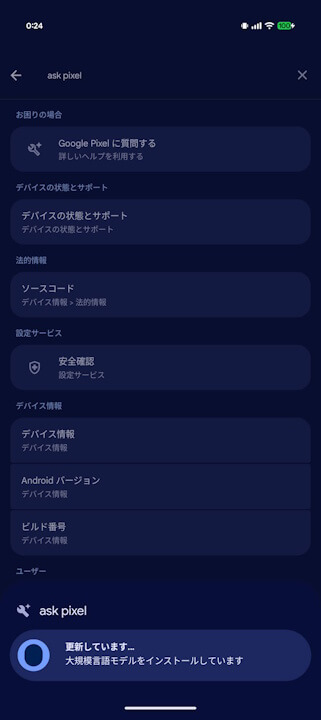
Note that a language model download is required only for the first use.
While “Ask Pixel” (now “Ask Google Pixel”) does not appear to have been rolled out widely just yet, it is expected to be released sequentially via updates to the “Settings Services” app. We also expect an official announcement from Google to follow in due course.
Google Pixel users should try typing “Ask Pixel” or similar into their Android settings to see if “Ask Google Pixel” appears for them.
“Settings Services” App Link
