




- The Google Pixel device support app “My Pixel” has also released introductory content for the June 2026 “Pixel Drop.”
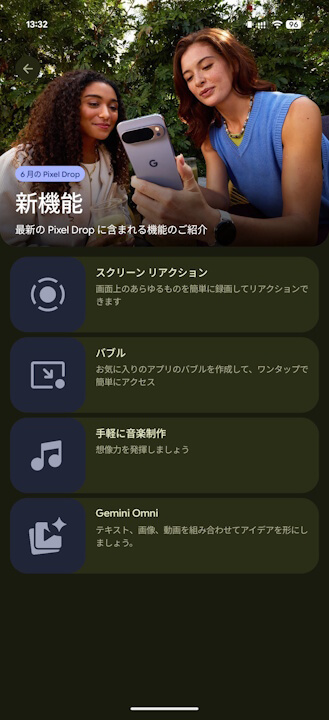
- Features include four new additions: “Screen Reactions,” “Bubbles,” “Gemini” soundtrack generation, and “Gemini Omni.”
- Compared to previous “Pixel Drop” updates, this release features a smaller number of highlights.
On Tuesday, June 16, 2026 (local time), Google began rolling out the major “Android 17” update for a total of 21 Google Pixel devices, including the Pixel 6, 6 Pro, 6a, 7, 7 Pro, 7a, Tablet, Fold, 8, 8 Pro, 8a, 9, 9 Pro, 9 Pro XL, 9 Pro Fold, 9a, 10, 10 Pro, 10 Pro XL, 10 Pro Fold, and 10a. Alongside this, they launched several new features as part of the June 2026 “Pixel Drop,” which includes a total of 11 updates.
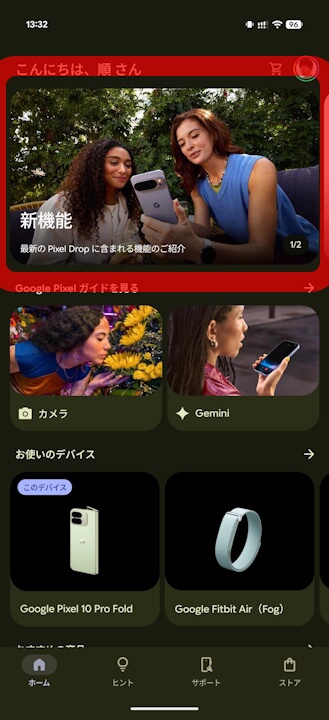
In conjunction with the Android 17 major update and the June 2026 Pixel Drop, the official Google Pixel support app “My Pixel” has published introductory content for this release. The June Pixel Drop highlights four specific features: “Screen Reactions,” “Bubbles,” “Gemini” soundtrack generation, and “Gemini Omni.”
Compared to previous “Pixel Drop” updates, the number of features introduced in this June edition is relatively small.

“Screen Reactions”
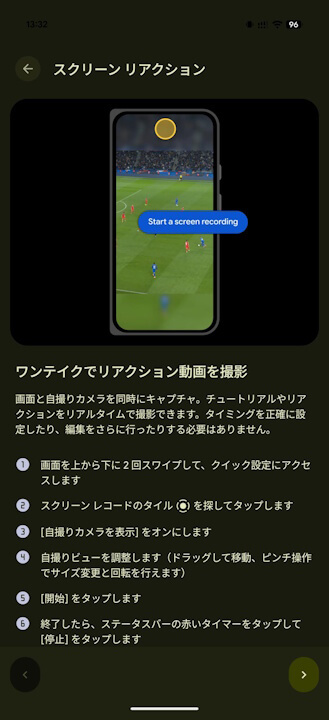
“Screen Reactions” is a feature that allows you to directly integrate selfie video into your screen recordings.
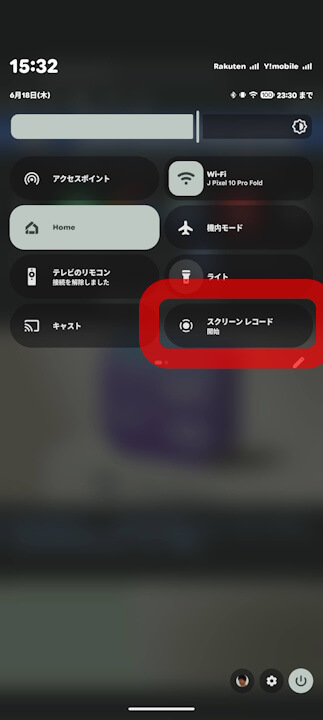
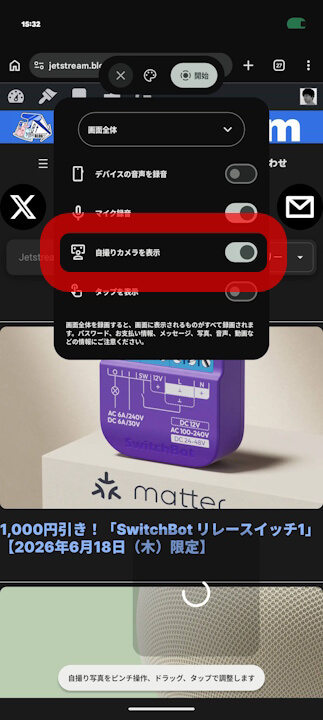
You can incorporate cropped selfie video into your screen recordings without needing a green screen, making it perfect for reaction videos or tutorials. It is easy to use: simply select “Show selfie camera” in the screen recording settings before you start.
Note that “Screen Reactions” is available when selecting “Record entire screen” in the screen recorder.
“Bubbles”
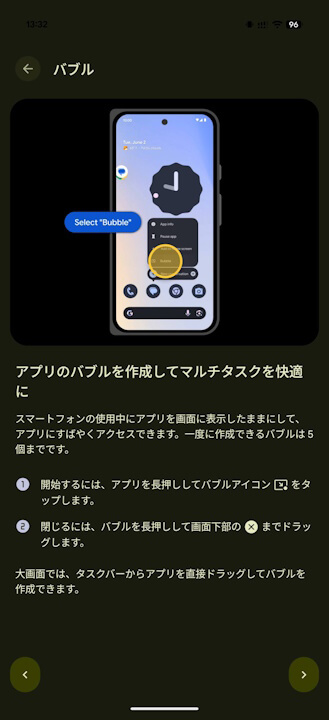
“Bubbles” is a multitasking feature that allows you to place any app on the screen as a “bubble” icon and display it in a floating window.
To create a bubble, simply long-press an app icon and select “Bubble” from the context menu. You can host up to five apps, such as browsers or calendar apps, as bubbles.
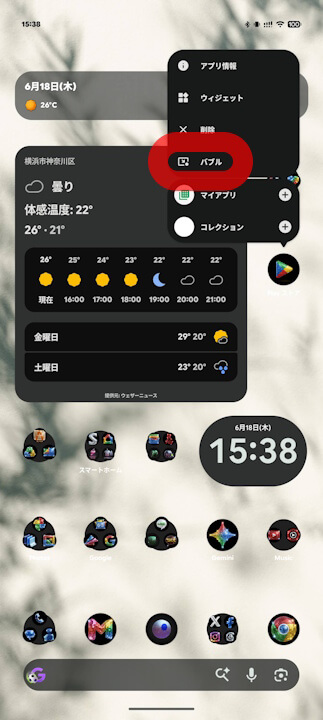
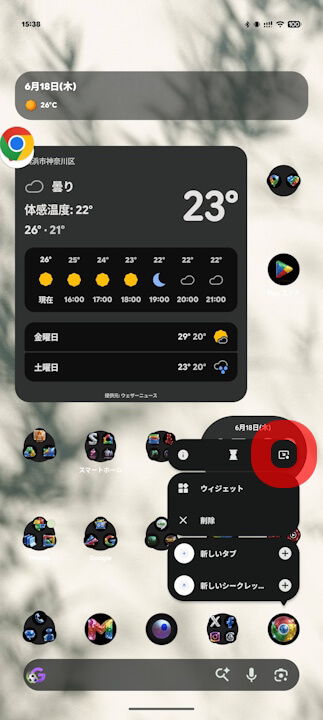
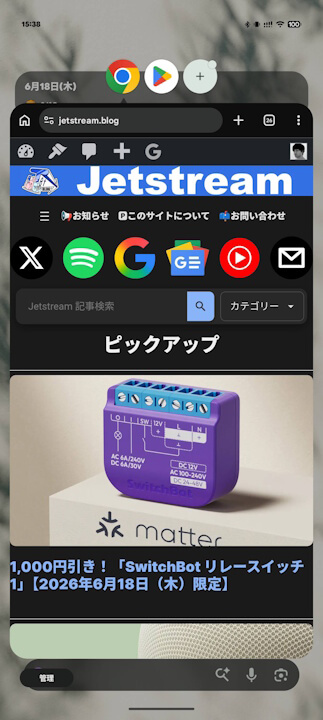
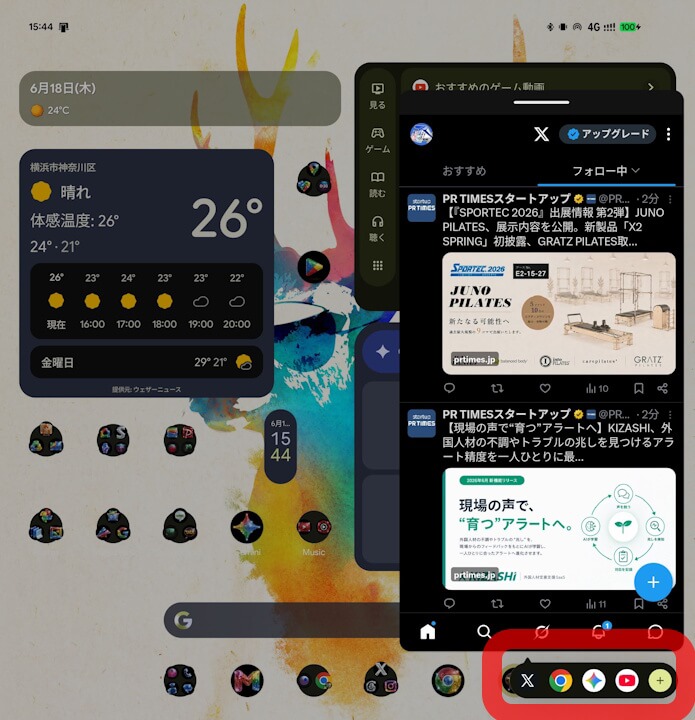
On large-screen devices like the Pixel 10 Pro Fold, a dedicated “Bubble Bar” appears at the bottom of the screen, allowing you to switch apps or resize windows with a single tap, maximizing the multitasking potential of a larger display.
“Gemini” Soundtrack Generation
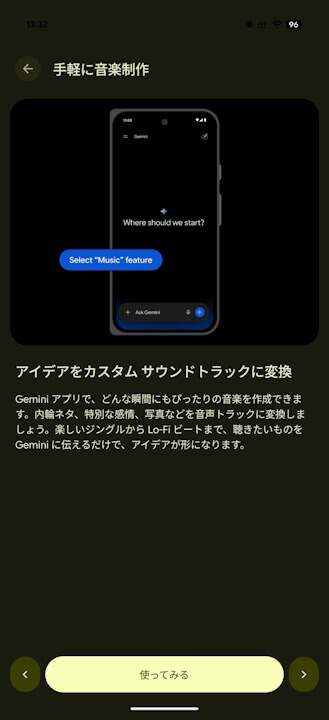
By sending prompts or uploading photos in the Gemini app, you can generate original soundtracks with lyrics in a specified style and tempo.
Note that this is a feature exclusively for “Google AI Plus,” “Google AI Pro,” and “Google AI Ultra” members.
“Gemini Omni”
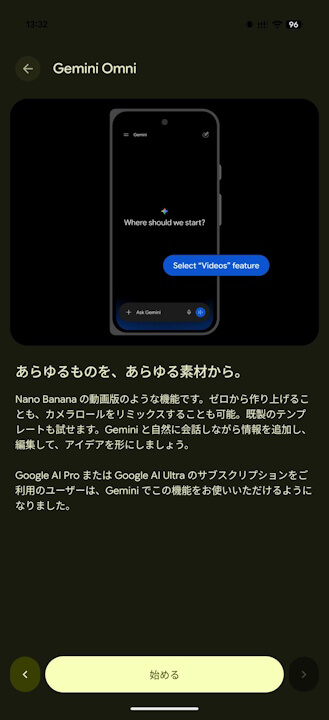
“Gemini Omni” is a video generation and editing AI model integrated into the Gemini app.
It allows you to combine video clips to generate new content or create a “custom AI avatar” that looks like you. Please note this is also limited to “Google AI Plus,” “Google AI Pro,” and “Google AI Ultra” members.
“My Pixel” App Link
