



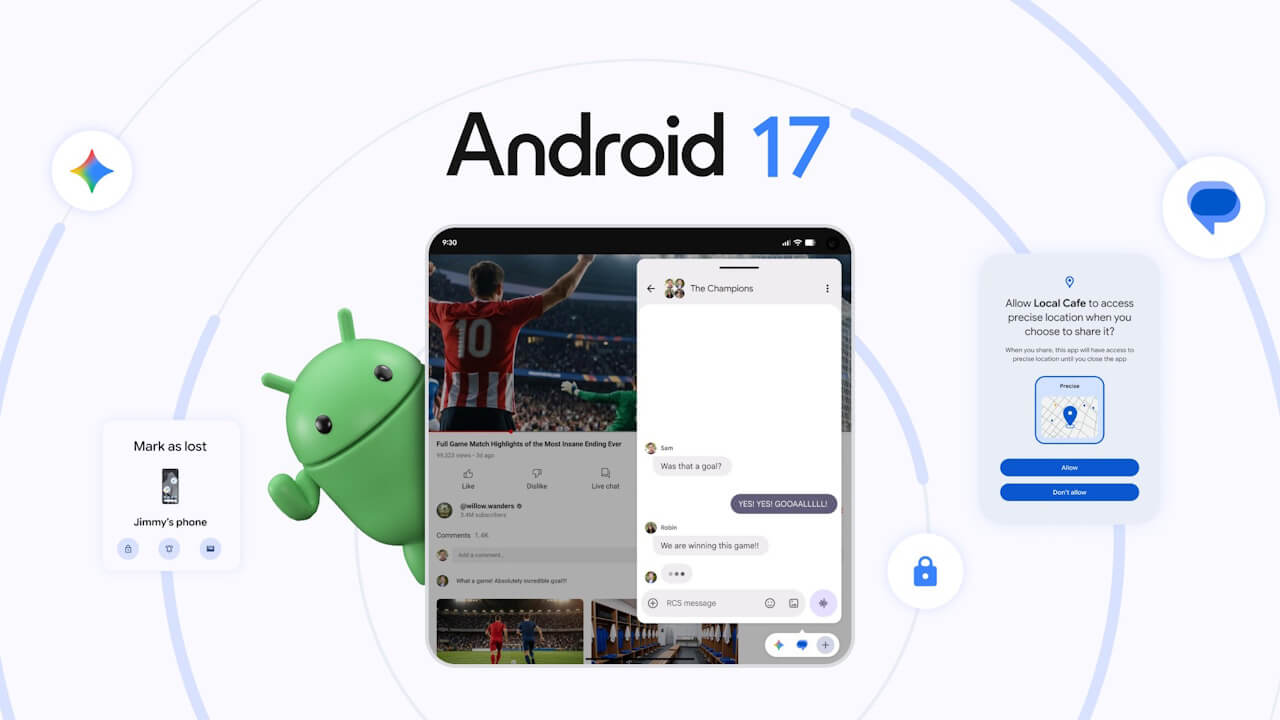

- Google has released the major “Android 17” update for the new generation of Android OS.
- The new “Android 17” features a variety of new capabilities designed to improve productivity, entertainment, security, and safety.
- The next-generation intelligent system, “Gemini Intelligence,” is also scheduled for rollout in late 2026.
On Tuesday, June 16, 2026 (local time), Google began rolling out the new-generation Android OS, “Android 17,” to a total of 21 Google Pixel devices currently running Android 16: Pixel 6, Pixel 6 Pro, Pixel 6a, Pixel 7, Pixel 7 Pro, Pixel 7a, Pixel Tablet, Pixel Fold, Pixel 8, Pixel 8 Pro, Pixel 8a, Pixel 9, Pixel 9 Pro, Pixel 9 Pro XL, Pixel 9 Pro Fold, Pixel 9a, Pixel 10, Pixel 10 Pro, Pixel 10 Pro XL, Pixel 10 Pro Fold, and Pixel 10a.
The new “Android 17” comes equipped with various features aimed at enhancing productivity, entertainment, security, and safety. In this article, we will introduce the major new features included in this latest OS generation.
In addition to the features covered here, the next-generation intelligent system, “Gemini Intelligence,” is also scheduled for release in late 2026.


“Bubbles”
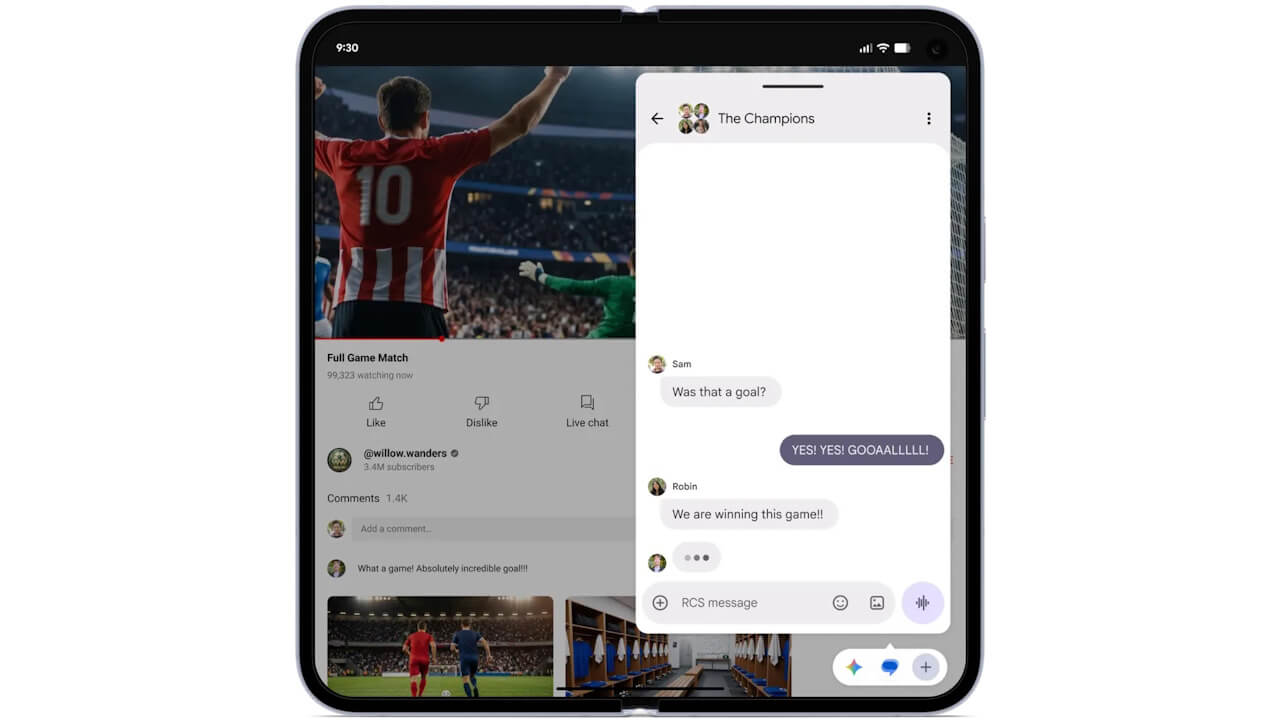
“Bubbles” is a multitasking feature that allows you to place any app on your screen as a “bubble” icon, which can then be displayed in a floating window.
To create a bubble, simply long-press an app icon. On large-screen devices like the “Pixel 10 Pro Fold,” bubbles appear in a dedicated “Bubble Bar” at the bottom of the screen. This allows you to switch apps, resize them, and take full advantage of multitasking on a larger display with just a single tap.
You can pin up to five apps, such as browsers or calendar apps, to the Bubble bar.
“Screen Reactions”
“Screen reactions” is a feature that allows you to embed your selfie video directly into a screen recording.
You can incorporate a cropped selfie video into your recording without the need for a green screen, making it ideal for creating reaction videos or tutorials. “Screen reactions” can be used when selecting the “Record entire screen” option in the screen recording tool.
“Foldable Gaming Mode”
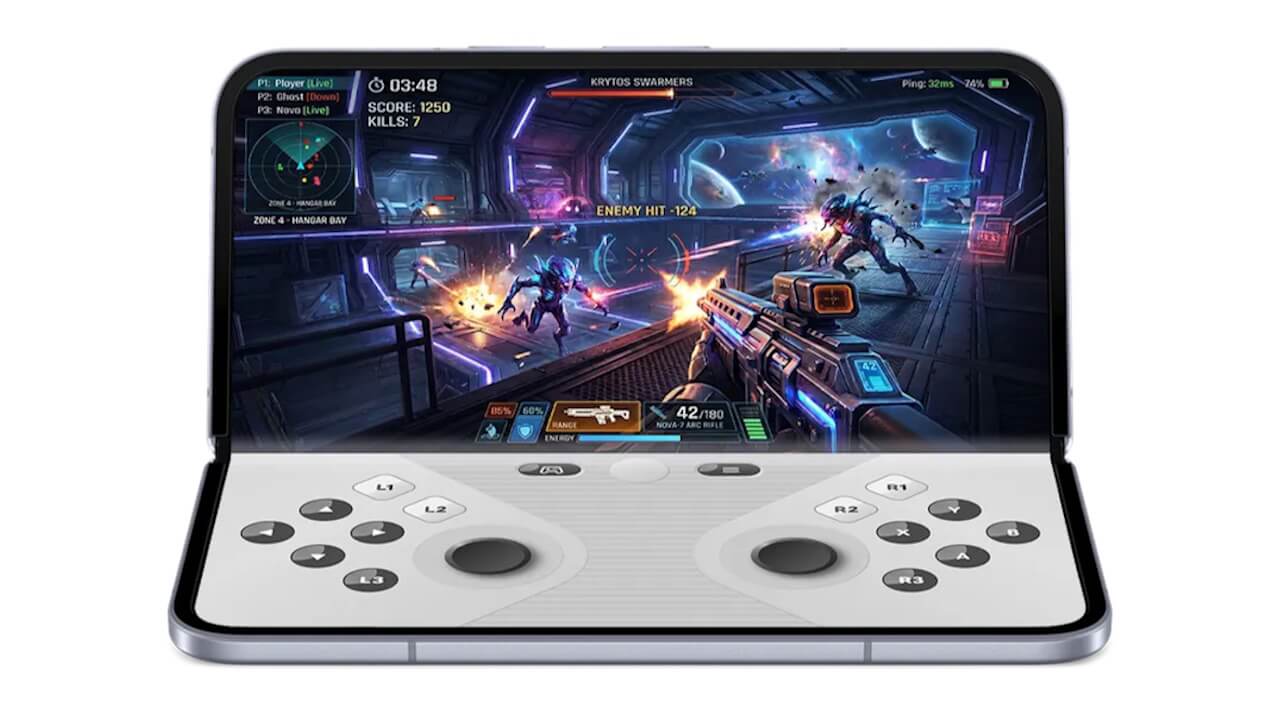
“Foldable Gaming Mode” is a gaming-optimized mode designed for foldable Android devices, such as the “Pixel 10 Pro Fold.”
When you open your foldable Android device and hold it horizontally, this mode displays the game on the top half of the screen and a dynamic 50/50 layout virtual gamepad on the bottom half. This lets you enjoy gameplay by maximizing the inner folding display of your device.
“Foldable Gaming Mode” in Android 17 will be rolled out over the coming months. Additionally, Android 17 includes optimizations for memory cleanup during high-resolution gaming, which helps to reduce frame rate drops and stuttering.
New Security Features
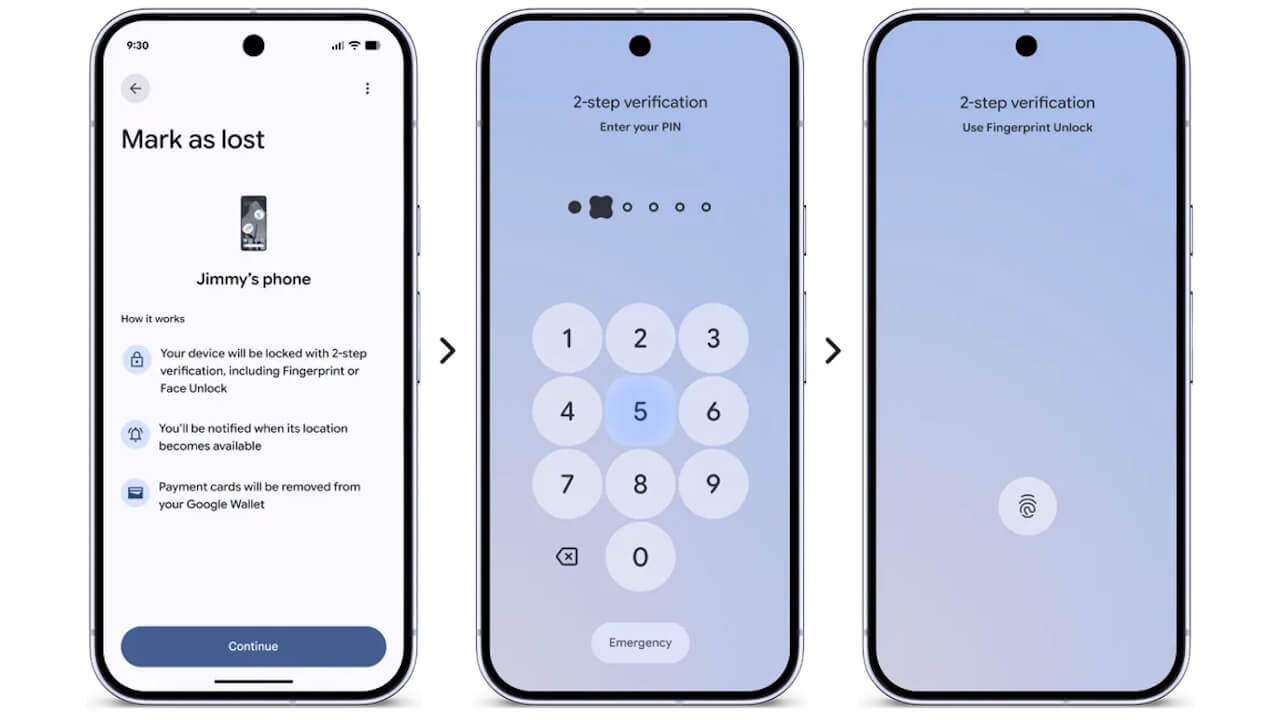
Android 17 adds several new security features, such as granting temporary access to precise location data for apps and sharing only specific contacts instead of your entire address book.
First, the Google location service “Find Hub” has been enhanced. Now, when you mark a lost Android device as “lost,” biometric locking is engaged. This ensures that even if your password or PIN is leaked, your personal information remains largely inaccessible.
Security has also been bolstered through updates to “Live Threat Detection,” which supports more apps, and expansions to “Advanced Protection.” As a measure to prevent unauthorized access, a new specification has been introduced that increases the waiting period after multiple failed attempts to unlock the device with a PIN code.
Other Features
Android 17 also includes many other new features, such as settings to hide app names on the home screen, expanded “Parental Controls” for all Android devices, dedicated volume controls for the AI assistant, and more granular control over Dark Theme.
On the system level, memory limits for apps have been introduced to prevent applications from consuming excessive RAM, which contributes to improved overall device performance and battery life.
Source: Google (https://blog.google/products-and-platforms/platforms/android/android-17-features/)