



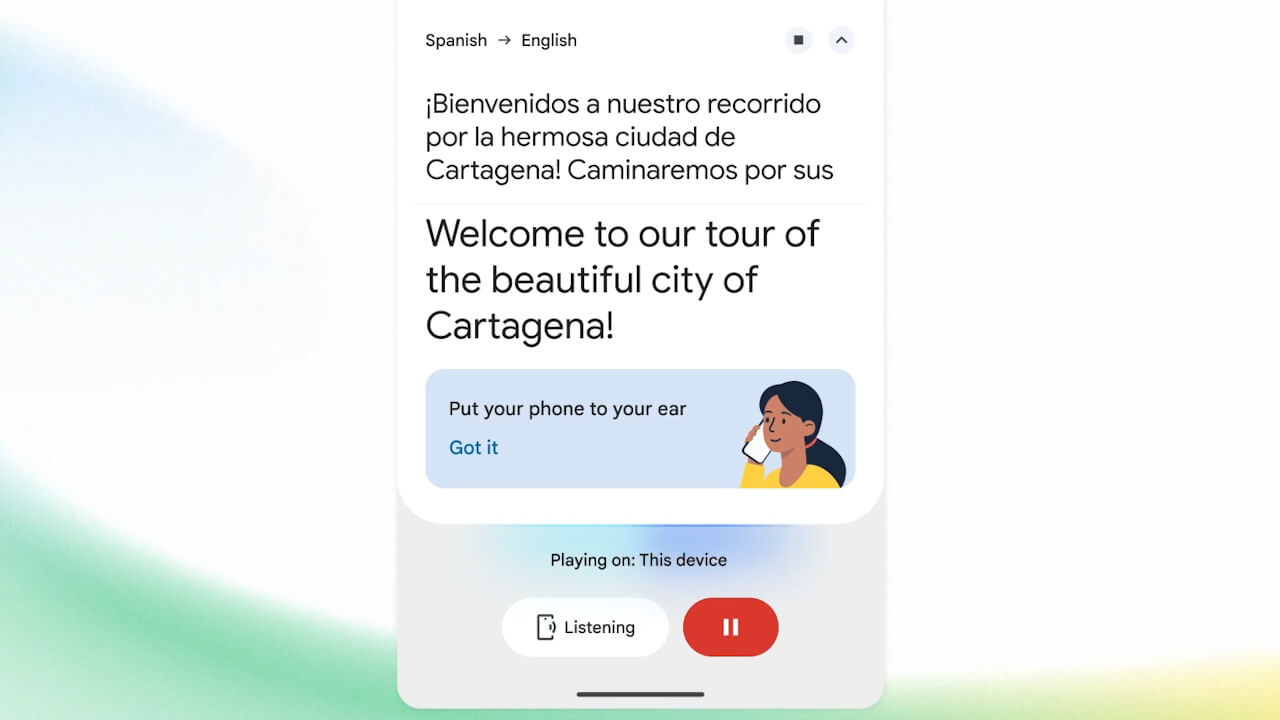

- Google has announced “Listening Mode,” a new feature for the Android version of the “Google Translate” app, powered by the latest audio model, “Gemini 3.5 Live Translate.”
- This feature is being added as a new variation of the “Live Translate Mode” (real-time translation).
- By holding your Android device’s speaker to your ear as if you were on a phone call, audio picked up by the microphone is translated and played through the speaker.
On Tuesday, June 9, 2026 (local time), Google officially announced the latest audio model, “Gemini 3.5 Live Translate,” as part of its newest suite of Google AI models, “Gemini 3.5.”
In conjunction with this, Google also unveiled “Listening Mode,” a new feature for the Android version of the Google Translate app that leverages “Gemini 3.5 Live Translate.” This new “Listening Mode” for the Android Google Translate app is a feature that our site originally identified back in March 2026 through our “App Teardown” series.

The new “Listening Mode” for the Android Google Translate app functions as a new variation of “Live Translate Mode” (real-time translation). By activating “Listening Mode” within “Live Translate Mode” and holding your Android device’s speaker to your ear—just like you would during a phone call—the audio captured by the device’s microphone is translated and played back through the speaker.
In other words, “Listening Mode” allows you to hear translated audio from “Live Translate Mode” without needing earphones, and without disturbing those around you. Provided you aren’t disrupting others with the screen light, it should prove useful even in quiet environments like movie theaters.
Source: Google (https://blog.google/innovation-and-ai/models-and-research/gemini-models/gemini-live-3-5-translate/)