




- Google announces a new photo suggestion feature for “Remix photos” in the Android version of the Google Photos app.
- This new feature reduces the hassle of searching for the original photos needed for generation.
- When selecting a template in “Remix photos” and tapping the “Add photos” button, relevant photo candidates are automatically suggested at the top of the photo selection screen.
On Thursday, May 7, 2026 (local time), Google announced a new photo suggestion feature for “Remix photos” coming to the Android version of its online photo library service, “Google Photos.”
“Remix photos” in the Google Photos app is an AI-powered image generation feature that creates images based on templates and selected photos. While it was originally divided into “Remix” and “Create with AI,” it was integrated into “Remix photos” starting in early May 2026.

While “Remix photos” is an interesting AI image generation tool, finding the original photos to use for generation can often be quite tedious. To address this, a new photo suggestion feature is being rolled out to streamline the process.
The photo suggestion feature for “Remix photos” automatically displays recommended photos at the top of the photo selection screen when you select a template and tap the “Add photos” button. This allows users to find the best photos for their remixes without having to scroll through their entire library.
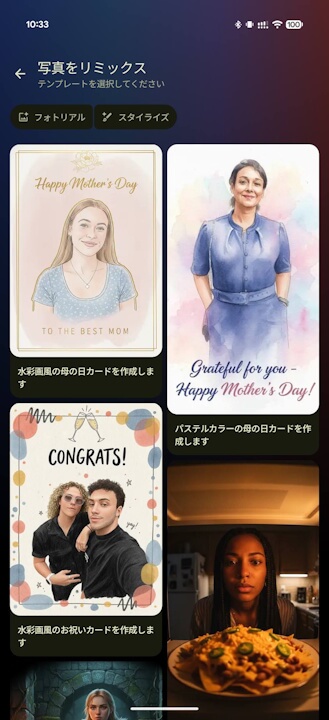
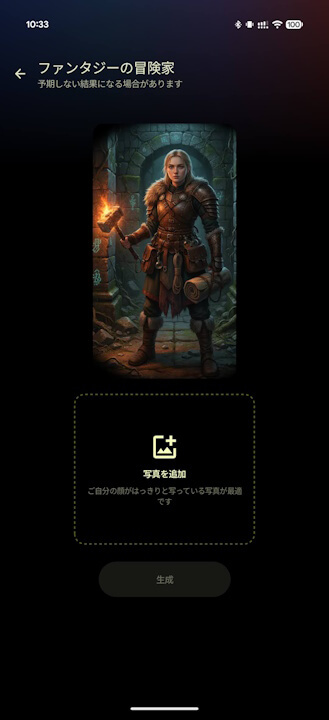
The photo suggestion feature for “Remix photos” in the Android Google Photos app is being rolled out gradually. There has been no announcement regarding a rollout for the iOS version of the Google Photos app.
Google Photos App Links


Source:Google (https://support.google.com/photos/thread/431663706/find-the-perfect-photo-for-your-remix-creations-with-automatic-suggestions)