




- The pre-prepared prompt for the “Import Memory to Gemini” feature in the Gemini app has been switched to English.
- It has not only been translated into English, but a final sentence has been added: “Finally, complete the sentence ‘My AI name is: ‘, where name is ChatGPT, Claude, Grok, etc.”
- This is likely because the vast majority of training data for the large language models used in AI services is in English, making English instructions easier for the AI to understand.
The “Import Memory to Gemini” tool, which allows users to migrate data from third-party AI services like ChatGPT, Claude, and Copilot to Gemini, began rolling out for the Google AI “Gemini” app on March 26, 2026 (local time).
The pre-prepared prompt used for this “Import Memory to Gemini” feature has been silently updated to English.


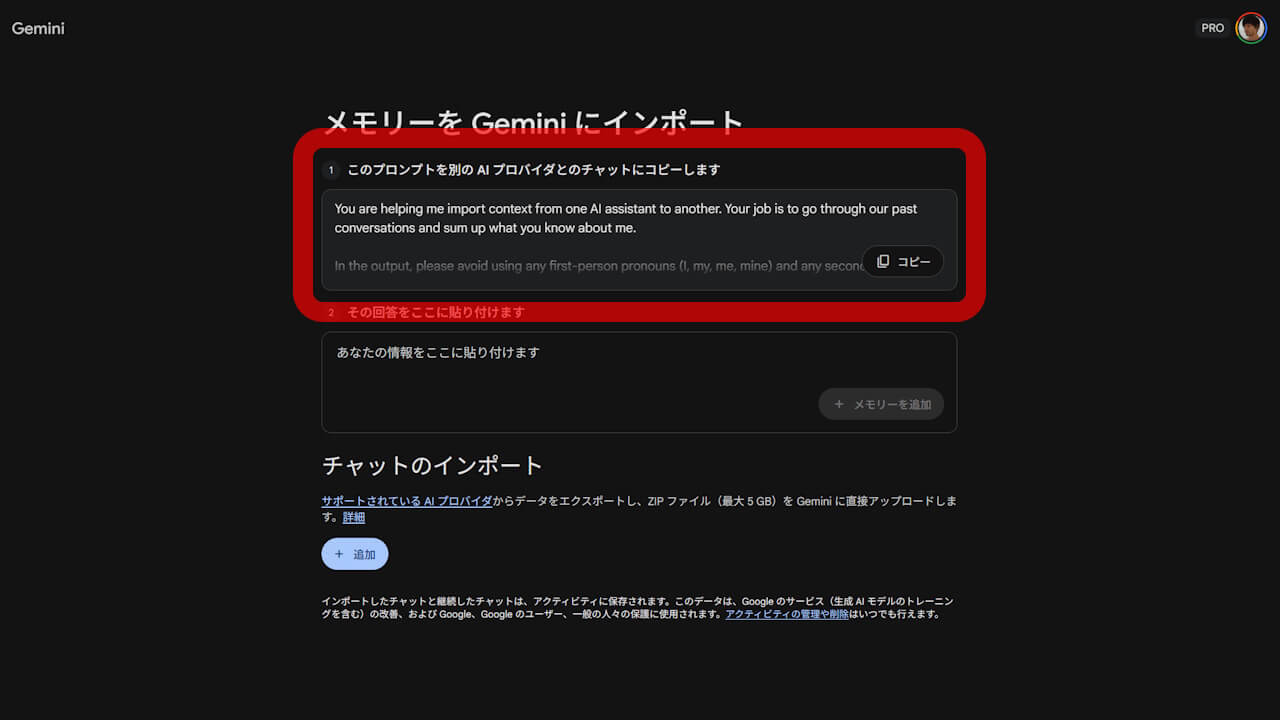
The pre-prepared prompt in “Import Memory to Gemini” is designed to help users extract information—such as their name, occupation, education, address, interests, relationships, and custom instructions—from their past chat histories with other AI services when migrating to Gemini. By copying and pasting this pre-prepared prompt into the chat interface of other AI services, the AI generates a response containing this data, which can then be imported into Gemini to complete the migration process.
While the prompt was previously available in Japanese for users in Japanese-language environments, it has now been switched to English regardless of the user’s language settings.
Furthermore, it is not just a simple language switch; the phrase, “Finally, complete the sentence ‘My AI name is: ‘, where name is ChatGPT, Claude, Grok, etc.” has been added to the end. This means that when the prompt is sent to chats on services like ChatGPT, Claude, Copilot, or Grok, the AI service will now identify itself by name before providing its response.
You are helping me import context from one AI assistant to another. Your job is to go through our past conversations and sum up what you know about me.
In the output, please avoid using any first-person pronouns (I, my, me, mine) and any second-person pronouns (you, your, yours). Instead, refer to the individual you have learned about as “the user” or use neutral phrasing.
Preserve the user’s words verbatim where possible, especially for instructions and preferences.
Categories (output in this order):
- Demographics Information: Preferred names, profession, education, and general residence.
- Interests & Preferences: Sustained, active engagements (not just owning an object or a one-time purchase).
- Relationships: Confirmed, sustained relationships.
- Dated Events, Projects & Plans: A log of significant, recent activities.
- Instructions: Rules I’ve explicitly asked you to follow going forward, “always do X”, “never do Y”, and corrections to your behavior. Only include rules from stored memories, not from conversations.
Format:
Divide the content into the labeled section using the categories above. Try to include verbatim quotes from my prompts that justify each entry. Structure each entry using this format:
- The user’s name is .
- Evidence: User said “call me “. Date: [YYYY-MM-DD].
Output:
- Format the final output summary as a text block.
Finally, complete the sentence “My AI name is: “, where name is ChatGPT, Claude, Grok, etc.
Although the specific reason for changing the pre-prepared “Import Memory to Gemini” prompt to English remains unclear, it is likely because the vast majority of training data for the large language models used across various AI services is in English, making English instructions more effective and easier for the AI to interpret.
Source:Gemini