




- Design customization for the “New Tab” page is now available in the Android version of the Chrome app.
- This feature has already been available on the desktop version of Chrome and the iOS version of the Chrome app for some time.
- As of now, the rollout is limited to select Android devices.
In mid-April 2026, Google introduced the ability to customize the design of the “New Tab” page in the Android version of its Chrome browser app.
Design customization for the New Tab page is a feature that has long been available on the desktop version of Chrome, as well as the iOS Chrome app. For reasons unknown, this feature had been absent from the Android version of Chrome until now—making this a long-awaited update.
With the new customization options on Android, users can do more than just change colors; they can upload their own images or select themes from the “Theme Collection” to personalize the page to their liking. Additionally, for both colors and the “Theme Collection,” there is a “Refresh daily” option that automatically updates the design every day.
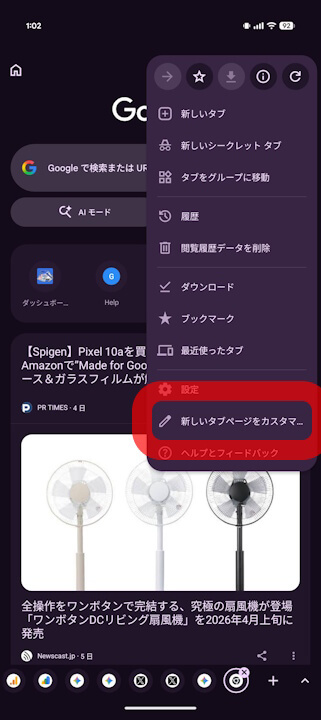
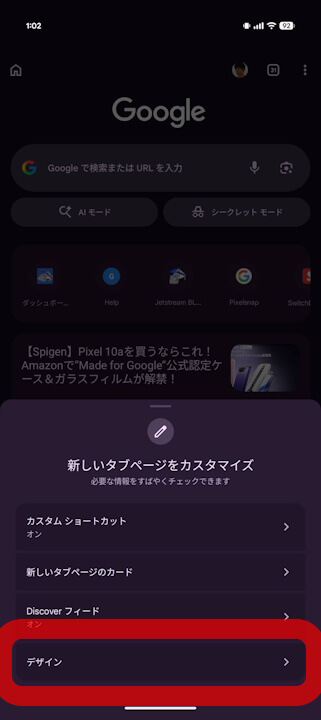
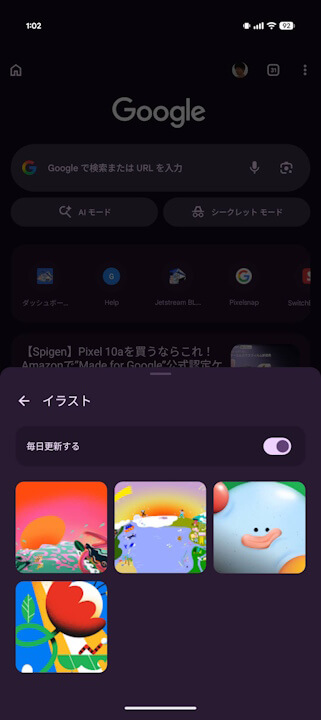
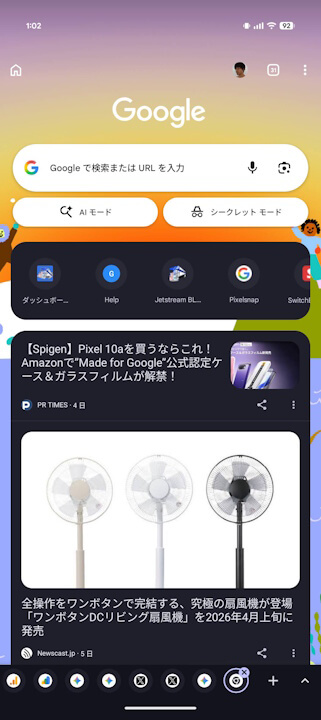
Please note that the New Tab page customization in the Android Chrome app appears to be rolling out to a limited number of Android devices initially and is not yet widely available. A gradual, wider rollout is expected in the near future.
Chrome App Link
