




- A new gesture control has been quietly rolled out to the “Pixel Camera” app, exclusive to Google Pixel devices.
- There are two new gesture operations available when long-pressing the volume button in camera mode.
- It appears you can now drag toward the red record button to zoom, or drag to the left to enable hands-free recording.
I would like to introduce a new gesture control that has been quietly rolled out to the “Pixel Camera” app, exclusively for Google Pixel devices.
The new gesture controls for the Pixel Camera app involve two operations triggered by long-pressing the volume button while in camera mode. It appears that you can now drag toward the red record button to zoom, or drag to the left to enable hands-free recording.
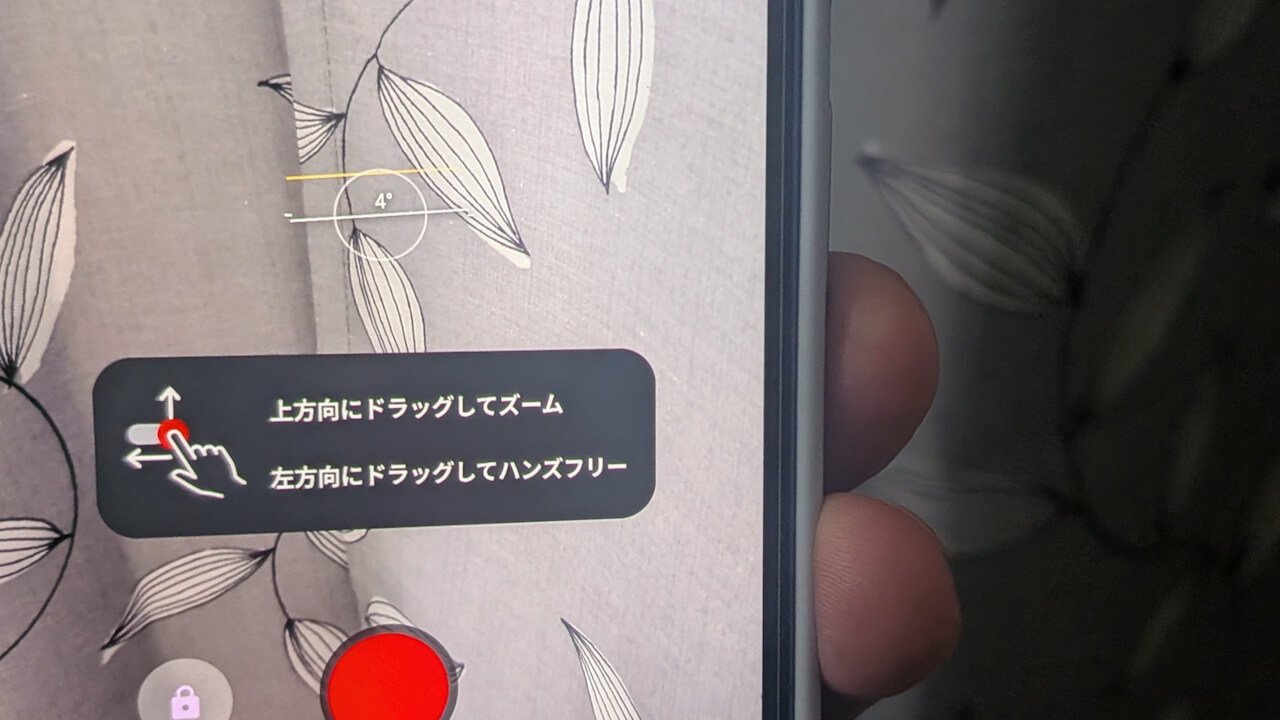
Drag to the left for hands-free
In the Pixel Camera app, you can normally take a still photo by briefly pressing the volume button while in camera mode. However, if you long-press the volume button, it records video for as long as you hold it down. This volume button long-press feature acts as a quick video recording function.
Now, while long-pressing the volume button, you can drag to the left to enable hands-free recording. During hands-free recording, the video continues to capture even after you release the volume button, and recording can be stopped by pressing the red record button.
On the other hand, the gesture to zoom by dragging toward the red record button does not seem to work at this time—whether it is still under development or currently bugged is unclear.
Pixel Camera App Link
