




- Google’s “Gemini” appears to be positioning itself to aggressively compete with rival AI services like “ChatGPT” and “Claude.”
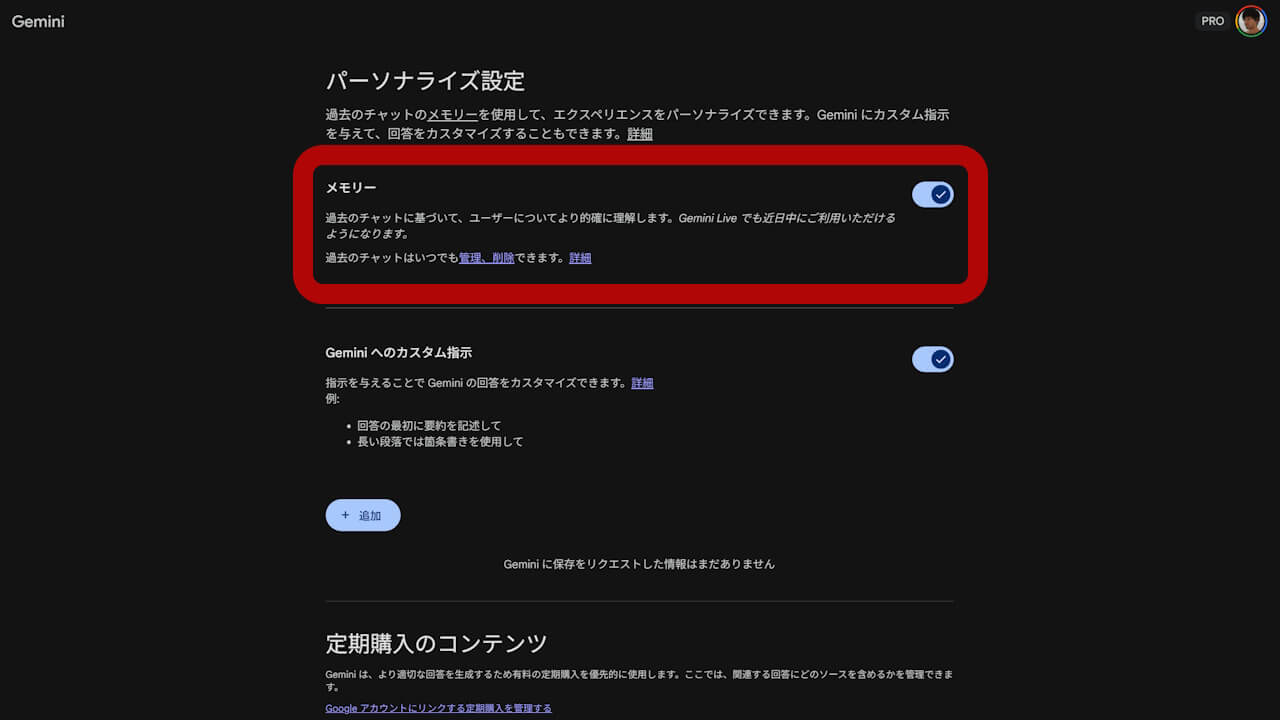
- An analysis of the app files from the Android “Google” app v17.11.54 update reveals new resource code for a feature codenamed “Robin Import.” This feature is designed to import chat history and context data from third-party AI services into the “Memory (past chats with Gemini)” section of Gemini’s “Personalized Settings.”
- It is expected that a new Gemini feature called “Projects” (codenamed “Robin”) will be launched, alongside this “Memory” import feature (codenamed “Robin Import”).
While Google’s AI, “Gemini,” was initially criticized for its low accuracy when it first launched as “Bard,” it has since established itself as a leading generative AI service.
Now, it seems Gemini is set to take on rivals like “ChatGPT” and “Claude.” Our app analysis has shed light on how this will happen.
「アプリ解析」
当サイトの「アプリ解析」カテゴリで公開している記事では、最新 Android アプリを逆コンパイルして独自に解析し、今後実装される可能性のある新機能や変更点などをお届けします。正式リリース前の新機能や変更となるため開発段階の未確定な情報も含まれますが、Android アプリの今後のアップデート動向をいち早くキャッチできる、ほかにはない当サイトオリジナルコンテンツです。
当サイトオリジナルの「アプリ解析」コンテンツを見逃さないよう、ぜひ Google の「優先ソース」に当サイト「Jetstream 」を登録してください。

An analysis of the Android “Google” app v17.11.54 update, released on Monday, March 23, 2026, uncovered resource code for “Robin Import.” This feature allows users to import chat history and context data from other AI services into the “Memory” section (formerly “Past chats with Gemini”) within Gemini’s “Personalized Settings.” In short, a feature for importing chat data to facilitate switching from services like ChatGPT or Claude to Gemini may be implemented in the future.
Incidentally, “Memory”—formerly known as “Past chats with Gemini“—is a “Personalized Settings” feature that allows the AI to provide more accurate answers based on your past chat history.
<string name="assistant_chat_threads_sidenav_settings_import_external_ai">Import memory to Gemini</string>
<string name="assistant_robin_import_external_ai_import_chats_title">Import chats</string>
<string name="assistant_robin_import_external_ai_import_prompt">Import chat with AI from attachment</string>
<string name="assistant_robin_import_external_ai_import_started">We'll let you know when your imported chats are ready. This may take a few minutes.</string>
<string name="assistant_robin_import_external_ai_send_to_gemini">Add memory</string>
<string name="assistant_robin_import_external_memory_copy_prompt_label_v2">Copy this prompt to your chat with another AI provider</string>
<string name="assistant_chat_threads_sidenav_settings_import_external_ai">メモリーを Gemini にインポート</string>
<string name="assistant_robin_import_external_ai_import_chats_title">チャットのインポート</string>
<string name="assistant_robin_import_external_ai_import_prompt">添付ファイルから AI とのチャットをインポートして</string>
<string name="assistant_robin_import_external_ai_import_started">インポートしたチャットの準備ができたらお知らせします。この処理には数分かかることがあります。</string>
<string name="assistant_robin_import_external_ai_send_to_gemini">メモリーを追加</string>
<string name="assistant_robin_import_external_memory_copy_prompt_label_v2">このプロンプトを別の AI プロバイダとのチャットにコピーします</string>What is both interesting and somewhat formidable about the “Robin Import” feature is that it provides a specific prompt for users to paste into other AI services like ChatGPT or Claude. This prompt instructs those AIs to export chat data into a file format compatible with Gemini’s “Memory.” By simply feeding that exported file back into Gemini, the migration process from a competing AI service is complete.
Furthermore, the “Robin Import” codename links it to the previously discovered upcoming feature, “Projects” (codenamed “Robin”). “Projects” will allow users to create folders based on specific themes, storing multiple chat threads and files to build custom, specialized AI chatbots. It is highly likely that Gemini will launch “Projects” and the “Memory” import feature simultaneously.
Regardless, the battle for supremacy in the generative AI space is about to become even more functionally intense.


Google App Link
