




- It appears that the “Sticker” creation feature in the iOS version of the “Google Photos” app has now been integrated with “Ask Photos.”
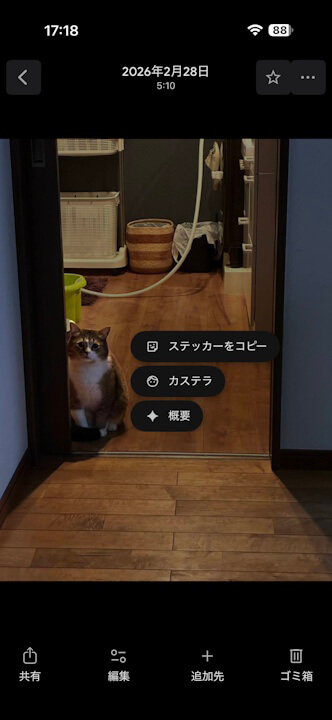
- When using the “Sticker” creation feature, a new “◆ Overview” menu linked to “Ask Photos” is now displayed.
- If the subject of the “Sticker” is a person or pet registered in “Face Groups,” a name menu like “☺xxx” categorized by the face group will also appear.
“Ask Photos,” the Google AI “Gemini” integration for the Android and iOS versions of the “Google Photos” online photo library service, finally began rolling out in Japan around mid-February 2026.
It seems that “Ask Photos” has now been integrated with the “Sticker” creation feature in the iOS version of the “Google Photos” app.

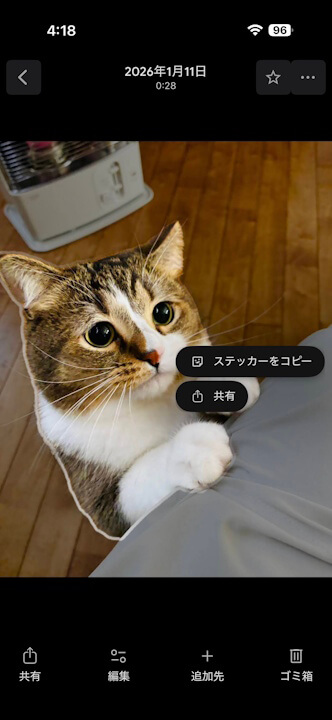
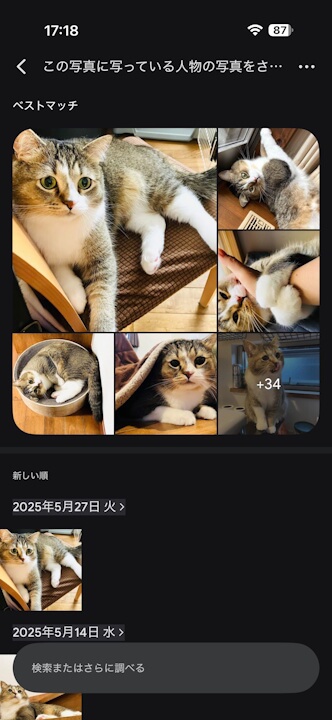
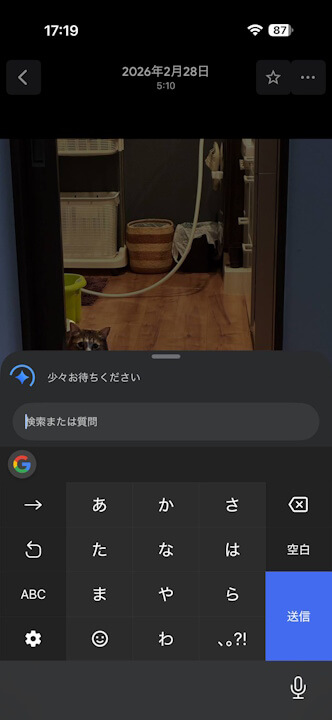
Previously, when using the “Sticker” creation feature in the iOS version of the “Google Photos” app, two options—”Copy Sticker” and “Share”—were displayed in the sticker menu. Following the “Ask Photos” rollout, “Share” has been removed, and a new “◆ Overview” menu linked to “Ask Photos” is now shown. Additionally, if the subject of the sticker is a person or pet registered in “Face Groups,” a name menu “☺xxx” classified by the Face Group will also be displayed.
By selecting “☺xxx,” you can directly search for photos of the same subject using “Ask Photos.” In “◆ Overview,” the “Ask Photos” prompt entry bar is displayed, allowing for immediate custom AI searches.
Furthermore, in the iOS version of “Google Photos,” stickers you create are saved within the “Stickers” menu in the “Collections” tab. You can easily reuse your created stickers from this menu.
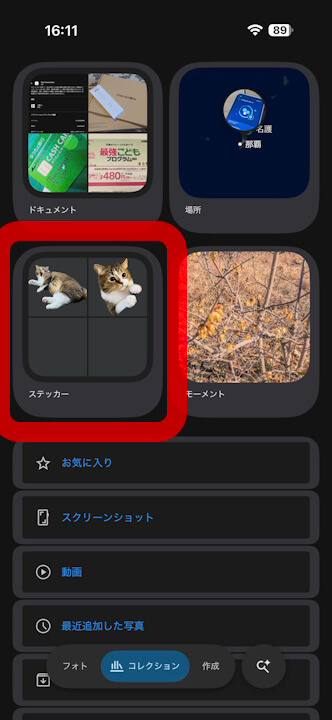
As of now, the “Ask Photos” integration for sticker creation and the feature to save stickers in the “Collections” tab have not yet been rolled out to the Android version of the “Google Photos” app.
“Google Photos” App Links

