




- The “Video Overview” feature in the web version of “NotebookLM” has been updated to follow a customization-first specification.
- Starting around mid-February 2026, the “🖊” button has been removed, and clicking “Video Overview” now automatically opens the customization window.
- Because the “🖊” button was removed, it is easy to mistakenly think that customization is no longer possible.
The “Video Overview” feature in the web version of “NotebookLM,” Google’s AI-powered research and writing assistant featuring Gemini, has been updated to follow a customization-first workflow.
“Video Overview” in NotebookLM is a feature within the “Studio” content generation suite that creates easy-to-understand explanation videos based on uploaded sources. Previously, users could generate a “Video Overview” with a single click or use the “🖊” button to enter prompts and select the format, language, and visual style to create a video tailored to those specifications.
However, around mid-February 2026, the “🖊” button was removed, and the interface was changed so that clicking “Video Overview” now directly displays the customization window. This means that going forward, generating a “Video Overview” in the web version of NotebookLM assumes that you will specify customization details.
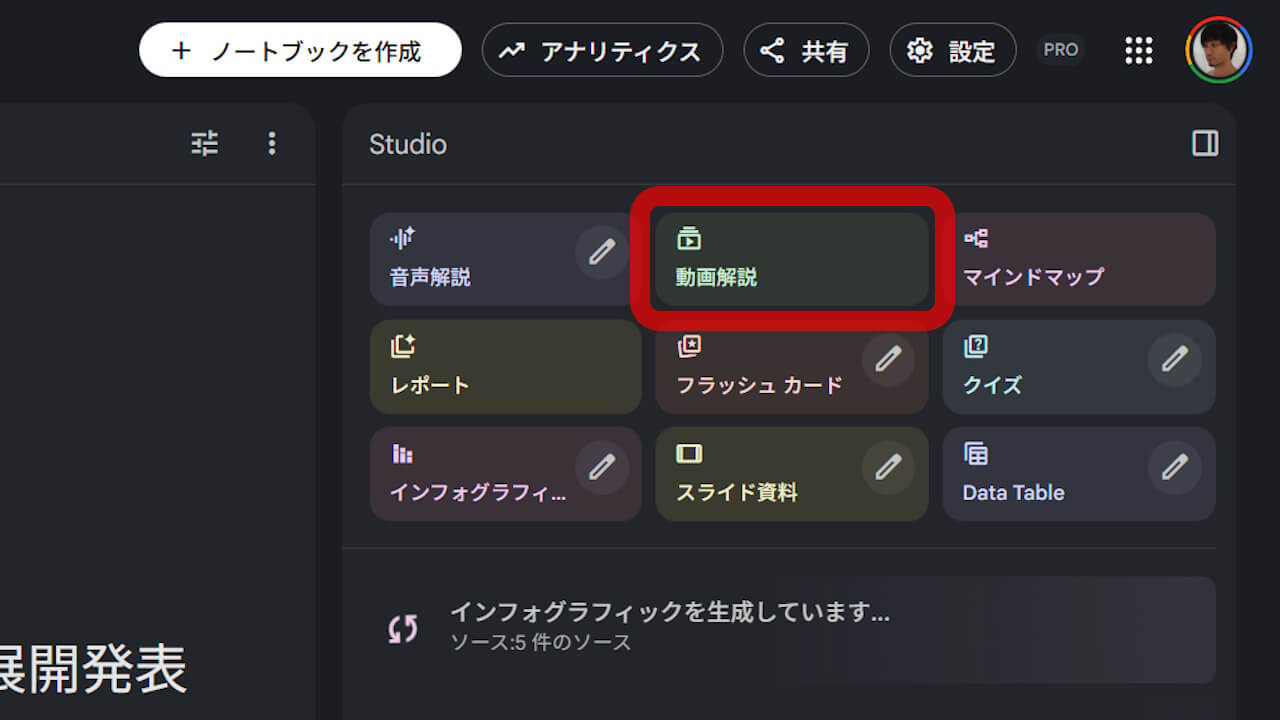
While the removal of the “🖊” button might lead some to believe that customization is no longer available, it has actually become a prerequisite for the process. Meanwhile, the “Google NotebookLM” app for Android and iOS does not yet support customization for “Video Overview,” though it is scheduled to support it in the future; currently, it only supports simple video generation.


Source: NotebookLM