




この記事のポイント
- The “Gemini side panel” in the web versions of Gmail, Google Drive, and other services has recently received a minor update.
- The width of the “Gemini side panel” can now be adjusted seamlessly.
- Specifically, you just need to drag and drop the width adjustment bar.
The “Gemini side panel” is a feature of Google’s AI “Gemini” available in the web versions of Gmail and Google Drive, primarily for Google Workspace accounts and Google AI Pro/Ultra subscribers.
While the “Gemini side panel” has been available in Japanese environments for over a year, it seems a minor update was recently implemented. This update introduces seamless width adjustment, allowing you to freely resize the “Gemini side panel.”
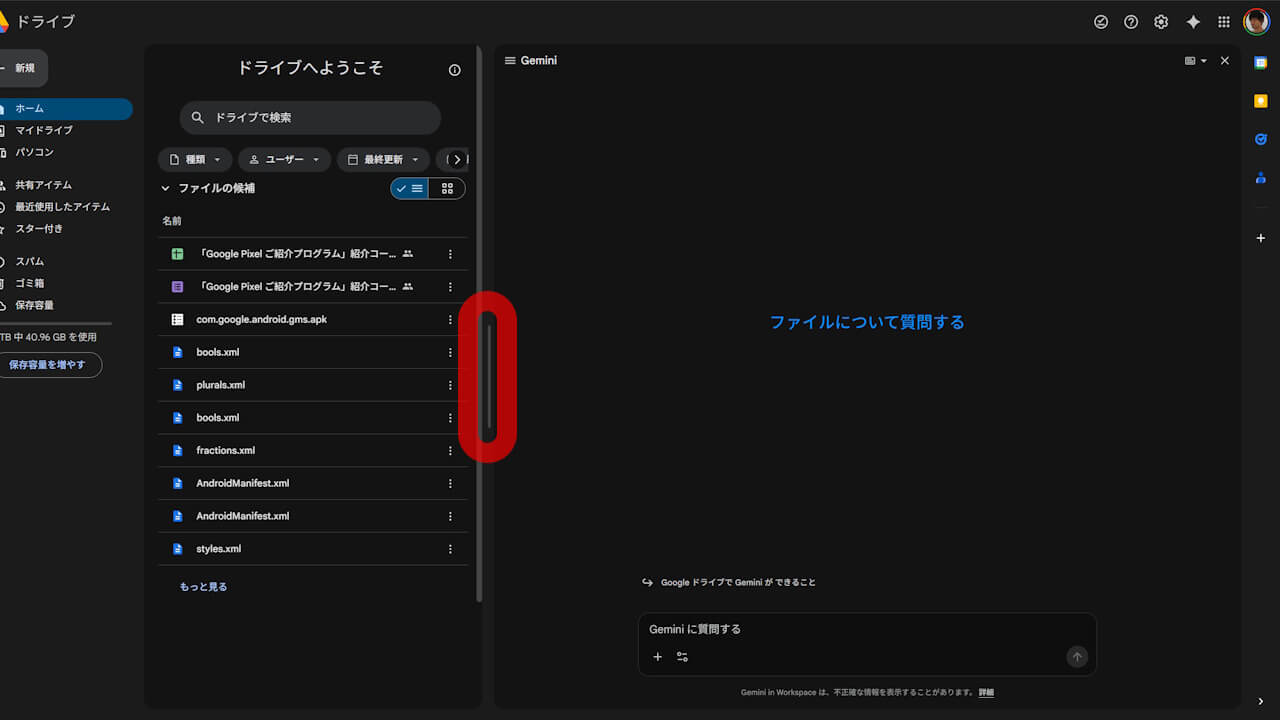
This allows you to use the “Gemini side panel”—which was previously restricted to a narrow width—in a much wider format. Specifically, all you have to do is drag and drop the bar highlighted in the red frame in the image below.
It is a minor update, but for some users, it might be a long-awaited improvement.