



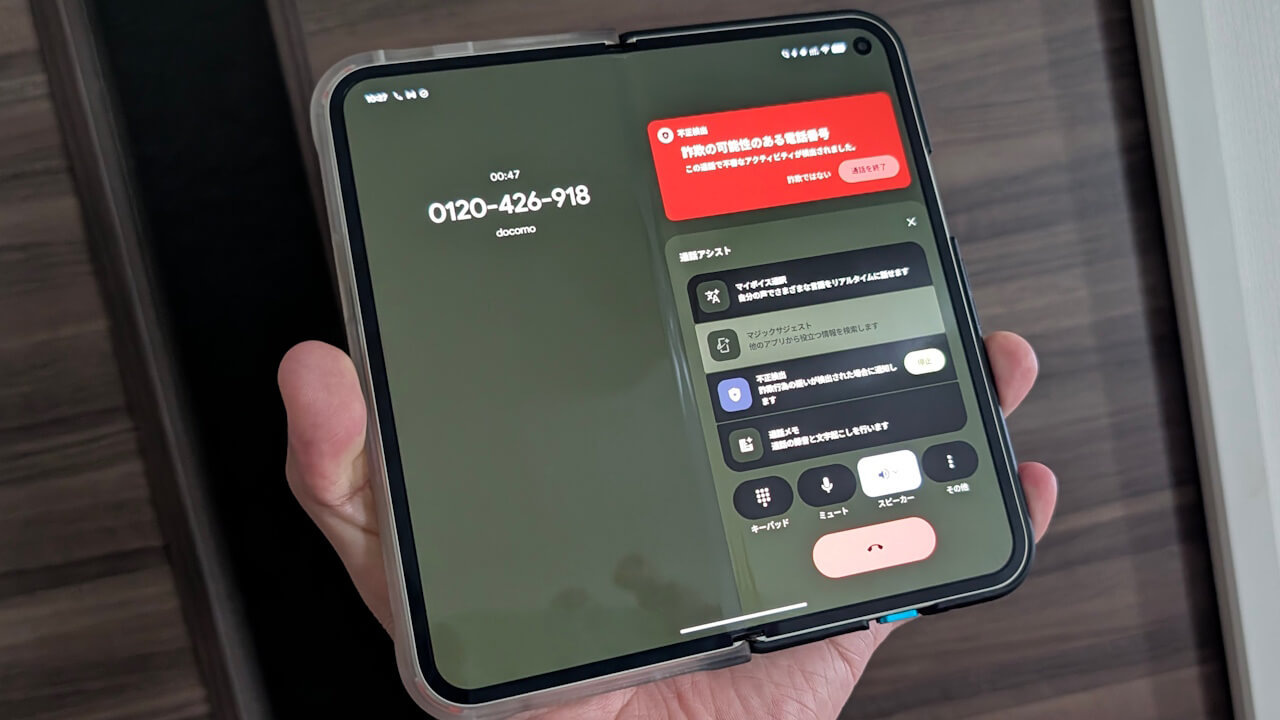

- On Wednesday, January 28, 2026, I “luckily” (?) received a scam call, and the “Scam Detection” feature for Google Pixel devices worked perfectly, so I’d like to introduce it here.
- Along with an alert sound to draw attention, “Scam Detection” kicked in, and a “Likely scam” alert was displayed on the screen.
- After the call ended, a notification also appeared allowing me to report or block the phone number.
Between late December 2025 and early January 2026, the “Scam Detection” feature for Google Pixel devices finally began its rollout in Japan for the “Google Phone app” users who have joined the “Beta version tester” program.
“Scam Detection” in the “Google Phone app” is a user protection feature where AI (Gemini Nano) screens the caller’s conversation when a call is received. If the call is suspicious or a potential scam, it notifies the user of the danger via beep sounds and screen notifications both at the start and during the call. It alerts you to scam calls—not only the classic “Ore-ore” (It’s me) scams but also the increasingly common “Fake Police Scams (Specialized Fraud),” where callers impersonate police officers and incite anxiety about potential arrest to trick victims into transferring cash.
Compatible with Google Pixel devices from the “Pixel 9” onwards, the feature is currently available on eight models: “Pixel 9,” “Pixel 9 Pro,” “Pixel 9 Pro XL,” “Pixel 9 Pro Fold,” “Pixel 10,” “Pixel 10 Pro,” “Pixel 10 Pro XL,” and “Pixel 10 Pro Fold.” However, please note that “Scam Detection” cannot be used without a SIM card properly set up. Furthermore, the setting is OFF by default, so you must turn it ON and download the dedicated AI model for the first time. It doesn’t become available automatically, so care is needed.
 jetstream.blog
不正検出は、通話に不正の疑いがある場合に、バックグラウンドで自動的に実行されます。連絡先が自動的にスクリーニングされることはありません。不正検出を使用すると、Google 利用規約に同意したことになります。不正検出は設定でいつでもオフにすることができます。
不正検出は、通話の開始時と、その後数分ごとにビープ音を鳴らして、通話がモニタリングされていることを参加者に通知します。
不正検出は完全にデバイス上で動作し、通話の内容は保存も録音もされません。
不正検出の精度は100%ではありません。また、詐欺師の手法は常に変化しています。知らない番号からの着信があった場合は、必ず慎重にご対応ください。
Regarding this “Scam Detection” feature for Google Pixel devices, I “luckily” (?) received a scam call on Wednesday, January 28, 2026, and since it worked perfectly, I’d like to share the experience. First, when the call came in, I confirmed that “Scam Detection” was ON within the “Call Assist” menu.
By the way, “Scam Detection” can also be turned OFF during a call by selecting “Stop.”
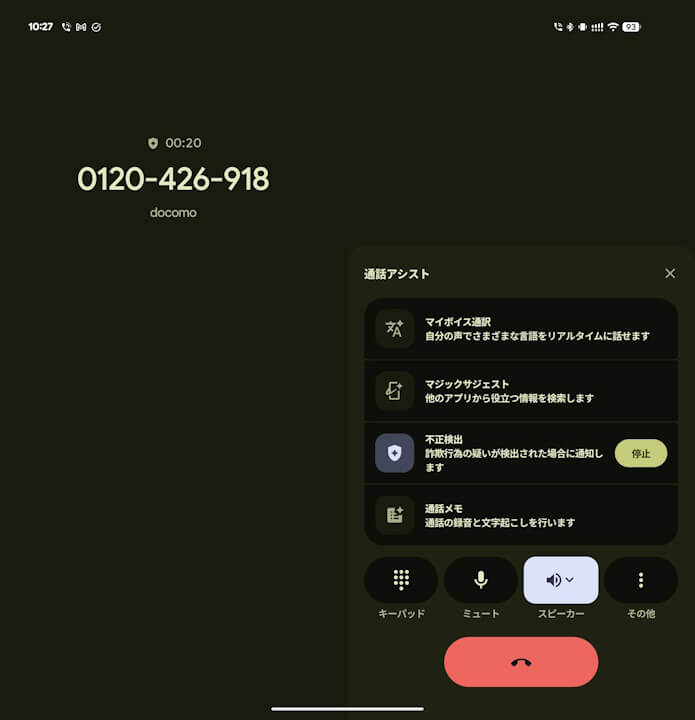
This particular call played an AI-generated voice. And then…
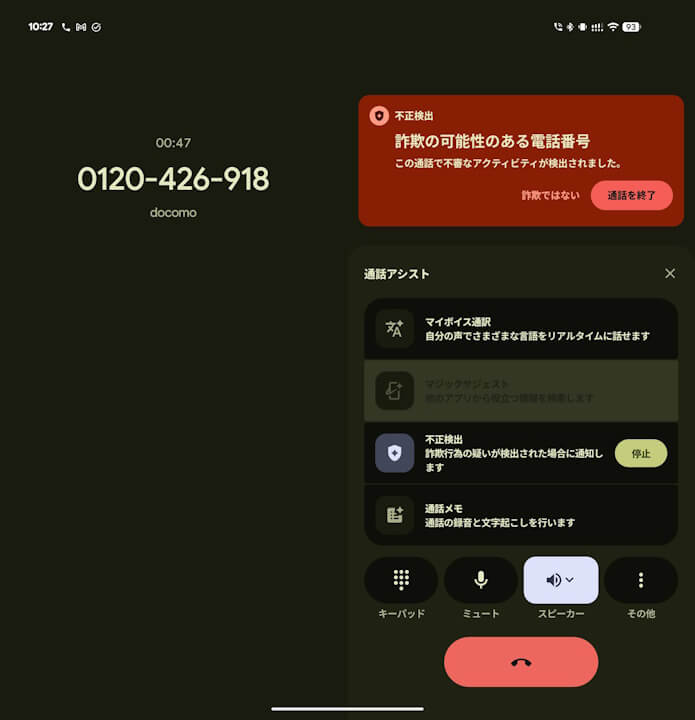
Then, “Scam Detection” triggered along with a cautionary alert sound, and the “Likely scam” alert appeared on the screen. Since “Scam Detection” works by listening to the content of the conversation to determine the likelihood of a scam, it is designed to activate after the call is received and the other party starts speaking. It worked perfectly.
After the call ended, a notification was displayed to report or block the phone number in question.
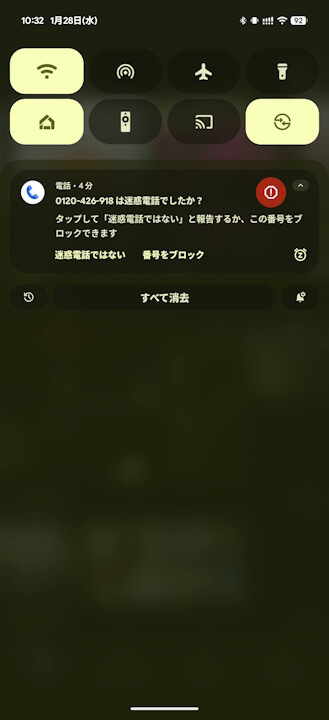
Note that this phone number, “0120-426-918,” is for a public opinion poll by Kyodo News. While it might not technically be a “scam” call, there is no doubt it is a meaningless call that one doesn’t necessarily need to answer.
“Google Phone App” Link
