



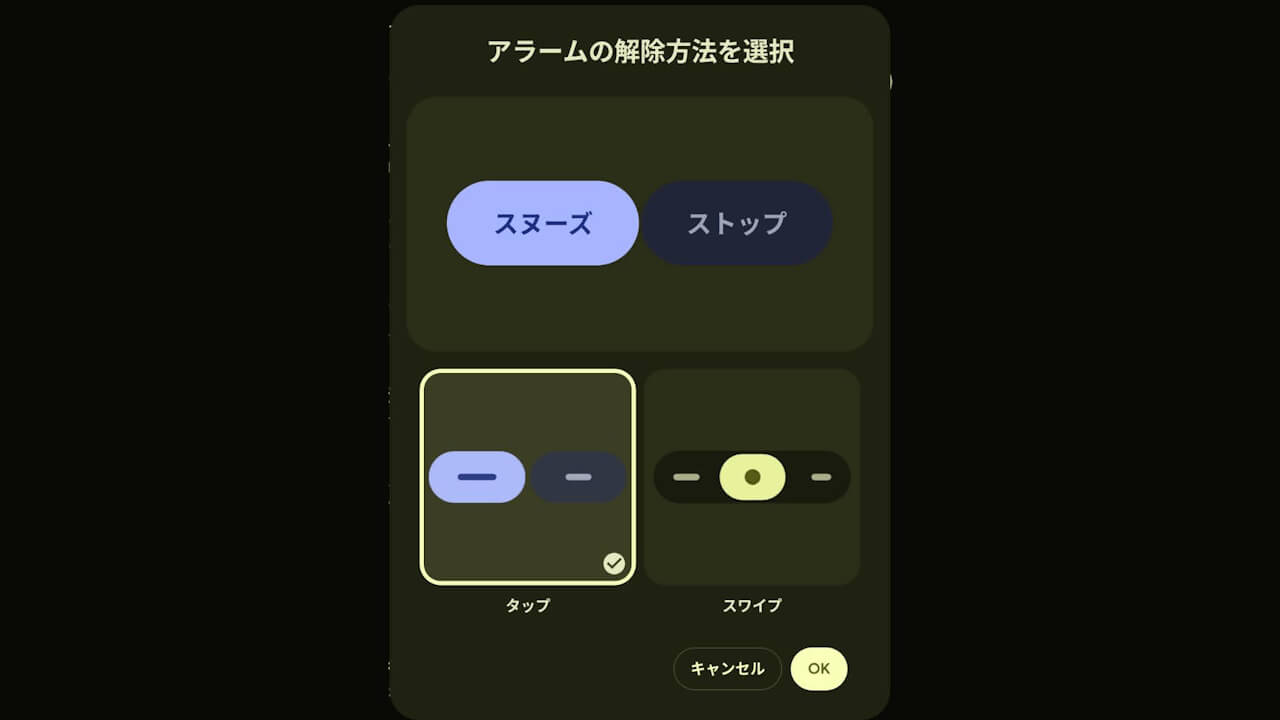

- The “Alarm dismiss action” gesture selection setting is now rolling out to the stock Android “Clock” app.
- This feature was previously identified from internal code in the app version v8.5 update released on Tuesday, January 13, 2026.
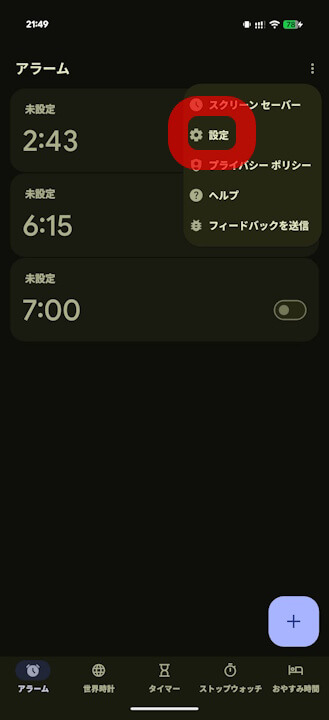
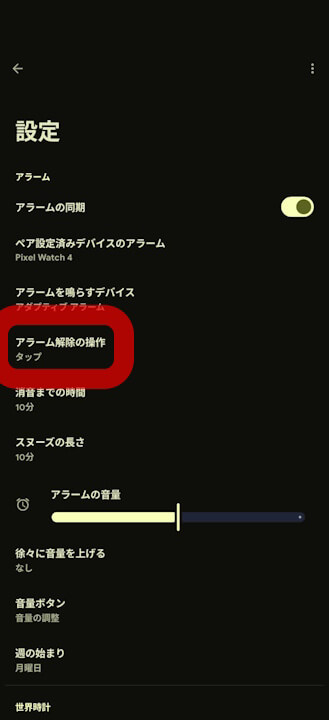
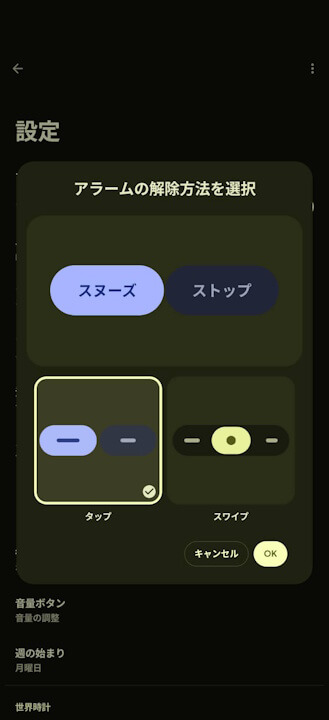
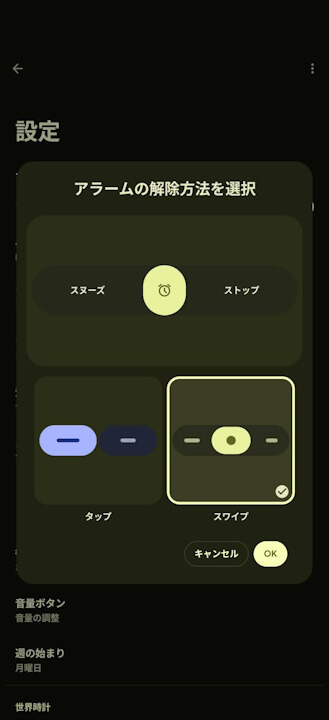
- A new “Alarm dismiss action” menu has been added to the settings in Android “Clock” app v8.5 and later, allowing users to choose between “Tap” and “Swipe.”
The “Alarm dismiss action” setting, which allows users to select their preferred gesture for dismissing alarms, has begun rolling out to the stock Android “Clock” app, primarily on Google Pixel devices.
The “Alarm dismiss action” setting for the Android “Clock” app is a feature that was first discovered in the internal code of the app version v8.5 update released on Tuesday, January 13, 2026. While alarm dismissal was previously limited to tap operations, users can now choose to use a swipe gesture instead.
Specifically, a new “Alarm dismiss action” section will be added within the settings of the Android “Clock” app v8.5 or later, where users can select either “Tap” or “Swipe.”
Incidentally, internal code from version v8.5 of the Android “Clock” app also suggested the possible rollout of a setting to choose from three levels of timer vibration intensity (Low / Medium / High), but this feature has not yet been enabled.

“Clock” App Link
