




- A new “Game Hints” setting for “Google Play Games” content has been added to the Google Play Store app for Android.
- This setting is for the “Google Play Games Assistant (Beta),” which has begun rolling out in Japan.
- The feature description states, “Get context-aware hints about your games,” suggesting it will analyze screen information to display relevant tips while playing supported Google Play Games apps.
A new “Game Hints” setting for “Google Play Games” content has been added to the Google Play Store app for Android.
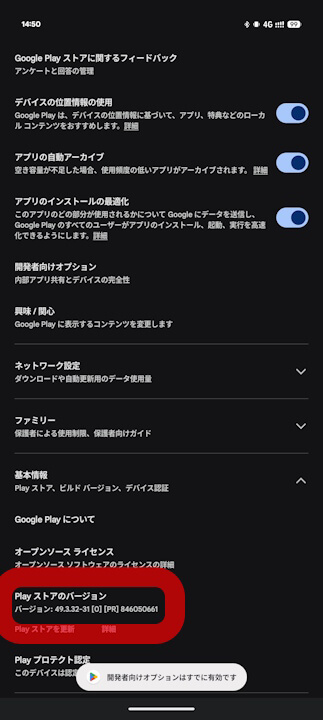
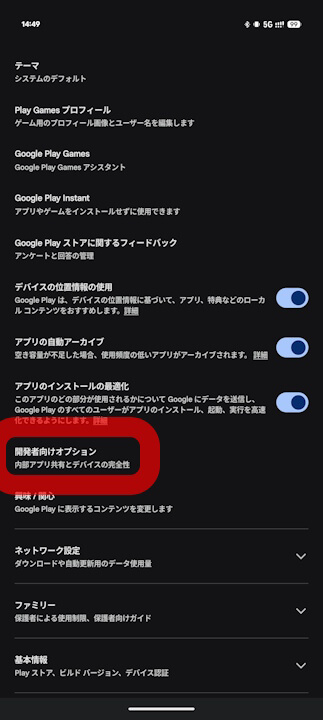
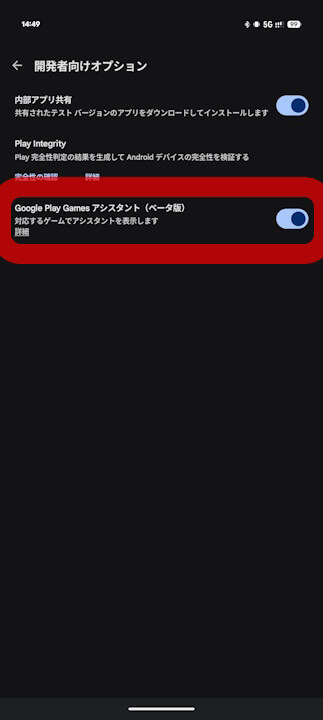
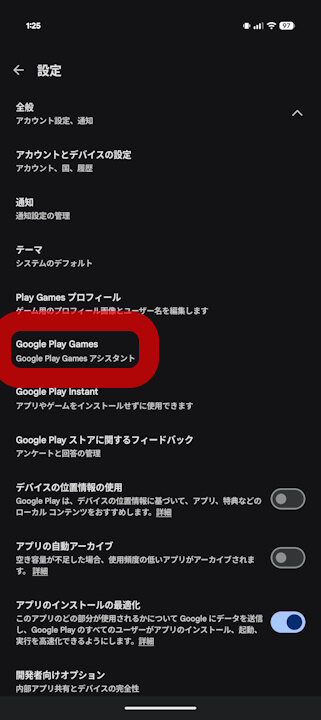
The newly added “Game Hints” setting in the Android Google Play Store app is for the “Google Play Games Assistant (Beta),” which began rolling out in Japan in late December 2025. By repeatedly tapping the “Play Store version” in the Google Play Store app settings to reveal the “Developer options” and turning on “Google Play Games Assistant (Beta),” an additional “Google Play Games” settings menu will appear.
➜
➜
Within those “Google Play Games” settings, a new “Game Hints” ON/OFF toggle has been added below the existing “Show Play Games Assistant (formerly Show Play Games Sidekick)” setting. As “Game Hints” is described as a way to “Get context-aware hints about your games,” the feature appears to function by reading on-screen information to display game-related tips while playing compatible titles within “Google Play Games.”
➜
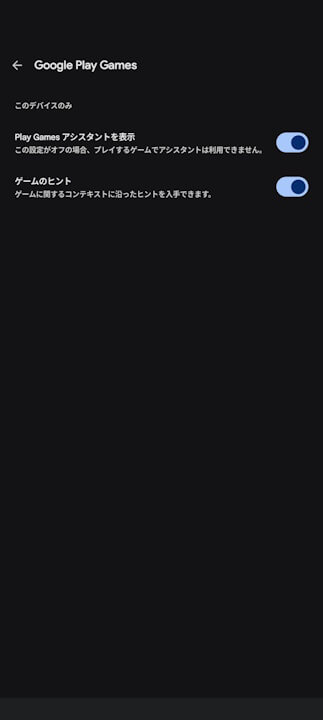
Incidentally, the newly added “Game Hints” feature is enabled by default. If you find it distracting during gameplay, you can try turning the setting OFF.