





- The “Listen to this page” feature, which reads the displayed page aloud, has been implemented in the Android version of the “Google News” app.
- This is the same “Listen to this page” feature found in the “Chrome” app and other applications.
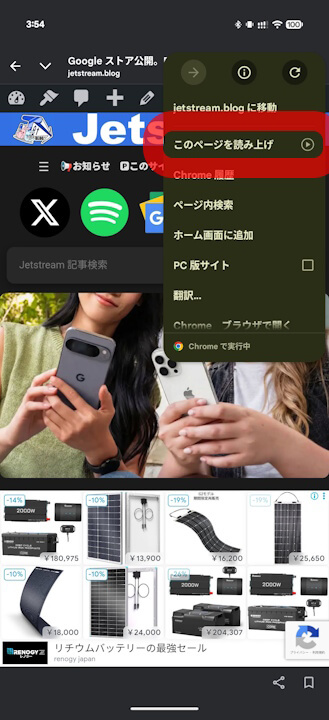
- By opening any news page and tapping “Listen to this page” from the [︙ (three-dot menu)] in the top right corner of the screen, the text of that page will be read aloud.
The “Listen to this page” feature, which reads the displayed page aloud, has been implemented in the Android version of Google’s news curation service, “Google News.”
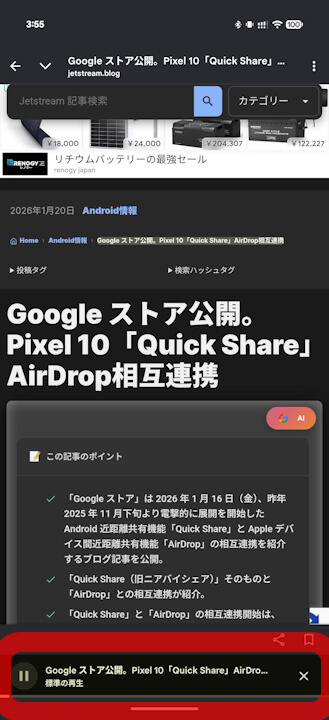
The “Listen to this page” feature added to the Android “Google News” app is identical to the one implemented in the “Chrome” app and others. By opening any news page and tapping “Listen to this page” from the [︙ (three-dot menu)] in the top right corner of the screen, the text of that page will be read aloud via text-to-speech.
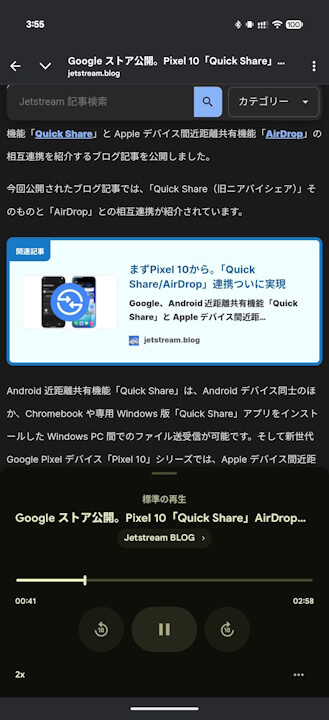
Just like the feature in the “Chrome” app, “Listen to this page” in the Android “Google News” app supports playing and stopping, as well as adjusting the playback speed.
Incidentally, it appears that the “Listen to this page” feature in the Android “Google News” app has been implemented starting from app version v5.146.0 or later.
<service
    android:name="com.google.apps.dots.android.modules.revamp.compose.audioplayer.AudioNewsPlaybackService"
    android:permission="com.google.android.apps.magazines.permission.START_AUDIO_PLAYBACK"
    android:exported="true"
    android:foregroundServiceType="mediaPlayback">
    <intent-filter>
        <action android:name="androidx.media3.session.MediaSessionService"/>
    </intent-filter>
</service>
“Google News” App Link
