




- A new “Answer now” button suddenly began rolling out for the “Gemini” app around mid-January 2026.
- This button allows Gemini to display a response immediately while it is still in the process of thinking after a prompt is sent.
- The button appears when using the “Thinking mode (Gemini 3 Thinking)” or “Pro (Gemini 3 Pro)” AI models.
As a new feature for Google’s AI “Gemini” app, an “Answer now” button suddenly began rolling out around mid-January 2026.
The “Answer now” button introduced to the Gemini app allows the AI to display a response while it is simultaneously “thinking” after a prompt has been sent. If you want a quicker answer from Gemini, simply press the “Answer now” button to have the response displayed immediately.
This “Answer now” button is currently being rolled out across the Web, Android, and iOS versions of the Gemini app.
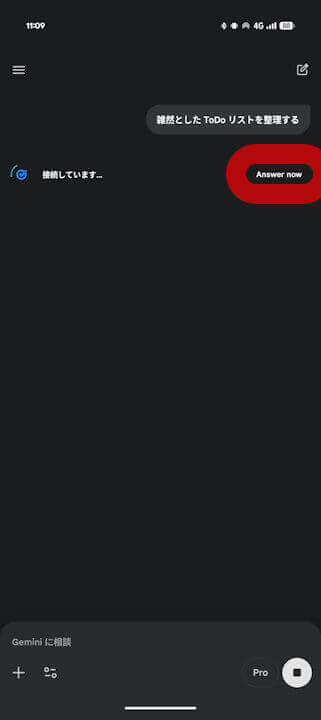
Notably, this new “Answer now” button appears when using the “Thinking mode (Gemini 3 Pro Thinking)” or “Pro (Gemini 3 Pro)” AI models. It does not appear when using “Flash mode (Gemini 3 Flash).”
In essence, the “Answer now” button serves as a way to easily switch to a faster response—similar to “Flash mode (Gemini 3 Flash)”—while you are currently using “Thinking mode (Gemini 3 Thinking)” or “Pro (Gemini 3 Pro).”
Source:Gemini