




Hello, I’m Jun Ishii, the administrator and writer for “Jetstream.” Thank you as always for visiting our site.
On Monday, January 12, 2026, Google began rolling out the January 2026 monthly software update. This update includes monthly security vulnerability fixes and functional enhancements for 15 Google Pixel models running the new generation “Android 16” OS, including the Pixel 7a, Pixel Tablet, Pixel Fold, Pixel 8, Pixel 8 Pro, Pixel 8a, Pixel 9, Pixel 9 Pro, Pixel 9 Pro XL, Pixel 9 Pro Fold, Pixel 9a, Pixel 10, Pixel 10 Pro, Pixel 10 Pro XL, and Pixel 10 Pro Fold. Naturally, I immediately began applying the update to my own collection of Google Pixel devices.
However, during the process, the software update for my “Pixel Tablet” got stuck for the first time with the message: “A problem occurred while preparing to restart. Please try again after a while.” Although I have been using Google Pixel devices for many years, this is the first time I have ever encountered this specific error.
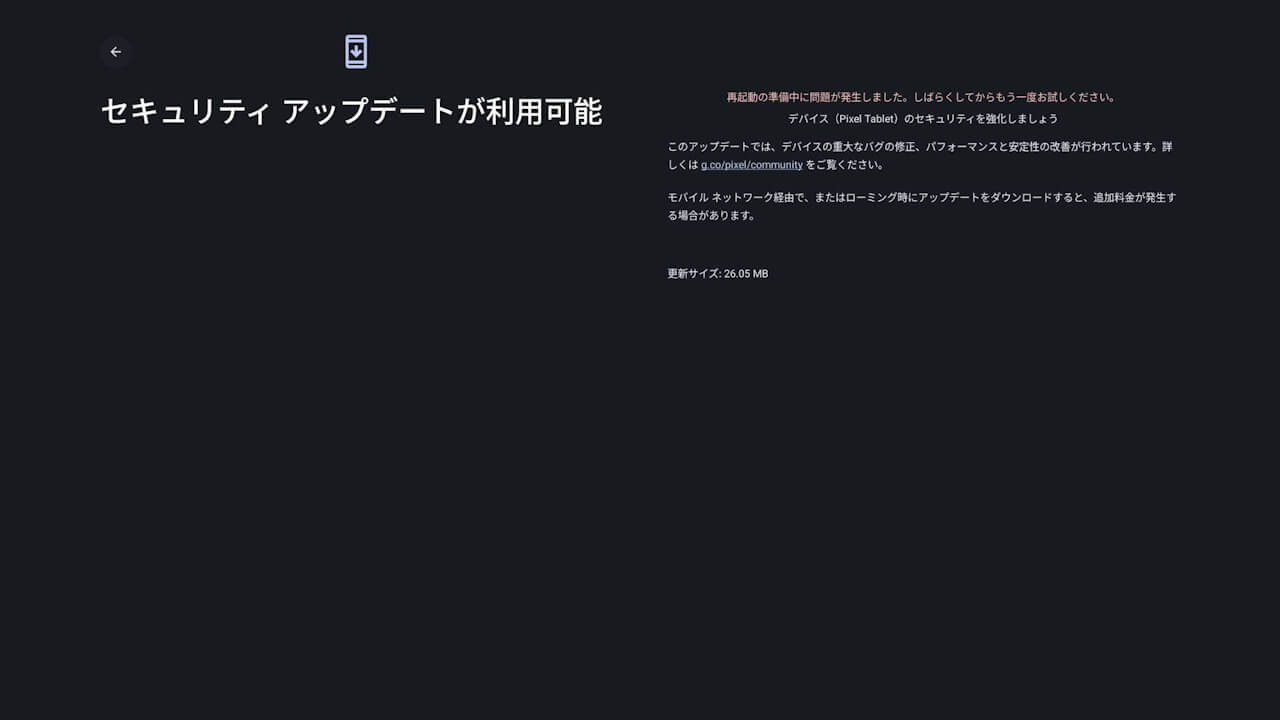
It was a bit startling, but after selecting “Reset update” from the “Software update” section in the Android settings and then attempting the update again, it proceeded without issue—though it did start over from re-downloading the update file. I’m not entirely sure what caused it.
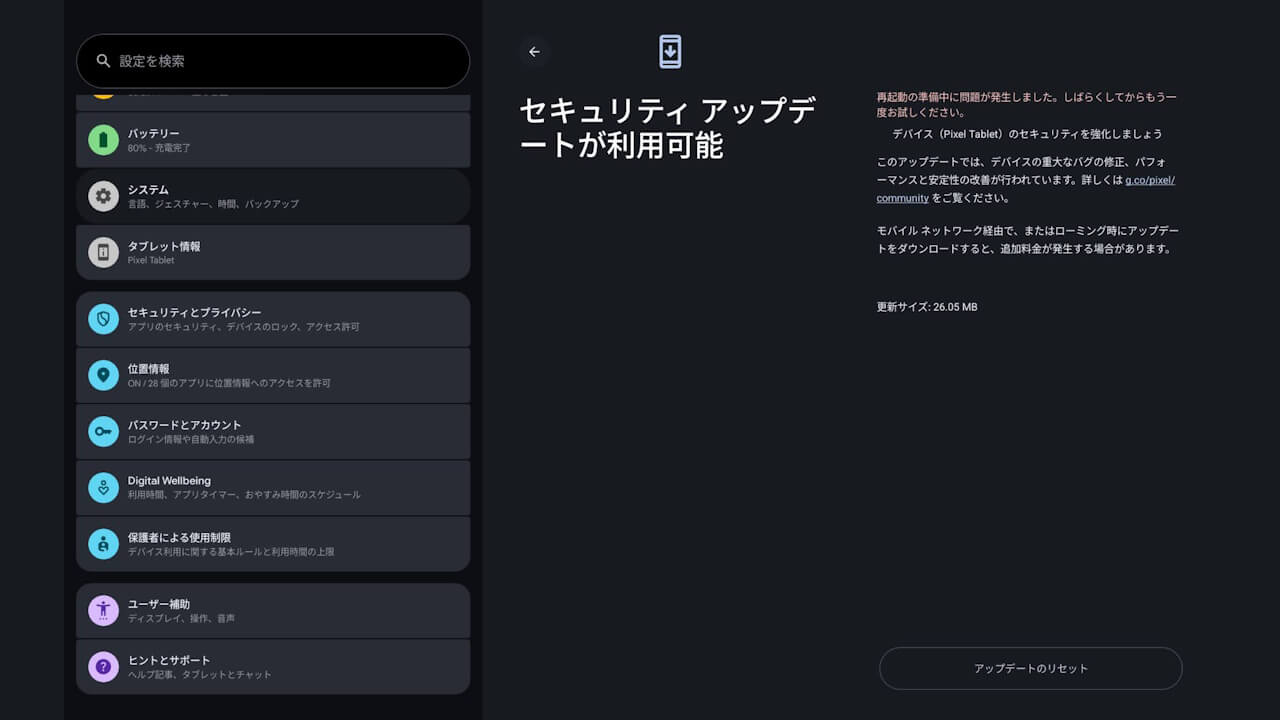
Given the various bugs reported on Google Pixel devices lately, I was terrified that this “problem while preparing to restart” might lead to a bricked device. Fortunately, the software update completed successfully, and I can breathe a sigh of relief.
If you encounter the same “A problem occurred while preparing to restart. Please try again after a while” error during a Google Pixel software update, stay calm, try performing a “Reset update,” and then attempt the update again.
