




- Google has released the January 2026 monthly software update for 15 Google Pixel models running the next-generation Android 16 OS, including monthly security vulnerability patches and functional enhancements.
- The January 2026 update includes Android security patch updates as well as bug fixes and improvements.
- The update has not yet been released for five models: Pixel 6, Pixel 6 Pro, Pixel 6a, Pixel 7, and Pixel 7 Pro.
On Monday, January 12, 2026, Google began rolling out the January 2026 monthly software update to 15 Google Pixel devices running the next-generation Android 16 OS. The update, which includes the usual monthly security vulnerability patches and functional enhancements, is available for the Pixel 7a, Pixel Tablet, Pixel Fold, Pixel 8, Pixel 8 Pro, Pixel 8a, Pixel 9, Pixel 9 Pro, Pixel 9 Pro XL, Pixel 9 Pro Fold, Pixel 9a, Pixel 10, Pixel 10 Pro, Pixel 10 Pro XL, and Pixel 10 Pro Fold.
The January 2026 update for Google Pixel devices consists of Android security patch updates and various bug fixes/improvements. Notably, the update has not yet been released for five models: the Pixel 6, Pixel 6 Pro, Pixel 6a, Pixel 7, and Pixel 7 Pro.

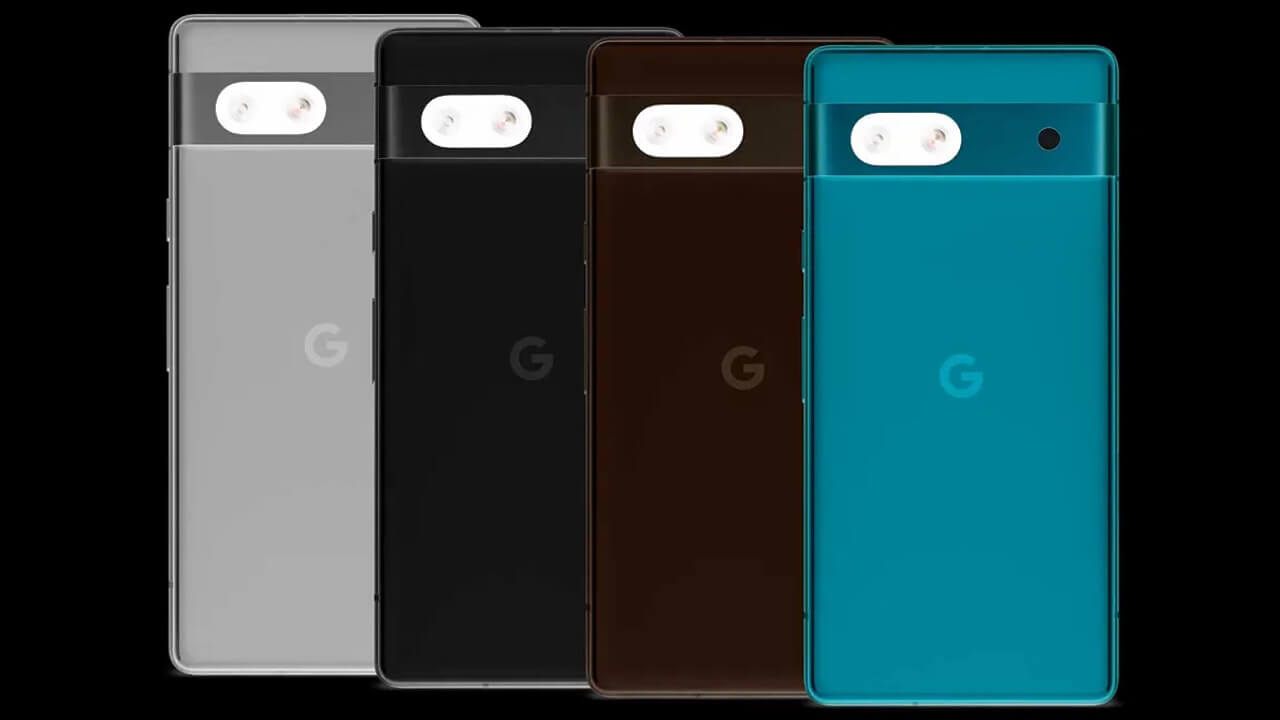
Regarding the Pixel 7a, since the “Android 16 QPR2” minor OS update (following the December 2025 Android 16 major update) had not been delivered, it is expected that the “Android 16 QPR2” update is bundled into this January 2026 monthly release.
The bug fixes and improvements applied in the January 2026 monthly software update for Google Pixel devices are as follows:
| ■ Bug Fixes and Improvements: Pixel 7a, Pixel Tablet, Pixel Fold, Pixel 8, Pixel 8 Pro, Pixel 8a, Pixel 9, Pixel 9 Pro, Pixel 9 Pro XL, Pixel 9 Pro Fold, Pixel 9a, Pixel 10, Pixel 10 Pro, Pixel 10 Pro XL, Pixel 10 Pro Fold |
| 〇 Audio ・Fixed an issue where ringtones would sometimes sound noisy during Webex calls under certain conditions. 〇 User Interface ・Fixed an issue where deleting a “Live Universe” wallpaper could make the “Wallpaper & style” app unusable until the device was restarted. |
| ■ Bug Fixes and Improvements: Pixel Tablet, Pixel Fold, Pixel 8, Pixel 8 Pro, Pixel 8a, Pixel 9, Pixel 9 Pro, Pixel 9 Pro XL, Pixel 9 Pro Fold, Pixel 9a, Pixel 10, Pixel 10 Pro, Pixel 10 Pro XL, Pixel 10 Pro Fold |
| 〇 Battery & Charging ・Fixed an issue causing battery drain under certain conditions. |
| ■ Bug Fixes and Improvements: Pixel 10, Pixel 10 Pro, Pixel 10 Pro XL, Pixel 10 Pro Fold |
| 〇 Display & Graphics ・Fixed an issue where the AOD (Always-on Display) would flicker under certain conditions. ・Fixed an issue where lines of noise would flash on the screen when editing HDR photos in the Adobe Lightroom app. ・General improvements to GPU performance under certain conditions. 〇 Touch ・Fixed an issue where the touchscreen would become unresponsive under certain conditions. |
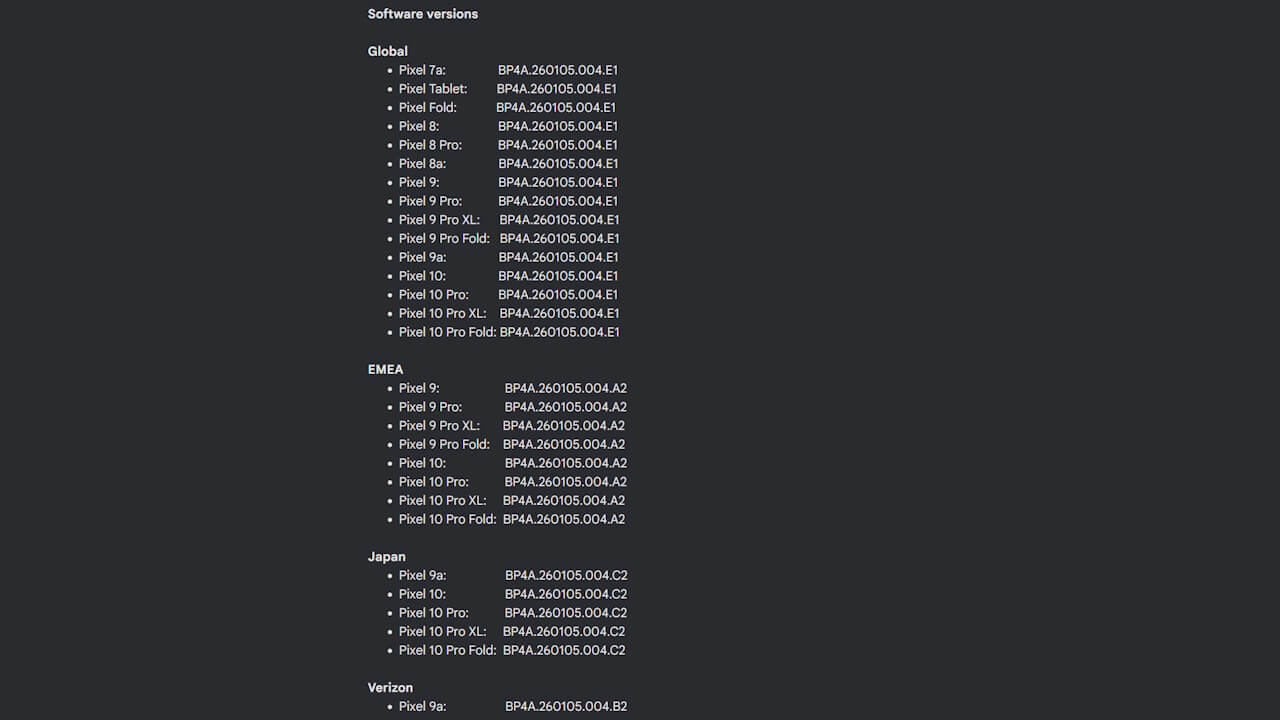
Following the January 2026 update, the build number for Google Pixel devices will be updated to “BP4A.260105.004.E1” (Japan version: BP4A.260105.004.C2), and the Android security patch level will be updated to “January 5, 2026.”
| ■ Android Security Patch Level |
| ・January 5, 2026 |
| ■ Build Numbers |
| ・Pixel 7a: BP4A.260105.004.E1 ・Pixel Tablet: BP4A.260105.004.E1 ・Pixel Fold: BP4A.260105.004.E1 ・Pixel 8: BP4A.260105.004.E1 ・Pixel 8 Pro: BP4A.260105.004.E1 ・Pixel 8a: BP4A.260105.004.E1 ・Pixel 9: BP4A.260105.004.E1 ・Pixel 9 Pro: BP4A.260105.004.E1 ・Pixel 9 Pro XL: BP4A.260105.004.E1 ・Pixel 9 Pro Fold: BP4A.260105.004.E1 ・Pixel 9a: BP4A.260105.004.E1 (Japan version: BP4A.260105.004.C2) ・Pixel 10: BP4A.260105.004.E1 (Japan version: BP4A.260105.004.C2) ・Pixel 10 Pro:BP4A.260105.004.E1 (Japan version: BP4A.260105.004.C2) ・Pixel 10 Pro XL: BP4A.260105.004.E1 (Japan version: BP4A.260105.004.C2) ・Pixel 10 Pro Fold: BP4A.260105.004.E1 (Japan version: BP4A.260105.004.C2) |
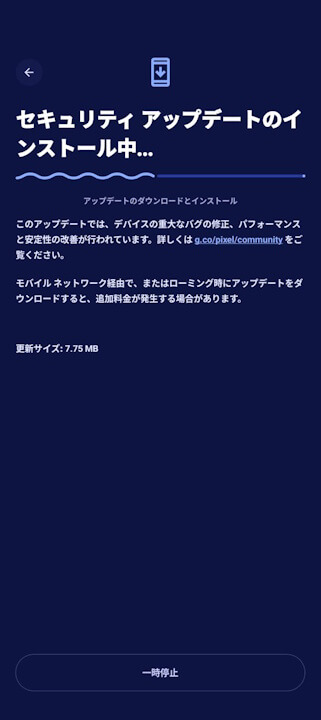
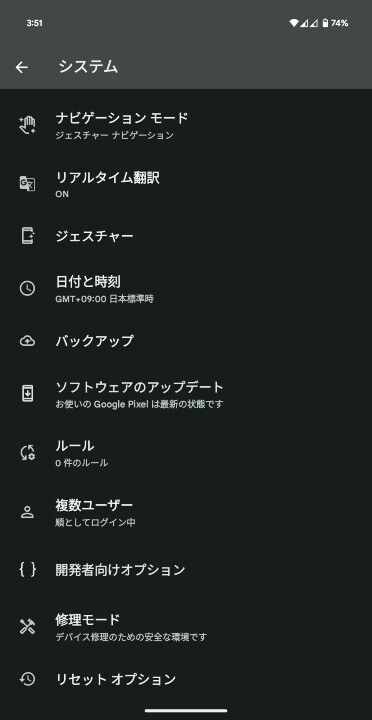
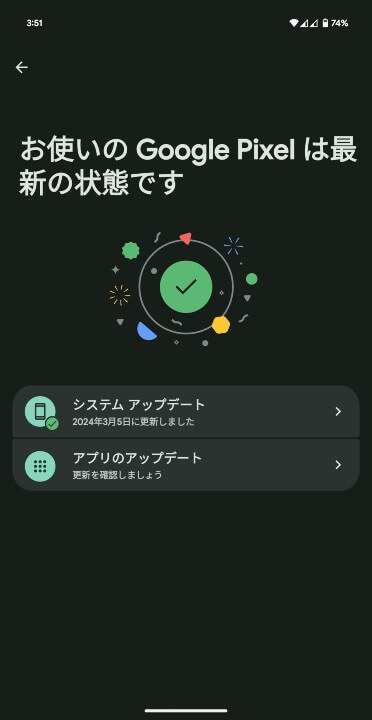
Software updates for Google Pixel devices are being delivered via “Over the Air” (OTA) in phases starting today and continuing through next week. You can check for the update by navigating to [System] → [Software update] in your Android settings and tapping [System update].
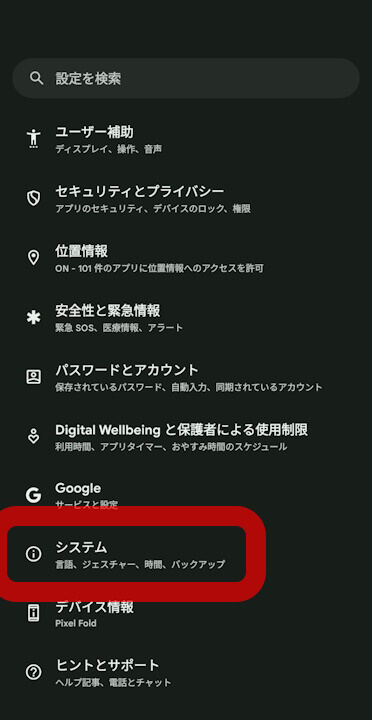
| ①Android 設定の[システム]をタップ |
| Android 設定内の[システム]をタップします。 |
| ②[システム アップデート]をタップ |
| 表示されるメニュー内の[システム アップデート]をタップします。 |
| ③[システム アップデート]をタップ |
| 画面右下の[アップデートをチェック]をタップします。 |
Google Pixel users are encouraged to apply the software update immediately.
Source:Google