




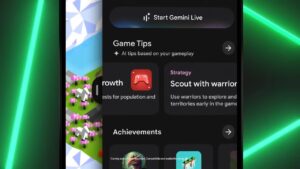
- “Google Play Games Sidekick,” an in-game AI overlay tool and part of the “Google Play Games” renewal, has begun rolling out in Japan as “Google Play Games Assistant.”
- It is currently being released as a beta version titled “Google Play Games Assistant (Beta).”
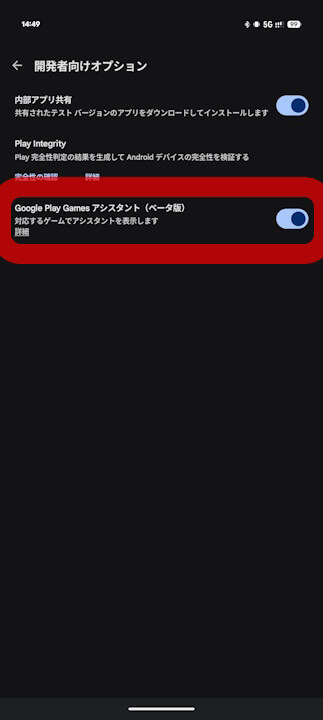
- To enable it, turn on “Developer options” and then toggle on “Google Play Games Assistant (Beta)” within the “Developer options” settings.
On Tuesday, September 23, 2025, Google announced a renewal of “Google Play Games,” the gaming platform within its content store, “Google Play.”
As part of that “Google Play Games” renewal, the in-game AI overlay tool “Google Play Games Sidekick” has started rolling out in Japan as “Google Play Games Assistant” since mid-December 2025. However, at this stage, it is being deployed as a beta version called “Google Play Games Assistant (Beta).”

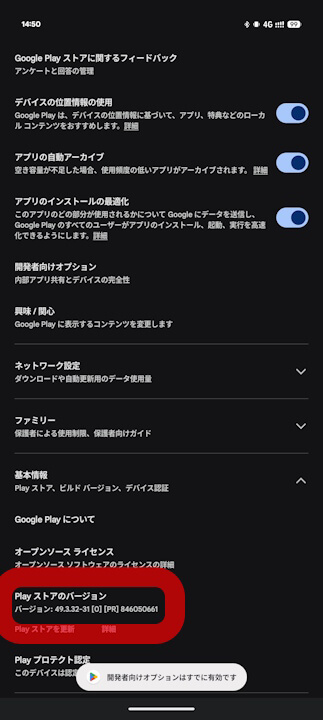
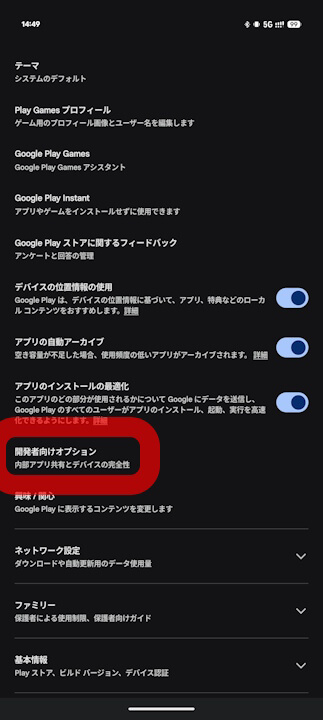
To use “Google Play Games Assistant (Beta),” you must enable “Developer options” within the Android “Google Play Store” app. You can turn on “Developer options” by repeatedly tapping the “Play Store version” in the Google Play Store app settings; once enabled, you can then toggle on “Google Play Games Assistant (Beta)” within the “Developer options” menu.
With this, you will be able to run “Google Play Games Assistant (Beta).”
➜
➜
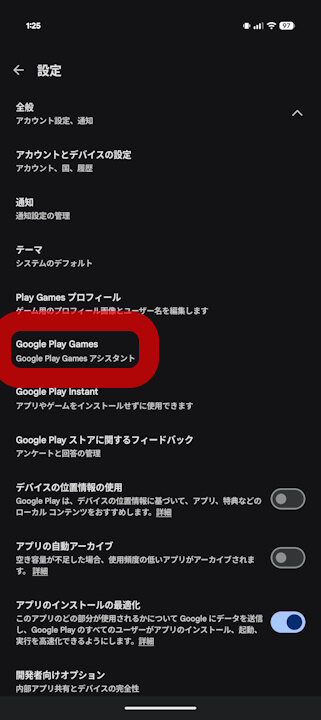
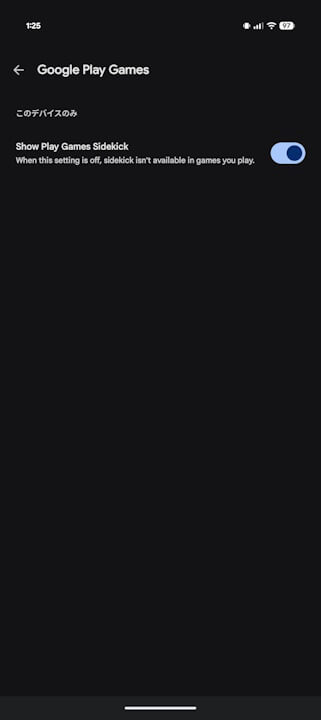
Incidentally, once you turn on “Google Play Games Assistant (Beta)” in the “Developer options,” a new toggle called “Show Play Games Sidekick” will also appear under the “General” section of the Android “Google Play Store” app settings within the “Google Play Games (Google Play Games Sidekick)” category.
➜
“Google Play Games Assistant (Beta)” is currently available on Android devices running Android 13 or later that utilize the gamer profile feature “Google Play Games Profile.” Additionally, v49.3 or later of the Android “Google Play Store” app also appears to be a requirement.
*In my environment, “Google Play Games Assistant (Beta)” was available on a “Pixel 10 Pro XL” with Google Play Store app v49.3, while it was not yet available on a “Pixel 10 Pro Fold” running v49.2.
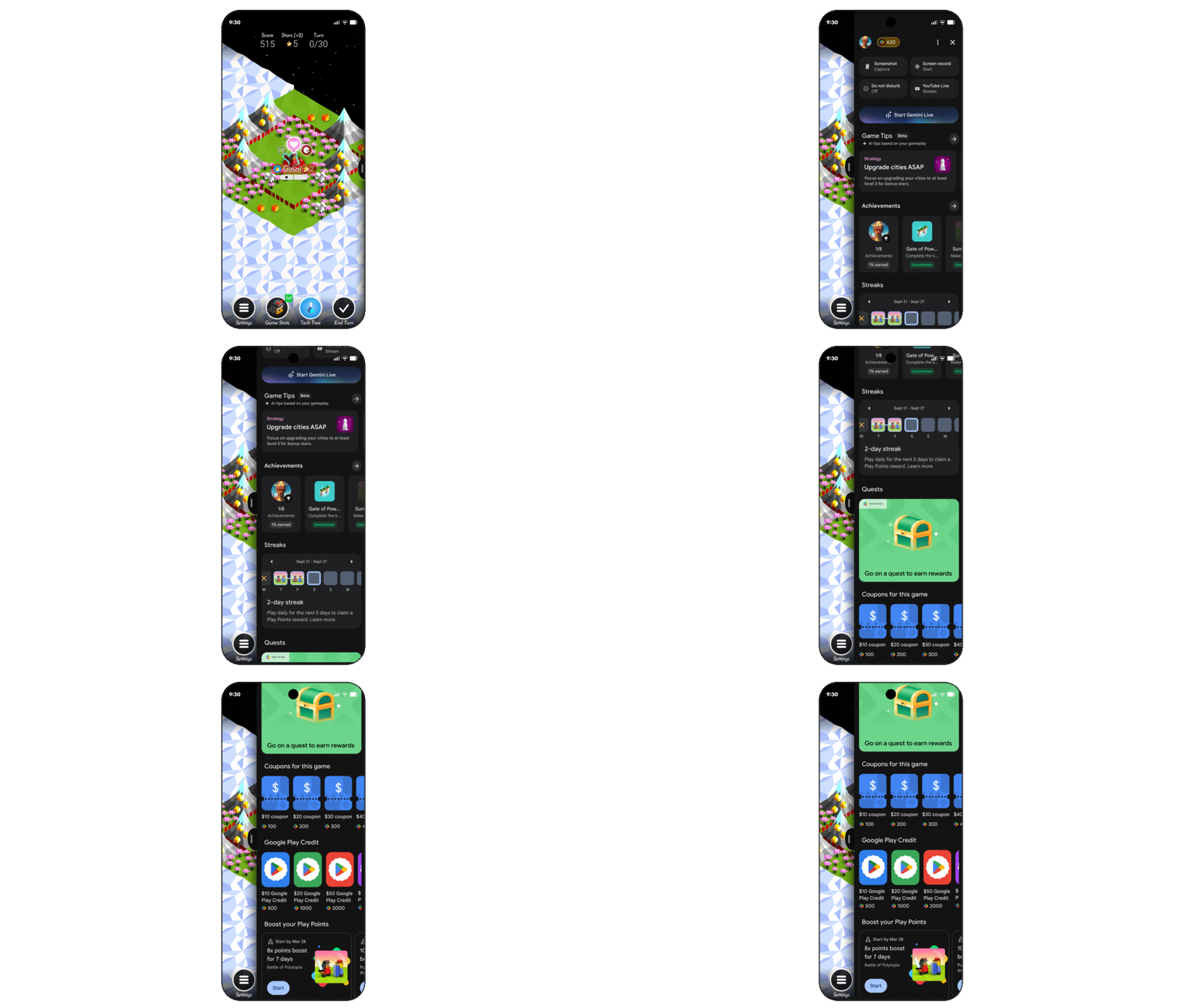
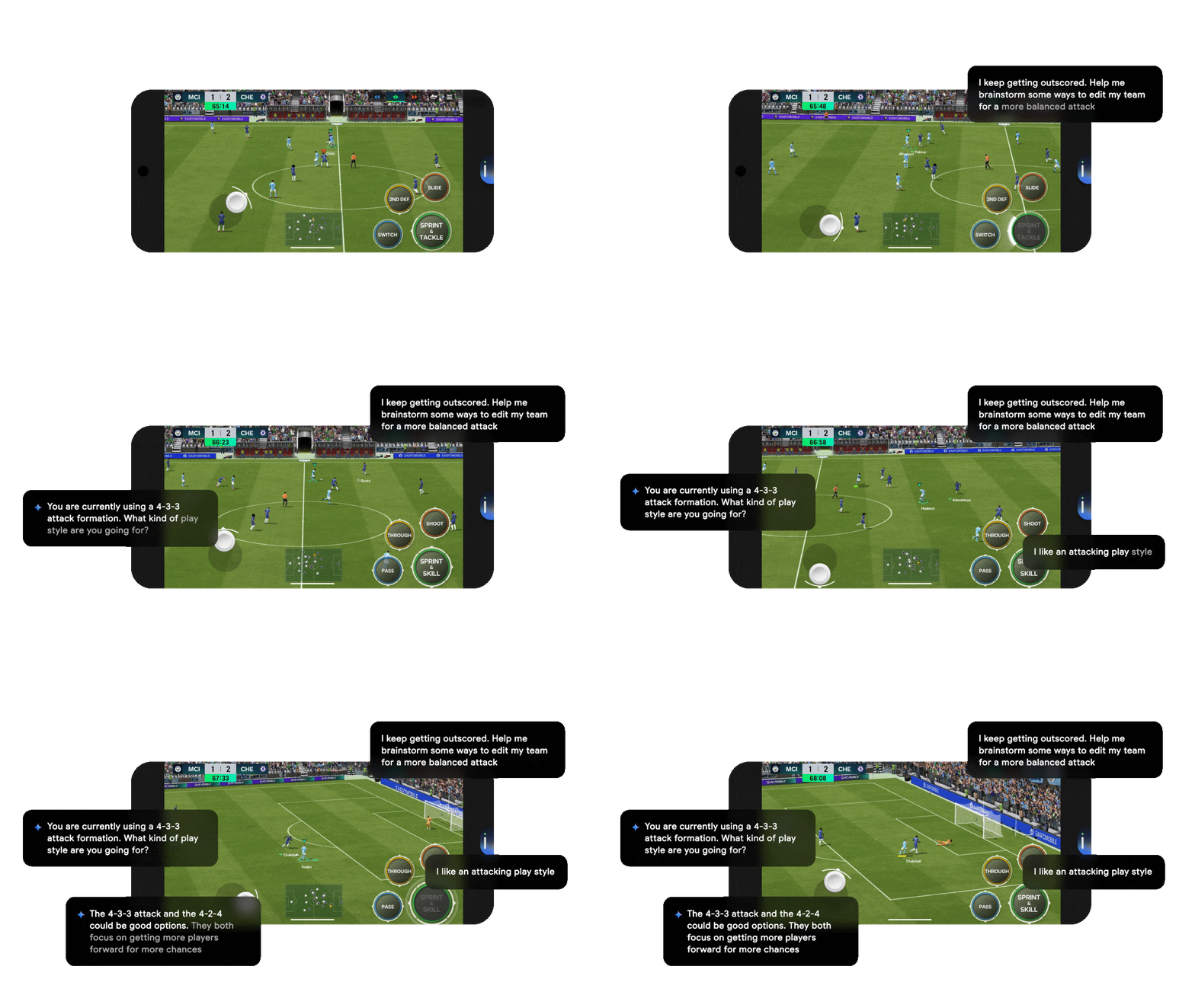
“Google Play Games Assistant (Google Play Games Sidekick)” is a convenient feature that displays game-related information, such as tutorials and walkthroughs, while playing games related to “Google Play Games.” It also integrates the conversational AI “Gemini Live,” allowing you to play games while receiving real-time hints and strategies through conversation. It is truly a “sidekick” feature designed to assist the user.
Source:Google