




- The Map Layers feature, which had been previously rumored for the Android version of the “Find Hub” app, was finally introduced in late December 2025.
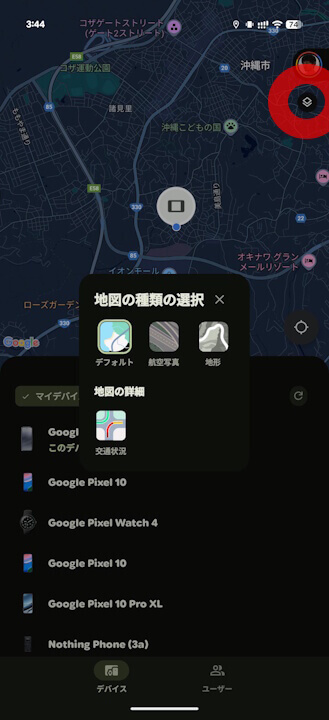
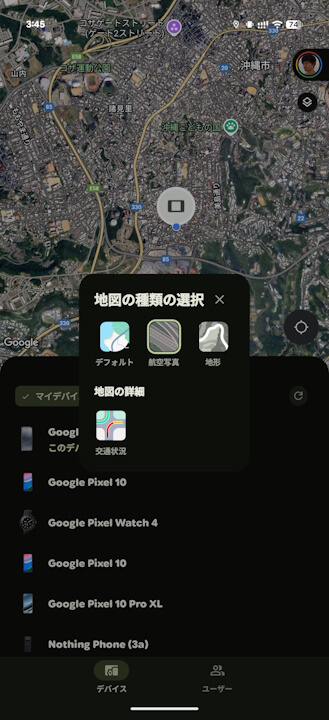
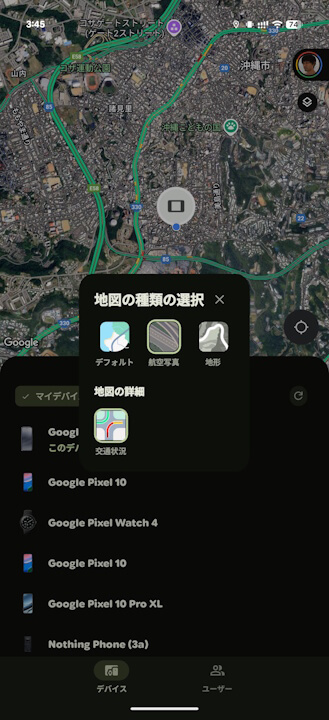
- Users can switch between three layers—Default, Satellite, and Terrain—and toggle traffic conditions on or off for each.
- Map layers have also been introduced to the web version of “Find Hub.”
The Map Layers feature, whose potential introduction had been previously hinted at for the Android version of Google’s “Find Hub” location tracking service, was finally rolled out in late December 2025.
The Map Layers introduced to the Android “Find Hub” app are the same as those implemented in Google Maps. Users can switch between three layers—Default (Map), Satellite, and Terrain—and toggle traffic conditions on or off for each.
The Map Layers in the Android “Find Hub” app will be enabled automatically as long as the app is updated to the latest version (v3.1.485-2 or later).
Incidentally, Map Layers were also introduced to the web version of “Find Hub” at the same time as the Android app rollout. However, the web version does not appear to include the traffic layer toggle. Instead, it allows users to toggle Terrain on or off for the Default (Map) view, and Labels (Map Labels) for the Satellite view.

“Find Hub” App Link
