




この記事のポイント
- A new setting, “Keep portrait mode on calls” is rolling out to some Android devices in the default “Phone by Google” app.
- Described as “Prevents the screen from unintentionally auto-rotating during calls,” this setting stops auto-rotation from being applied during calls, even if “Auto-rotate” is enabled in Android settings.
- It appears to be rolling out around app version v202.
In the default “Phone by Google” app for Android devices, a new setting, “Keep portrait mode on calls” has started rolling out to some Android devices.
The new setting rolling out in the “Phone by Google” app, “Keep portrait mode on calls” is described as “Prevents the screen from unintentionally auto-rotating during calls.” This setting disables auto-rotation during calls, even if “Auto-rotate” is enabled in the Android settings. It is located within the “Display options” settings and is turned OFF by default.
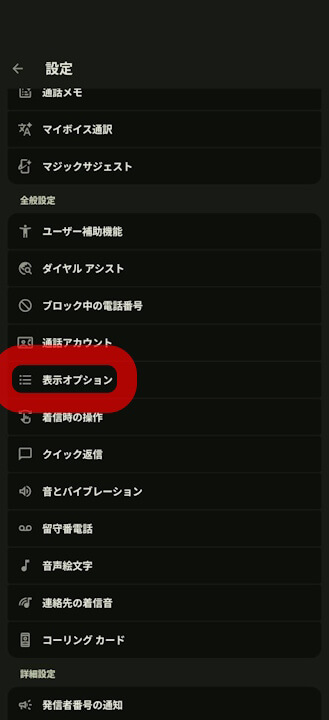

The new “Keep portrait mode on calls” setting in the “Phone by Google” app appears to be rolling out around app version v202. However, it is not a wide rollout and is currently only available for some Android devices.
“Phone by Google” App Link
