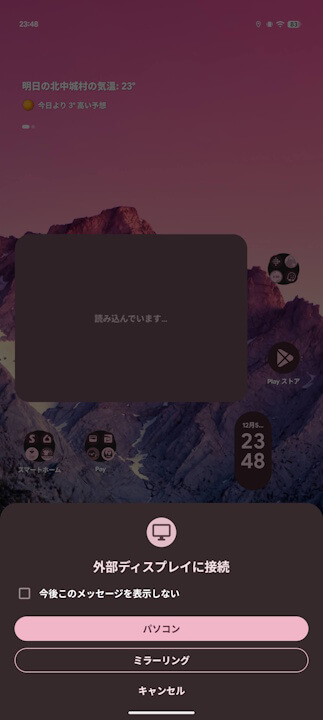
- A selection menu ([PC] [Mirroring]) has appeared on Google Pixel, allowing you to use regular “Mirroring (wired mirroring)” even when “Enable desktop experience” is turned ON.
- This allows you to choose between “Desktop mode (PC)” or “Mirroring” even with “Enable desktop experience” turned ON.
- If you check “Do not show this message again” when the [PC] [Mirroring] selection menu appears, the menu will no longer be displayed, and “Desktop mode” will be prioritized.
Last March 2024, Google Pixel devices from the “Pixel 8” onwards finally gained support for wired video output to external displays, known as “wired mirroring”.
Then, in September 2025, the “Enable desktop experience” option was rolled out in “Developer options”, which switches the UI to a “Desktop mode” specification during wired external display output. By turning “Enable desktop experience” ON, it became possible to use “Desktop mode” during “wired mirroring.”

 jetstream.blog
And now, it seems a selection menu—[PC] [Mirroring]—has been introduced, allowing you to use regular “Mirroring (wired mirroring)” even when “Enable desktop experience” is ON. This improves convenience by letting you choose between “Desktop mode (PC)” and “Mirroring” even with “Enable desktop experience” enabled.
Incidentally, if you check “Do not show this message again” when the [PC] [Mirroring] selection menu appears, the selection menu will no longer be displayed, and “Desktop mode” will be prioritized.
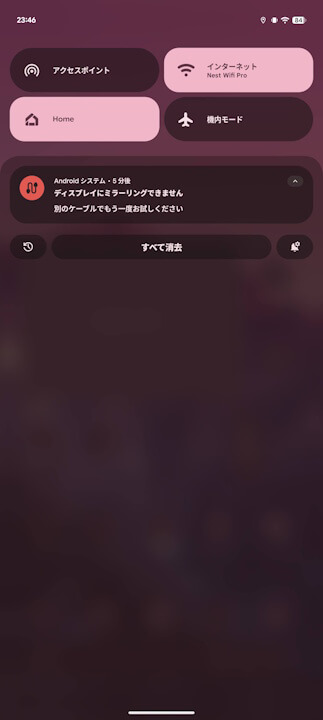
Additionally, it appears an alert notification has been implemented for when a USB cable that does not support “wired mirroring” is used.