



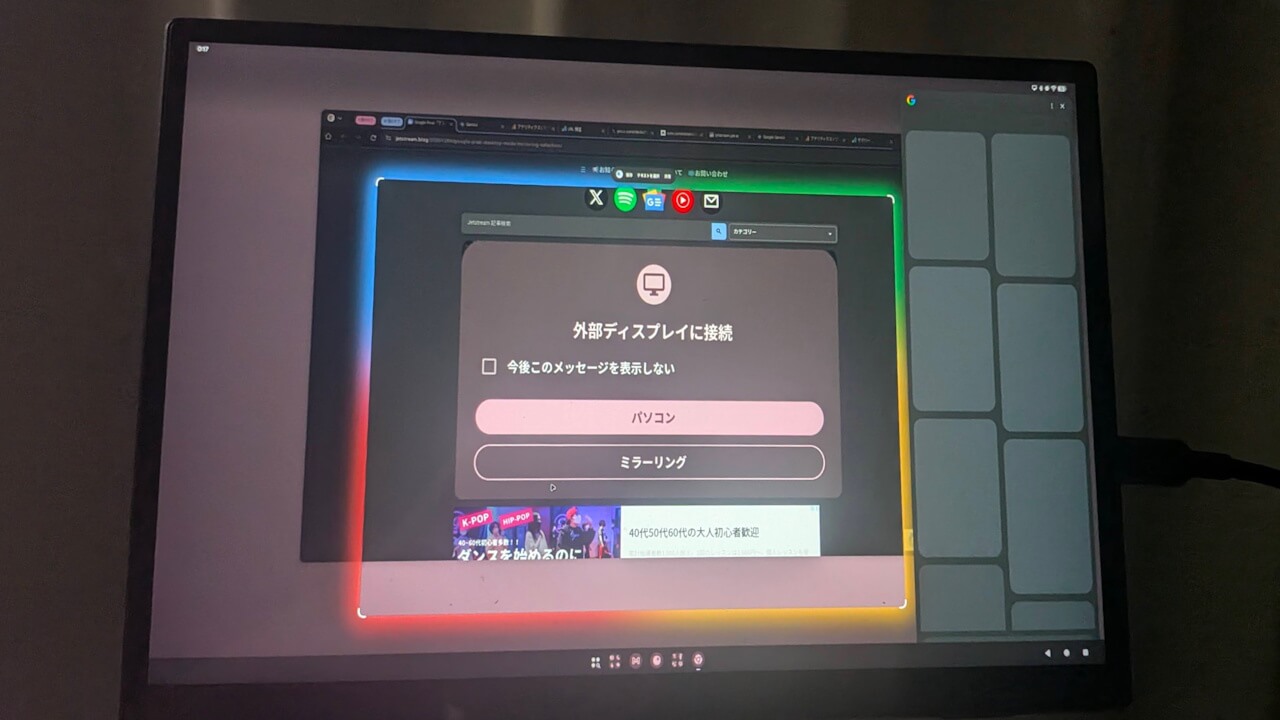

- “Circle to Search” is now available in “Desktop Mode” on Google Pixel devices.
- Long-press the left mouse button on the drawer icon that opens the app drawer.
- Available after the “Android 16 QPR2” update.
On Tuesday, December 2, 2025, Google began rolling out its monthly software update for December 2025 to Google Pixel devices running the new-generation Android 16 OS. This includes devices from the Pixel 6 series up to the Pixel 10 series, as well as the Pixel Fold and Pixel Tablet. The update brings the usual security vulnerability patches and feature enhancements.
The December 2025 monthly software update now rolling out to Google Pixel devices is the “Android 16 QPR2” release, a minor OS update to the “Android 16” major update that was released on Tuesday, June 10, 2025. It delivers an updated Android security patch, bug fixes and improvements, and several new features.

However, it seems a new, unannounced feature has also been quietly rolled out. This new feature, stealthily introduced to Google Pixel devices, is “Circle to Search” in “Desktop Mode.” Following the “Android 16 QPR2” update, the “Circle to Search” gesture feature is now available through the new “Enable desktop experience” option. This option, which became available in “Developer options” in September 2025, allows the UI to switch to a “Desktop Mode” layout when connected to an external display via a cable.
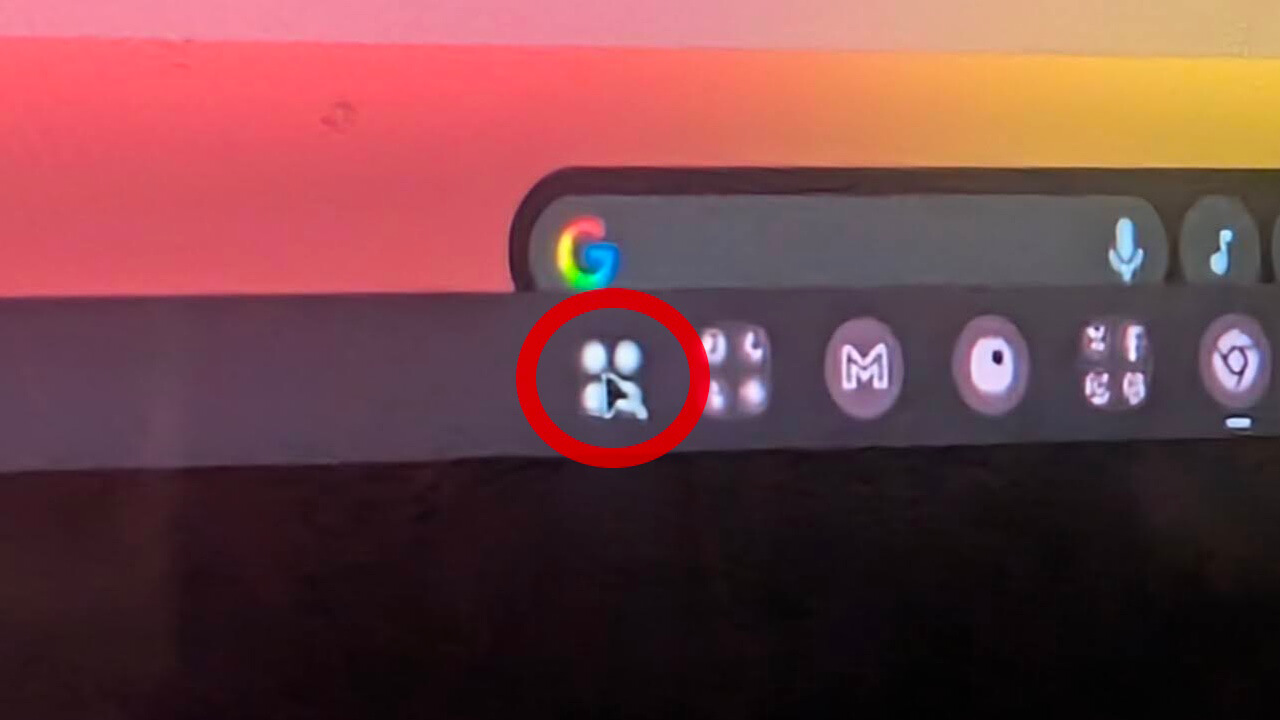
To use “Circle to Search” in “Desktop Mode,” long-press the left mouse button on the drawer icon that opens the app drawer. This will launch “Circle to Search,” allowing you to circle any part of the screen with your mouse. That’s all there is to it.