



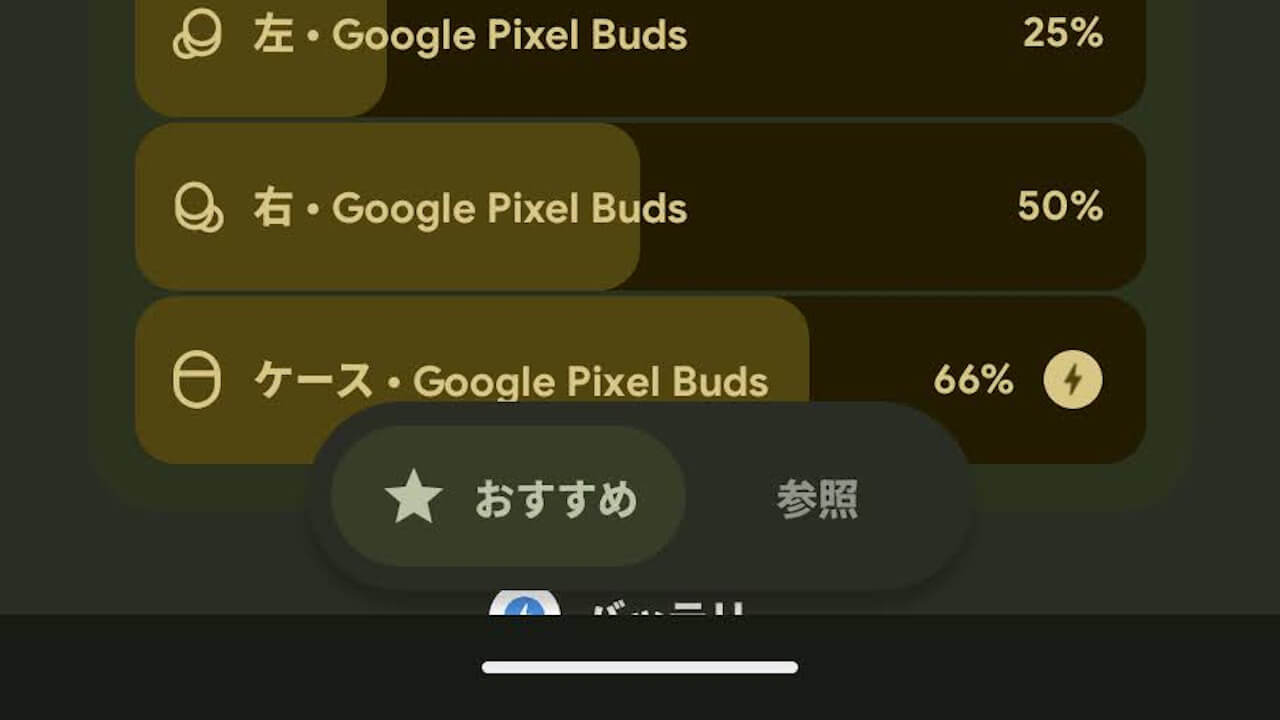

- The “Widgets” selection screen on Google Pixel devices has received a minor UI refresh.
- After the “Android 16 QPR2” update, it has been updated to a tabbed interface with [★ Recommended] and [Browse].
- This refresh, of course, applies to the default home app, “Pixel Launcher”.
On Tuesday, December 2, 2025, Google began rolling out the monthly software update for December 2025 for Google Pixel devices from the “Pixel 6” series to the “Pixel 10” series, including the “Pixel Fold” and “Pixel Tablet,” which run on the new-generation Android OS, “Android 16”. This update includes the usual monthly security vulnerability fixes and feature enhancements.
The December 2025 monthly software update that has started rolling out to Google Pixel devices is the release of “Android 16 QPR2,” a minor OS update to the major “Android 16” update released on Tuesday, June 10, 2025. It brings Android security patch updates, bug fixes/improvements, and several new features.
 jetstream.blog
However, it appears that a minor, unannounced UI refresh has also been rolled out. This minor UI refresh on Google Pixel devices is on the “Widgets” selection screen.
Previously, the “Widgets” selection screen had a long, straight vertical layout with [★ Recommended] at the top and the [Browse] list of widgets below it. However, after the “Android 16 QPR2” update, it has been refreshed to a tabbed interface with [★ Recommended] and [Browse] tabs.
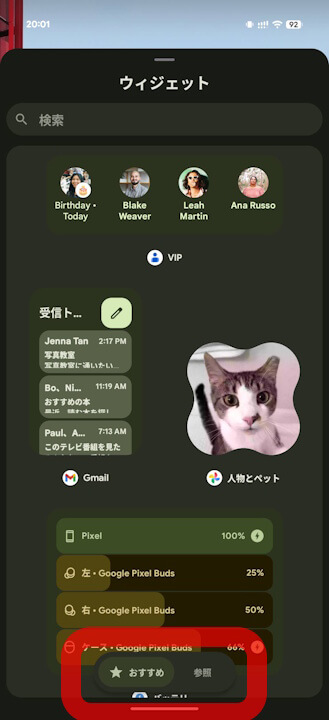
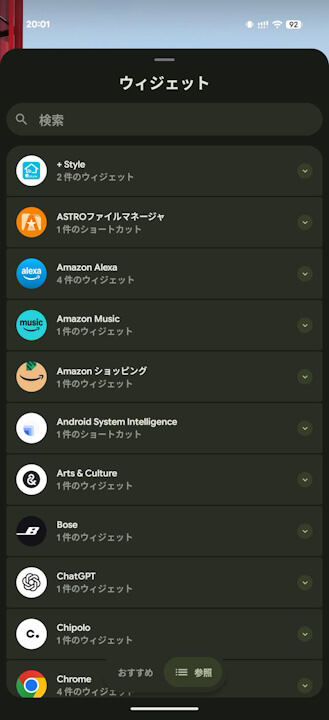
A minor UI refresh. And of course, this refresh is within the default home app, “Pixel Launcher”.