




- The “Clearer Audio” feature in the Google Pixel-exclusive “Recorder” app has been changed to “Auto Clearer Audio” in the app version v4.2.20251104.836568277 update, distributed on Monday, December 1, 2025.
- For reference, “Clearer Audio” (“Auto Clearer Audio”) in the “Recorder” app is a feature that reduces background noise during recording to make human voices clearer during playback.
- The change from “Clearer Audio” to “Auto Clearer Audio” is presumed to be just a name change.
The “Clearer Audio” feature for the Google Pixel-exclusive “Recorder” app was first rolled out as part of a “Pixel Drop” for the “Pixel 9,” “Pixel 9 Pro,” “Pixel 9 Pro XL,” and “Pixel 9 Pro Fold” in December 2024. It was later expanded to the “Pixel 8” series, including the “Pixel 8a,” in June 2025.
The “Clearer Audio” feature in that “Recorder” app has been changed to “Auto Clearer Audio” with the app version v4.2.20251104.836568277 update, released on Monday, December 1, 2025. For reference, “Clearer Audio” (now “Auto Clearer Audio”) is a feature that reduces background noise during recording in the “Recorder” app so that human voices can be heard more clearly during playback.


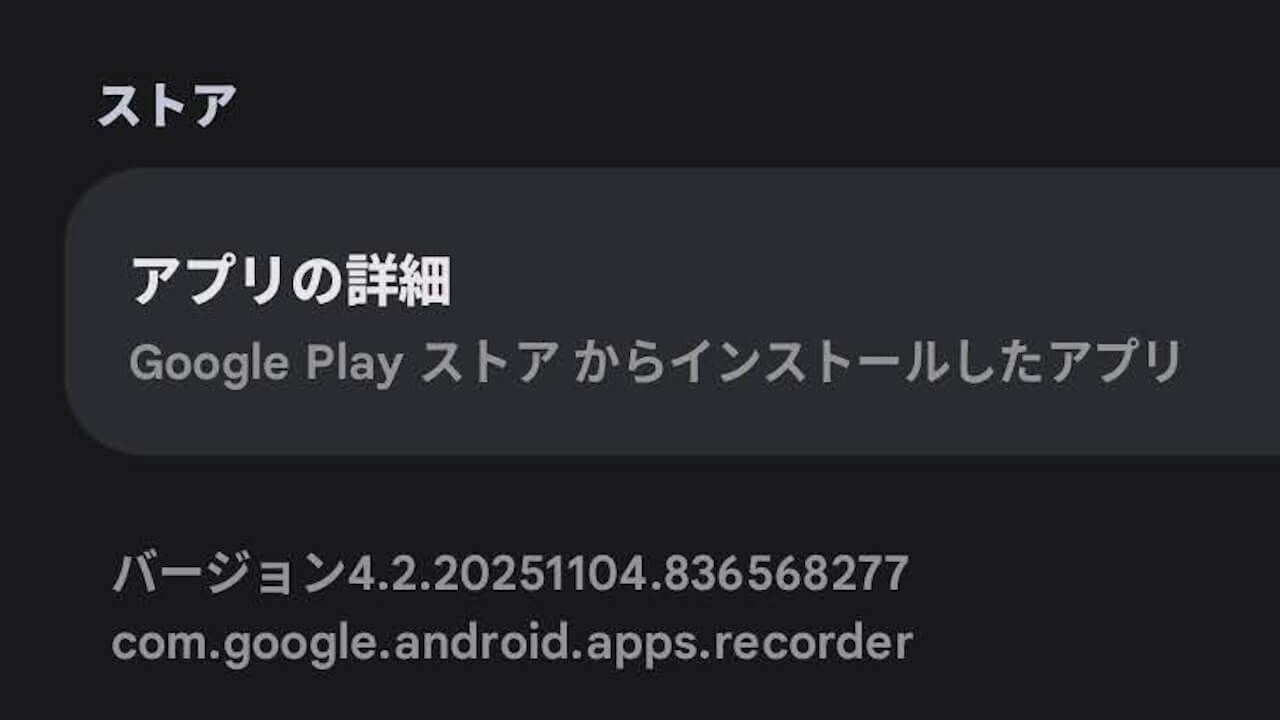
Although “Clearer Audio” in the “Recorder” app has been changed to “Auto Clearer Audio” in the v4.2.20251104.836568277 update, its behavior remains unchanged from the previous version. It still has an ON/OFF toggle; when turned ON, “Clearer Audio” is activated during conversation recording, and when OFF, it is not. The “Auto” part of the name seems to be just for show.
Also, just like before, the feature only works with [Mono] recordings. If [Stereo] is selected in the [Audio channel] settings, the “Auto Clearer Audio” setting itself is forcibly turned OFF.
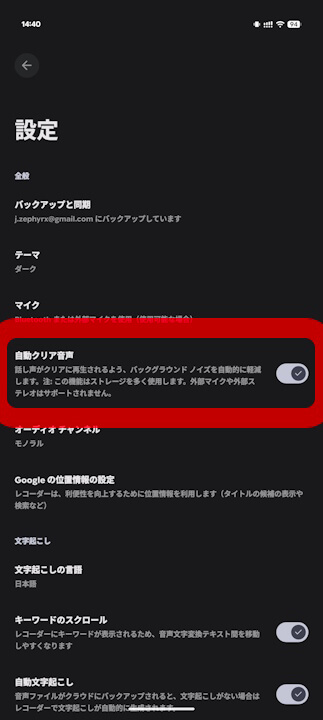
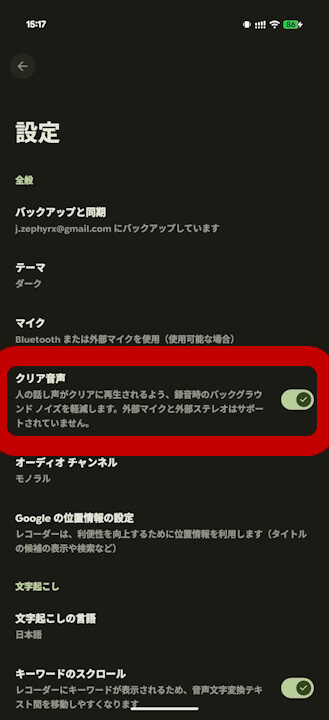
However, a note has been added to the “Auto Clearer Audio” feature description stating that it consumes more storage when turned ON. That said, it is unclear whether this means “Auto Clearer Audio” now uses more storage than the original “Clearer Audio,” or if the original feature also used more storage but simply lacked this explanation. Of course, there has been no official explanation or announcement from Google at this time.
自動クリア音声
話し声がクリアに再生されるよう、バックグラウンドノイズを自動的に軽減します。注:この機能はストレージを多く使用します。外部マイクや外部ステレオはサポートされません。
クリア音声
人の話し声がクリアに再生されるよう、録音時のバックグラウンドノイズを軽減します。外部マイクと外部ステレオはサポートされていません。
Additionally, we have confirmed internally that an alert stating, “Clear Voice automatically applied to reduce background noise” is now set to display for recordings where “Auto Clearer Audio” is applied.
<string name="hdmic_automatically_applied">Clear Voice automatically applied to reduce background noise</string>Based on these points, the change from “Clearer Audio” to “Auto Clearer Audio” is presumed to be merely a name change. However, as this may not be the case, we will report again as soon as any new official information becomes available.
“Recorder” App Link
